

For effective work with Automation rules on the Bitrix24 portal, it is necessary to correctly fill in the main data fields with which the Automation rule will interact.
These fields include:
Phone – in the field you need to specify the phone number of the contact with whom the interaction will take place. When writing multiple numbers, use separators: comma or semicolon.
** Filling examples: **
- {{Contact: Phone (text)}} – For all contacts;
- {{Contact: Work phone (text)}} – For work contacts;
- {{Phone (text)}} – For Lida’s contacts.
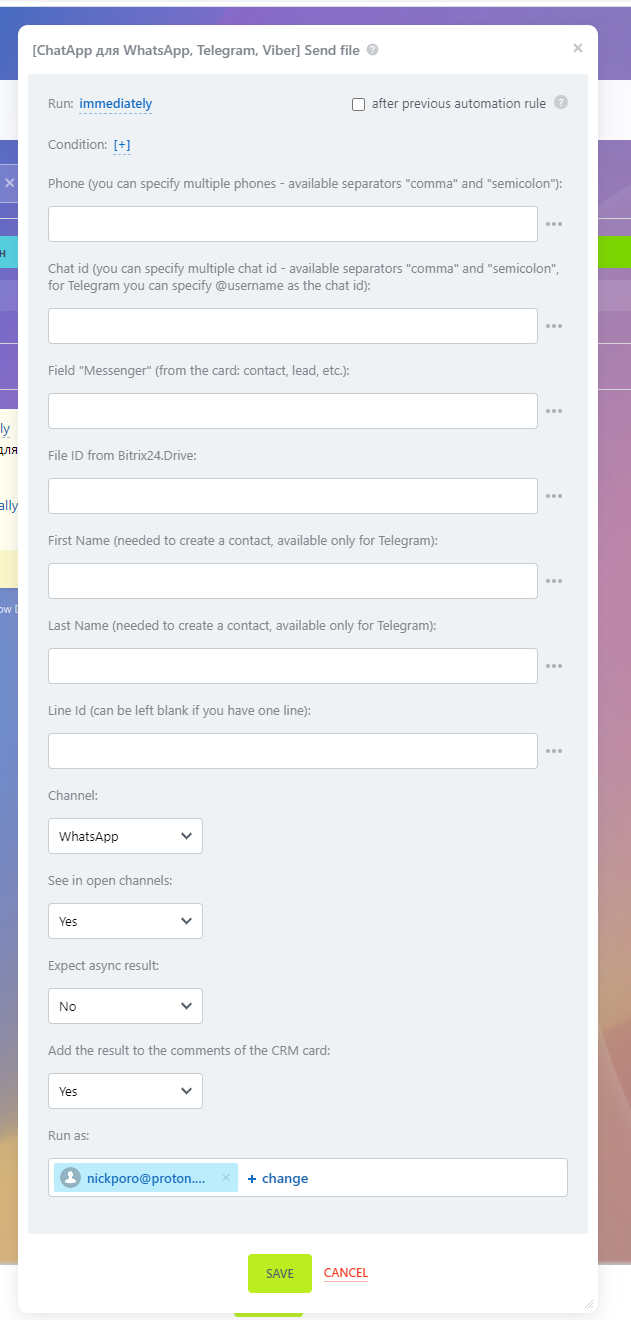
Message – you need to enter the text of the message that the Automation rule will send. You can add data from the deal to the message, for example Deal amount.
Filling example:
- {{Sum}}
Name and Surname – these data will be filled in only for the Telegram messenger. Contacts are filled in the messenger directory and displayed in dialogs.
** Filling example: **
- {{Contact: Name}};
- {{Contact: Surname}}.
Line ID is the number assigned to the line when purchased from the ChatApp service. The line ID is a mandatory field for self-filling if more than 1 line is used on the Bitrix24 portal. If you do not fill in this field, the system will send a message from the account that is first in the list in the ChatApp service settings.
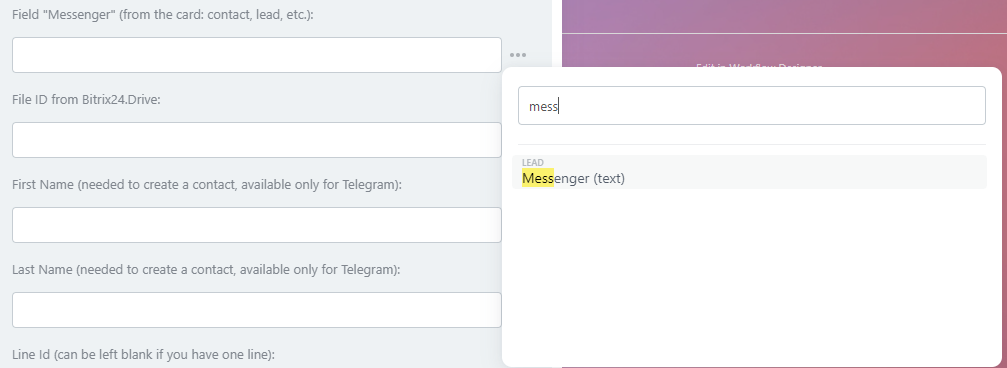
Messenger – here you need to specify the “Messenger” field from the deal card or lead via the field mask. This field is required when the contact’s phone number or other details are not available.
** Filling example: **
- {{Messenger (text)}}
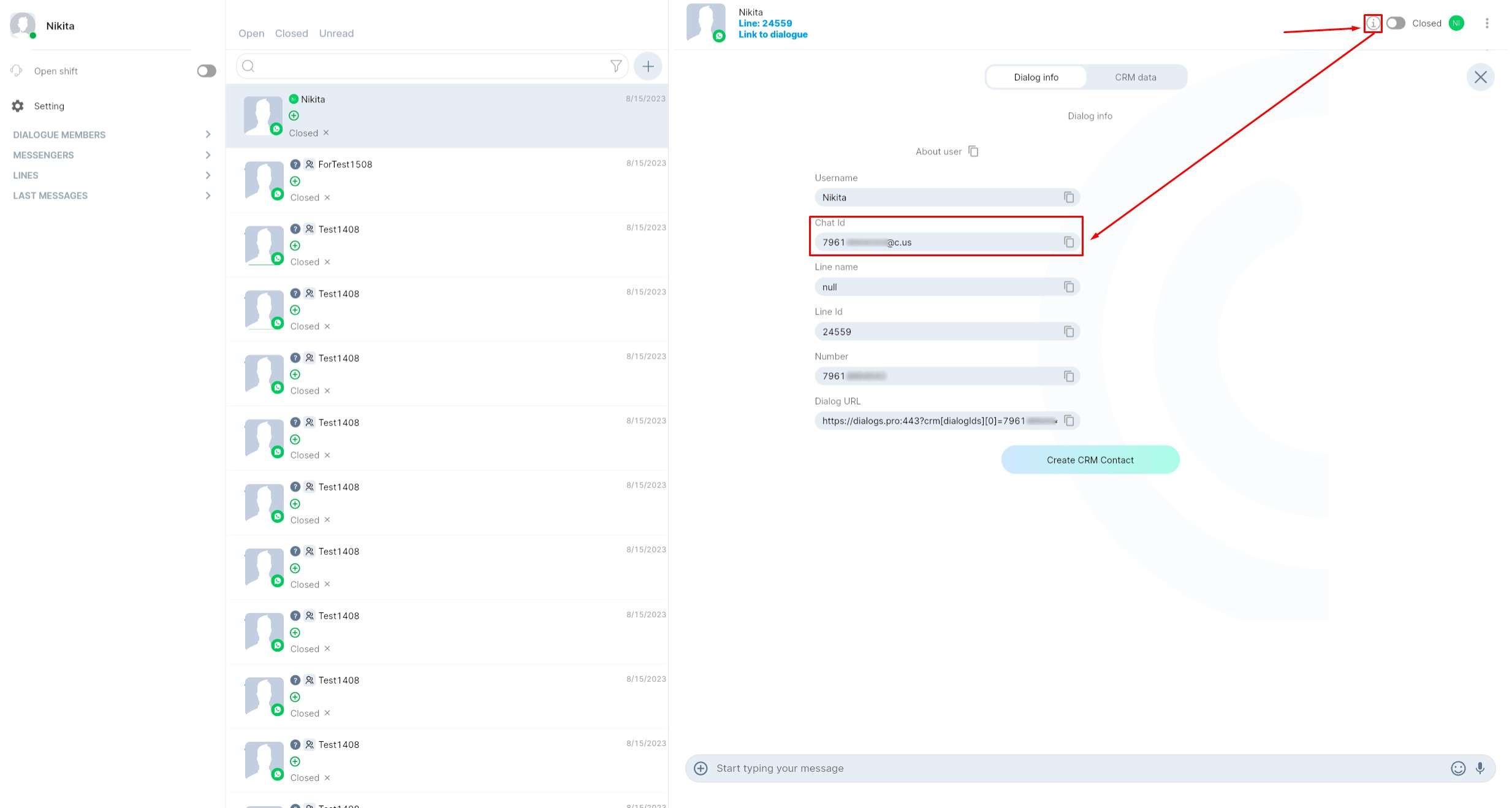
Chat ID – this information must be specified if other data is not available. If the contact is from the Telegram messenger, then it is enough to specify Username of the user.
** Filling examples: **
- Specify the chat ID you can find it in ChatApp Dialog;
- @username – to specify the username of a Telegram user.
Reflect in open channels– check this box if you want to duplicate messages in open lines chats. If you only want to send messages to the client without duplication, then you need to check the box “No”.
Asynchronous result – allows to get exact data about message sending. Read more in the article.
Run as – This is the standard field of the Bitrix24 portal Automation rules. Specify an employee who has CRM data access permissions.
