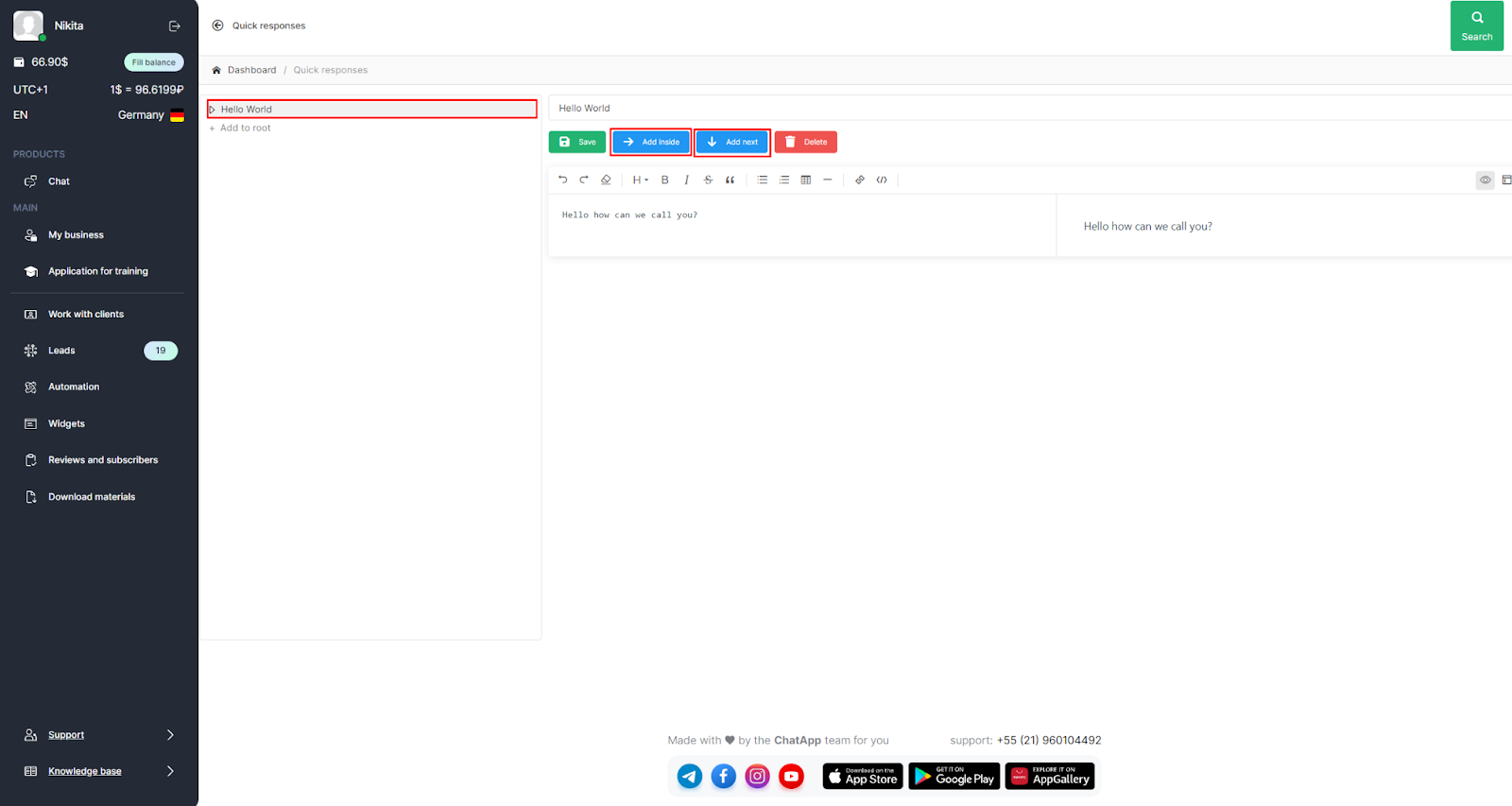
Quick responses help optimize operators' performance, respond to clients faster, and build a knowledge base within the company.
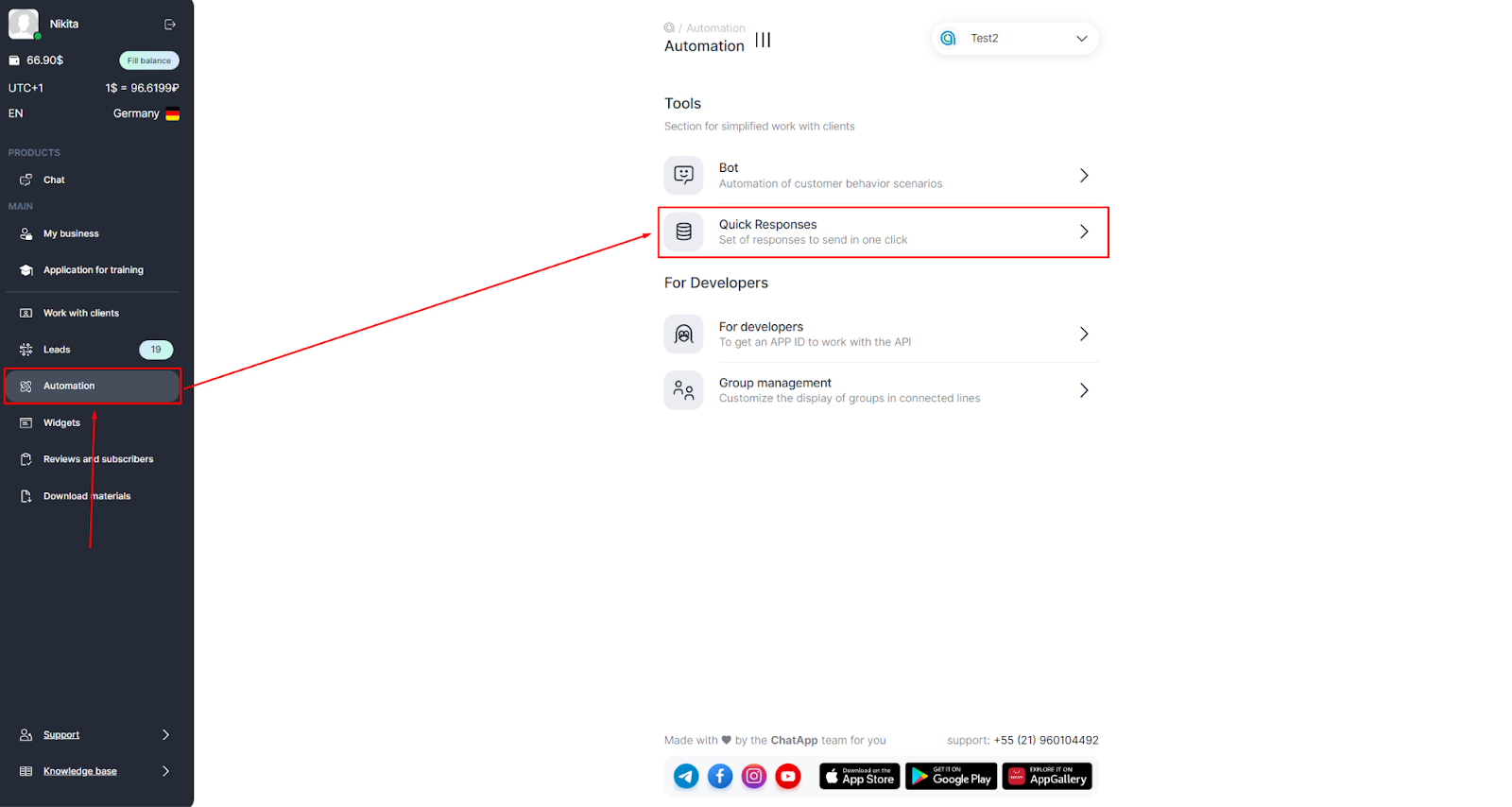
1. Go to your ChatApp personal account, and select "Automation" in the left menu.
2. Click "Quick Answers."
3. To create a Quick Replies Database, click on the "+ Create" button, enter the name of the notepad, and click "Save".

4. Click on "+ Add to Root" to create a Quick Answer in the New section.
5. Enter the "Quick Reply Title".
6. Enter a Quick Reply Description in the field below the "Title" and click on the "Save" button.

7. Once the Quick Reply Title is saved, it will appear in the side menu.
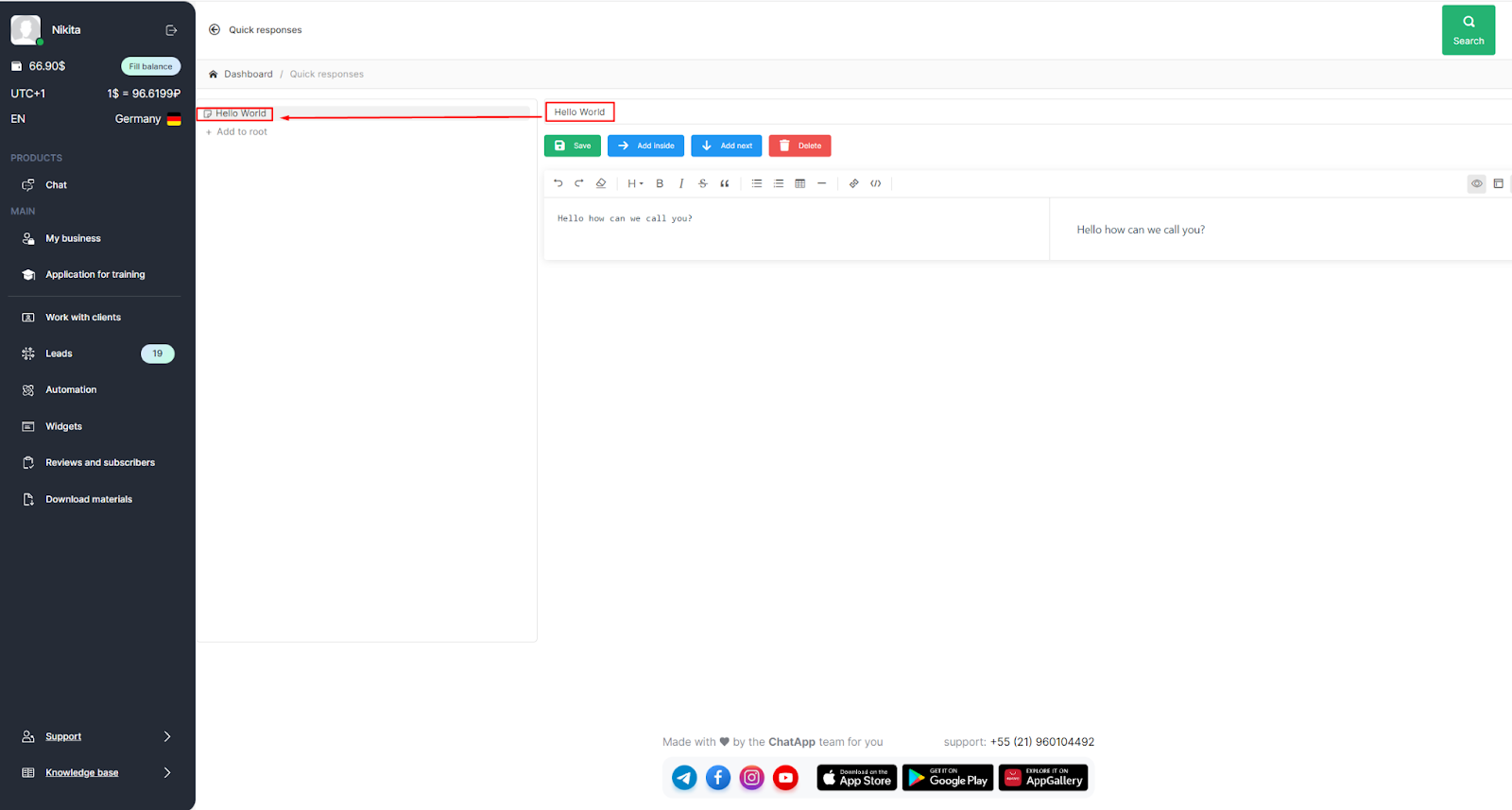
8. After saving the quick reply, you can add a new reply in the same section, delete the answer or edit it with buttons, and create a new section:
- + Add to root
- Name of folder or text
- Select: add inside (create a subsection) or add next to (in the same section)
- Fill in Title and Text Description
- Save