The "Response to event" block allows you to run scripts or parts of a script in response to events in the ChatApp system. For example, closing a chat in ChatApp Dialog.
- Only one event can be selected for one block.
- A script can contain up to 8 blocks.
- Any event type for a block can only be selected once in a script.
Customizing the response to event
1. Go to the Script editor and add the "Response to event" block to the workspace.
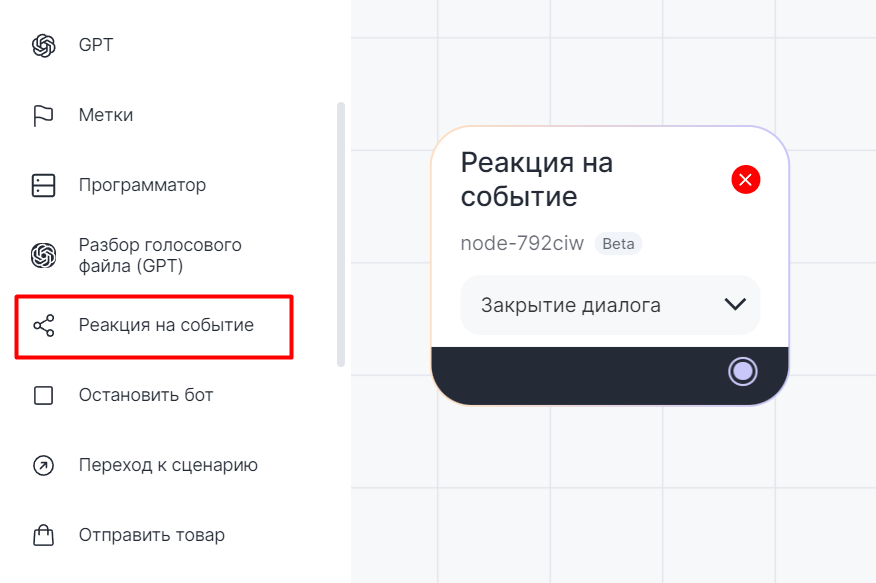

2. Select the event to which the block will be responding.
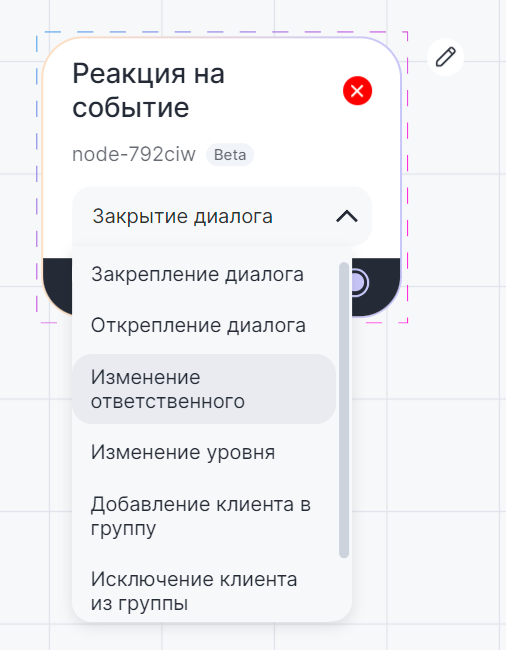

- Closing a dialog — moves the chat slider in ChatApp Dialog from the "Open" to "Closed" status.
- Opening a dialog — switches the chat slider in ChatApp Dialog from the "Closed" to "Open" status.
- Locking a dialog — sending the /pin command to the chat room or assigning a dialog to an employee in another way.
- Unpin a dialog — sending the /unpin command to the chat room or unpinning a dialog from an employee in another way.
- Changing the responsible person — assigning or changing the responsible person in a dialog.
- Change level — change the level of a dialog in ChatApp Dialog.
- Adding a client to a group — for TelegramBot (any groups) and Telegram Personal (private groups only).
- Excluding a client from a group — for TelegramBot (any groups) and Telegram Personal (private groups only).
- File response — when sending a file (media, audio). For WhatsApp, Telegram Personal, TelegramBot messengers.
3. Connect the block with any others. The block has only an output contact.
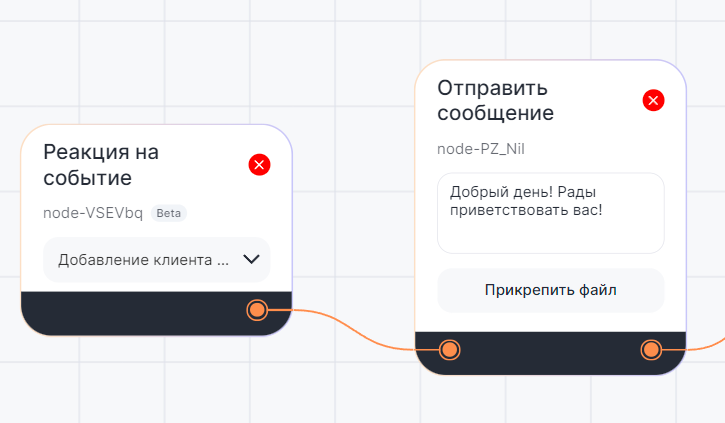

Script example in the Bot builder
For example, if a client sends a file - the "Reaction to event" block will be triggered and the bot will run the next "Send message" block.
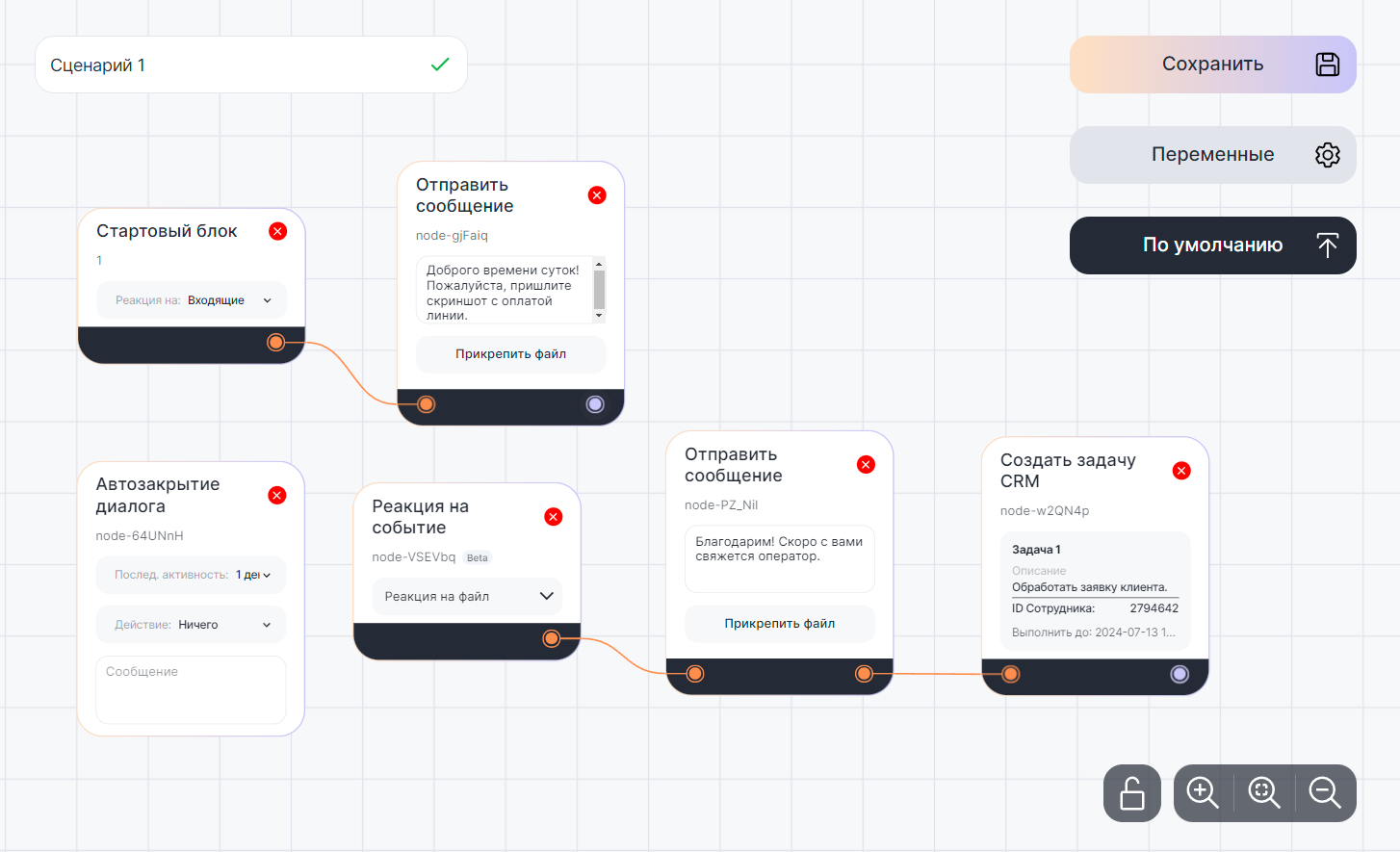

The client will receive a message in response to the file: