

It is troublesome to create a new line every time, so we recommend extending the lines.
1. Go to your ChatApp account and click Selected company on the left menu.
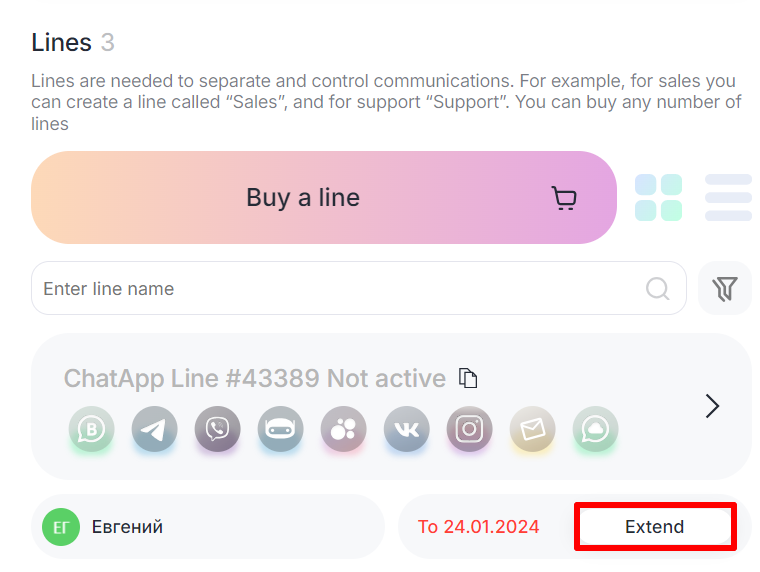
2. Select the line you need and click the Extend button.
3. Select your extension period and pay using one of the payment methods.
4. Click To pay.
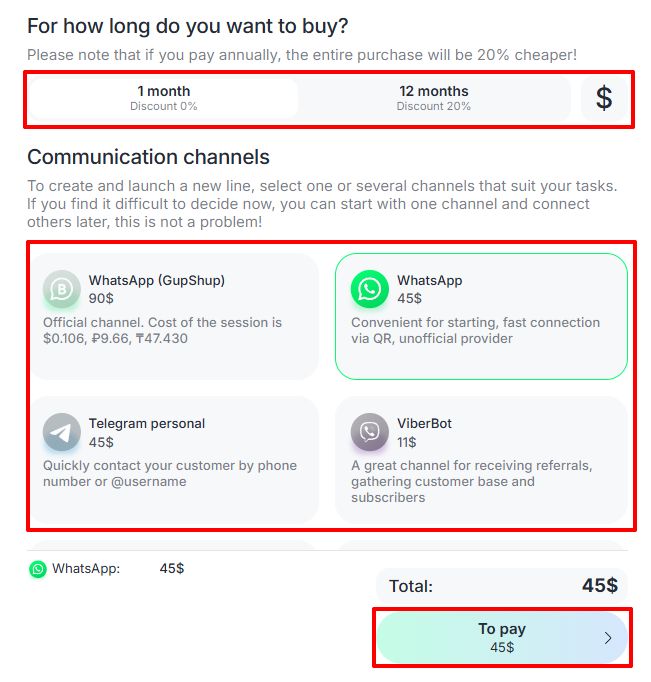
Important: the list of channels can only be changed 5 days before the line is extended, or when the line is deactivated.
