

ChatApp automation rule – Send File to Group automatically sends a file from a Bitrix24 disc. The file format does not matter, but the file size limit is 60 MB.
To automatically send a file from a Bitrix24 disc after a deal has moved to a new stage:
1. Add an automation rule to the required stage of the deal.
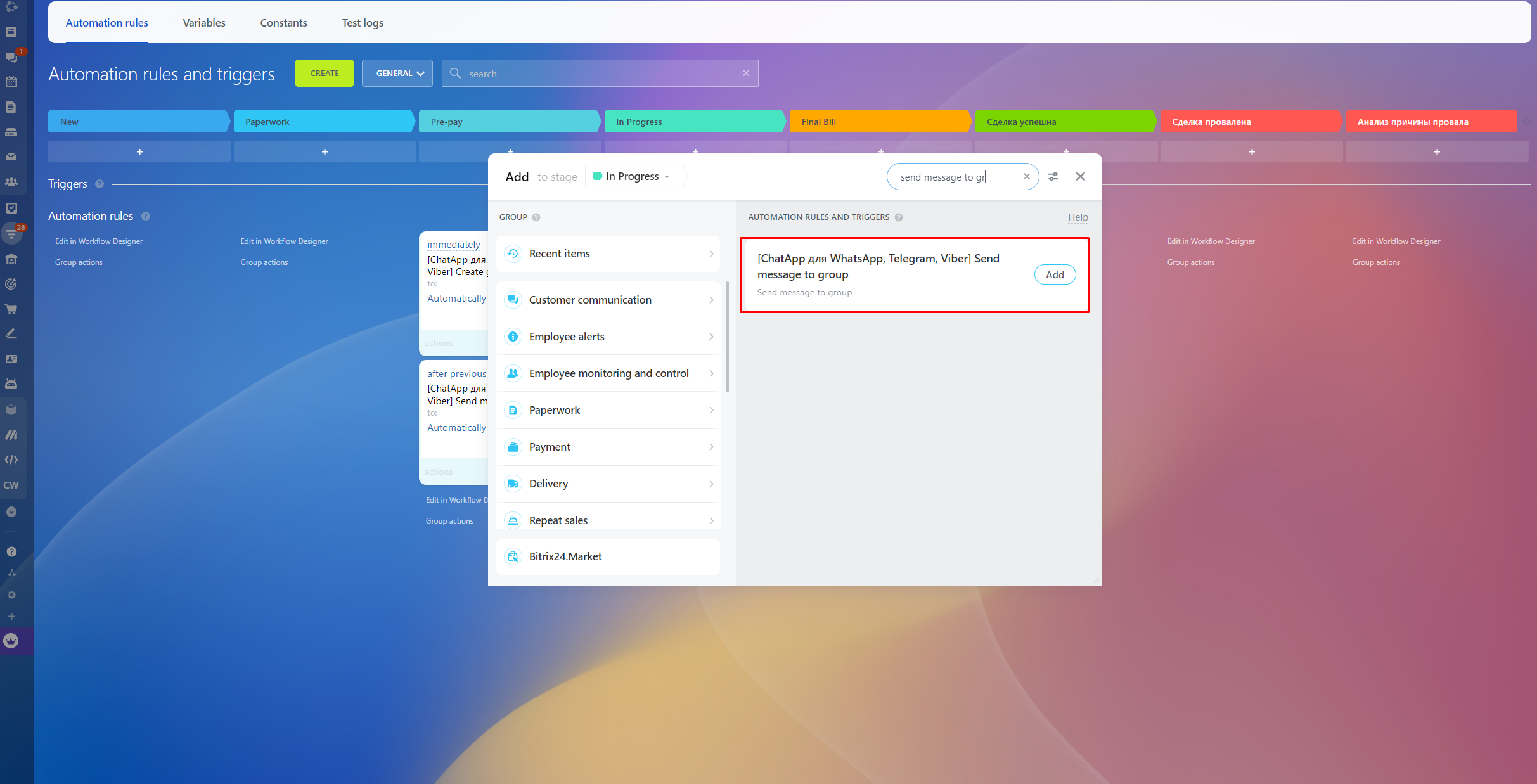
2. Setup the parameters of the rule:
- Group ID – when you create/add a group, WhatsApp Group id field will appear in the card.
- File ID – see below.
- Line ID – fill in the ID of the licence you will use to send the message. You can leave this field blank if you only have one active line.
- Channel – the channel on which the file will be sent.
- Asynchronous result – allows to get exact data about message sending. Read more in the article.
- Add result to CRM card comments – Display message sending status.
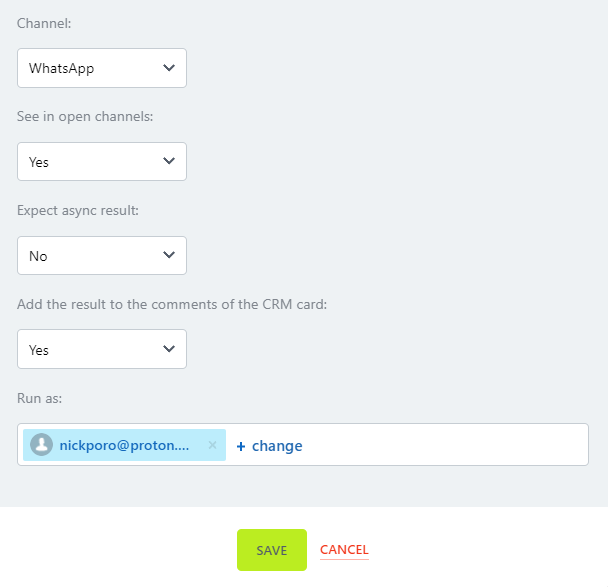
3. Click Save.
4. To notify the person responsible for the deal after sending the file, configure an additional automation rule from the Bitrix24 standard set. This way, you will be able to know if an error occurred during sending.
Video tutorial
If you still have questions, we have prepared a video tutorial about sending files using the ChatApp robot to Bitrix24.
