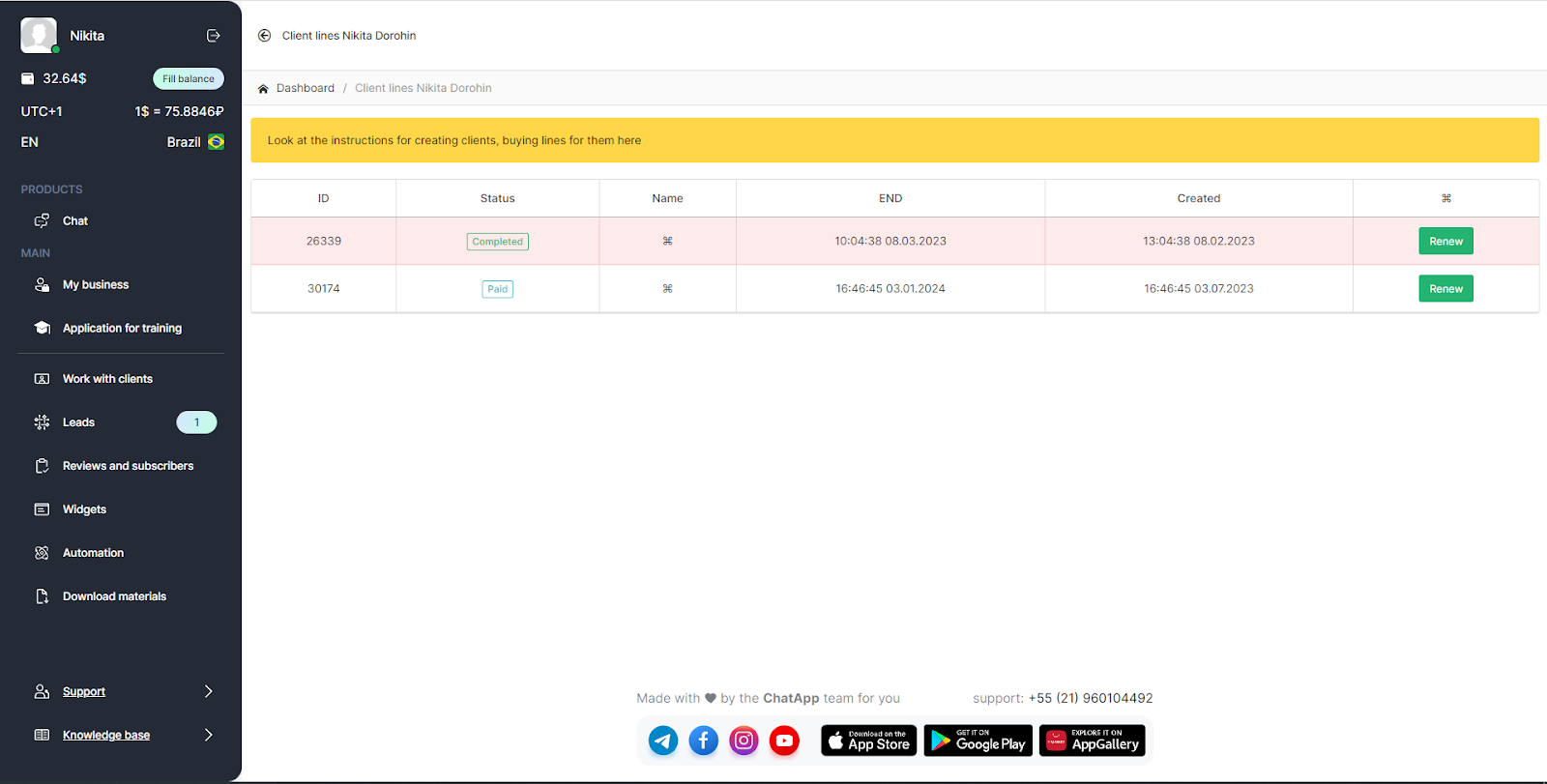
When you get the partner’s account an interface for managing client lines appears in your personal account.
How to buy a new line for the client from the partner's account
1. Open your personal ChatApp account;
2. In the left menu, select "Clients";
3. In the opened window click “My clients”;
4. Select the client and click "New Line";

5. Select a subscription period
6. Select communication channels
7. Select “to pay”
8. Choose a payment method
You can learn more about methods of payment in the article “Payment Methods in the Partner's Account”.
Extension of the line for the client
1. Select "Clients" from the menu on the left;
2. In the opened window click “My clients”;
3. Select the client and click on the number showing the number of lines (first on the left) in the "Lines / Payments / Companies" column;

4. Select a subscription period;
5. Select communication channels;
6. Select “to pay”;
7. Select a payment method.
You can learn more about methods of payment in the article “Payment methods in the partner's account”.
The lines are arranged in order by their end date. The completed lines or those that will end soon are displayed at the top. Completed lines are highlighted in red.