Dialog analytics helps you track metrics:
Open and closed dialogs.
- Minimum, maximum, and average time for dialog work.
- Performance evaluation of the person responsible for dialogs.
- A number of unanswered dialogs.
View analytics on dialogs work
Dialog metrics help you evaluate the workload and productivity of your employees.
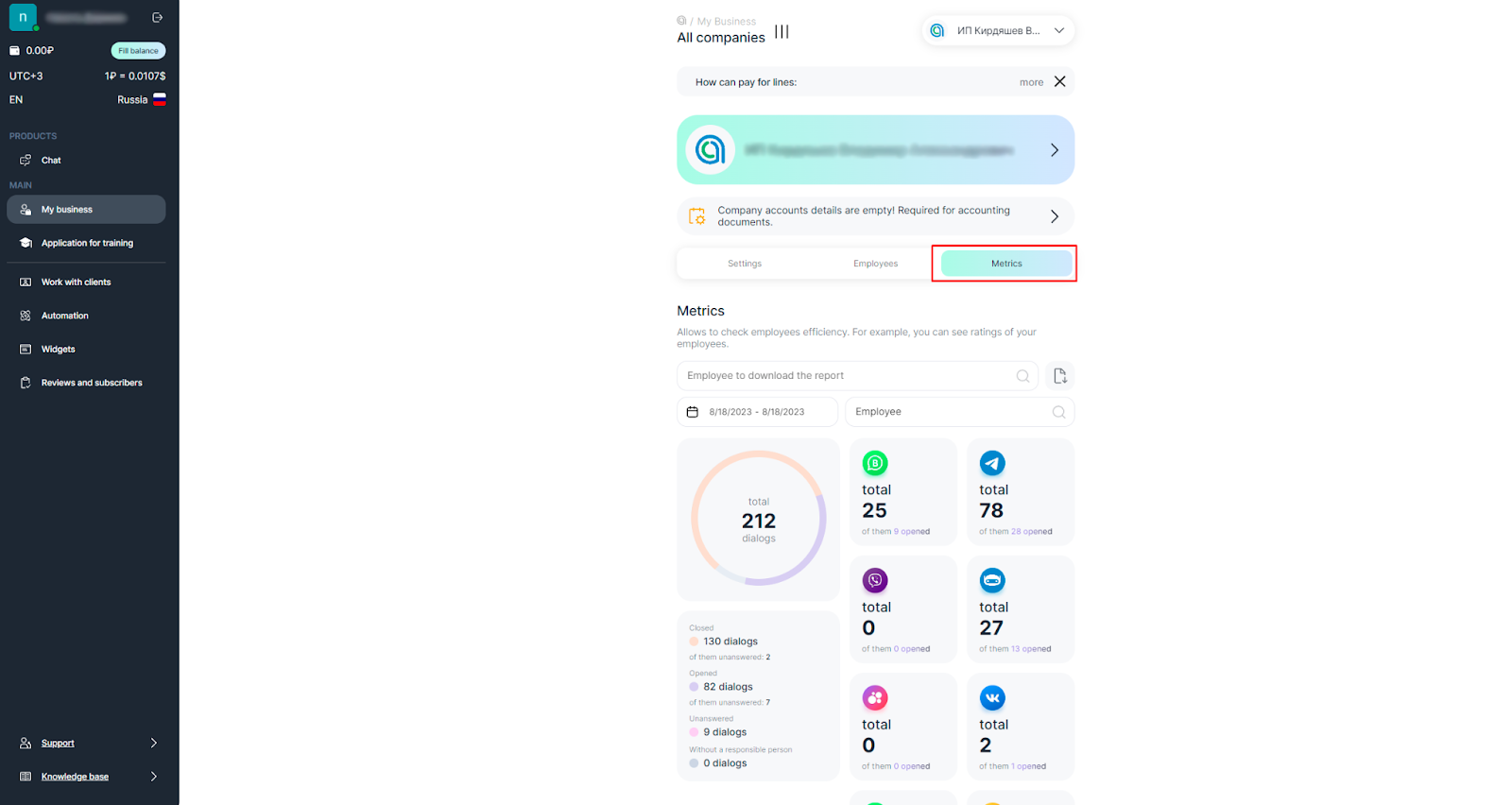
1. Go to your ChatApp Personal Account and select “My Business” from the left side menu.
2. Click the Metrics tab.
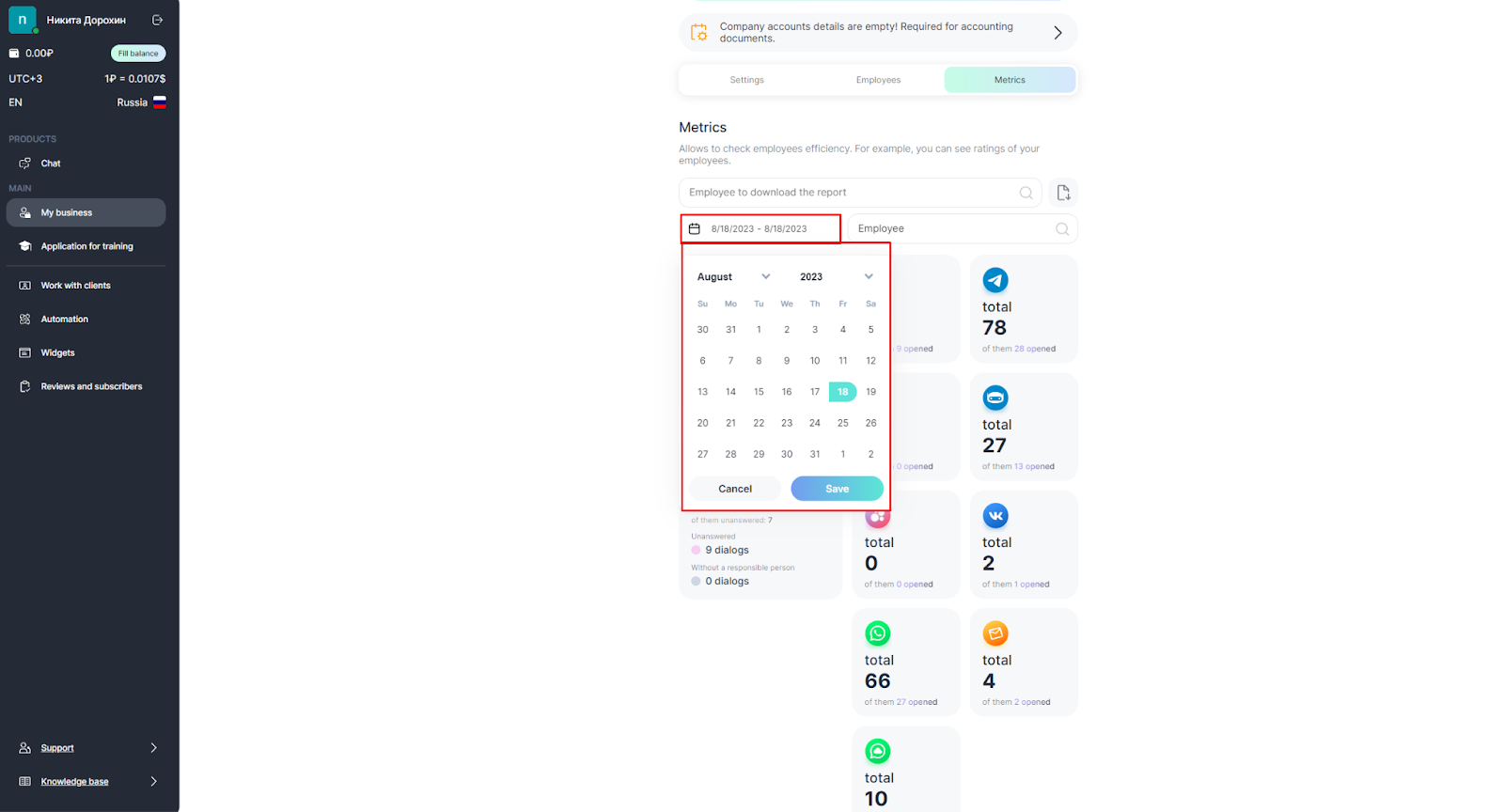
3. Select a period to analyze.
4. Select participants to analyze:
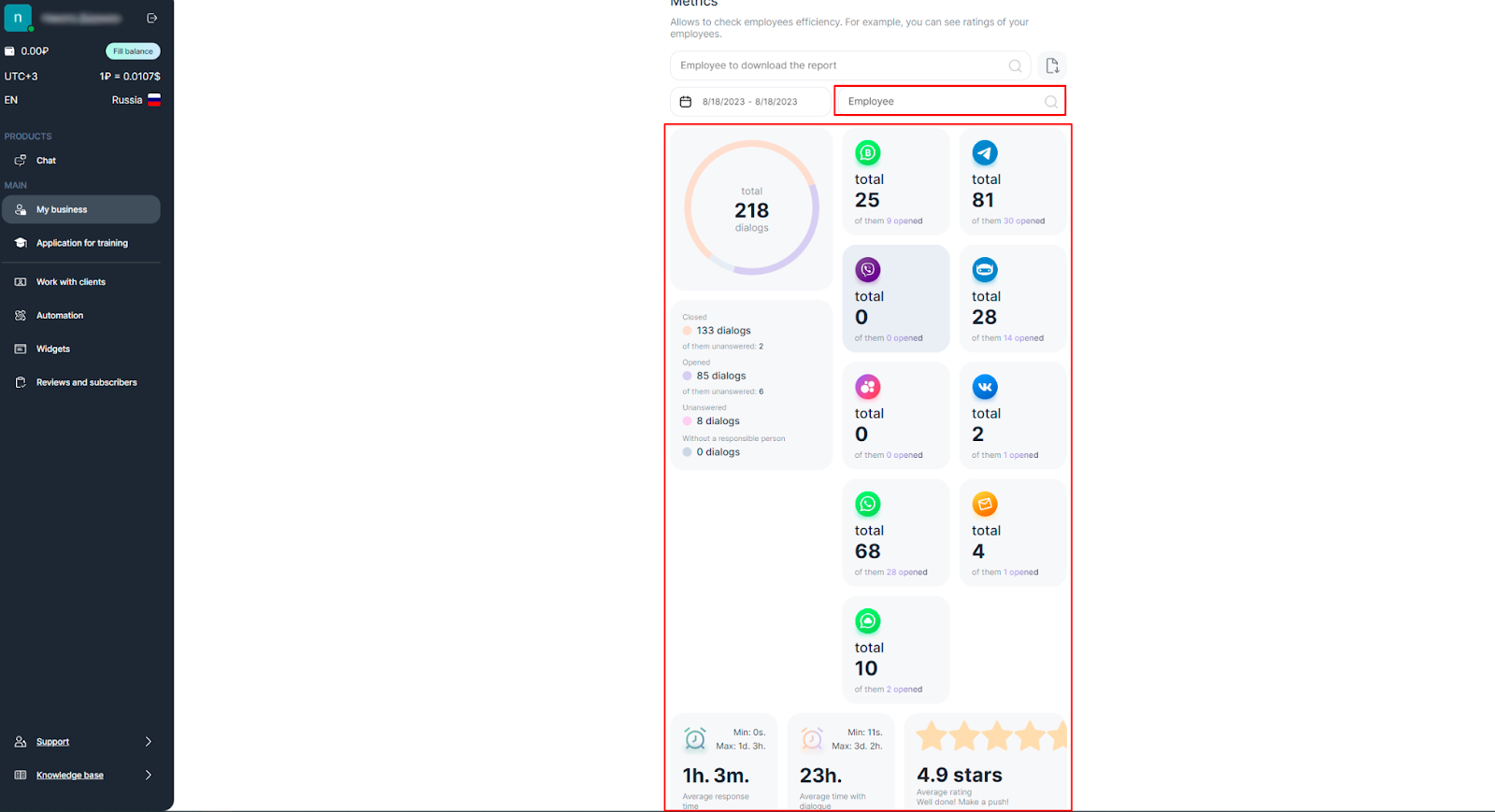
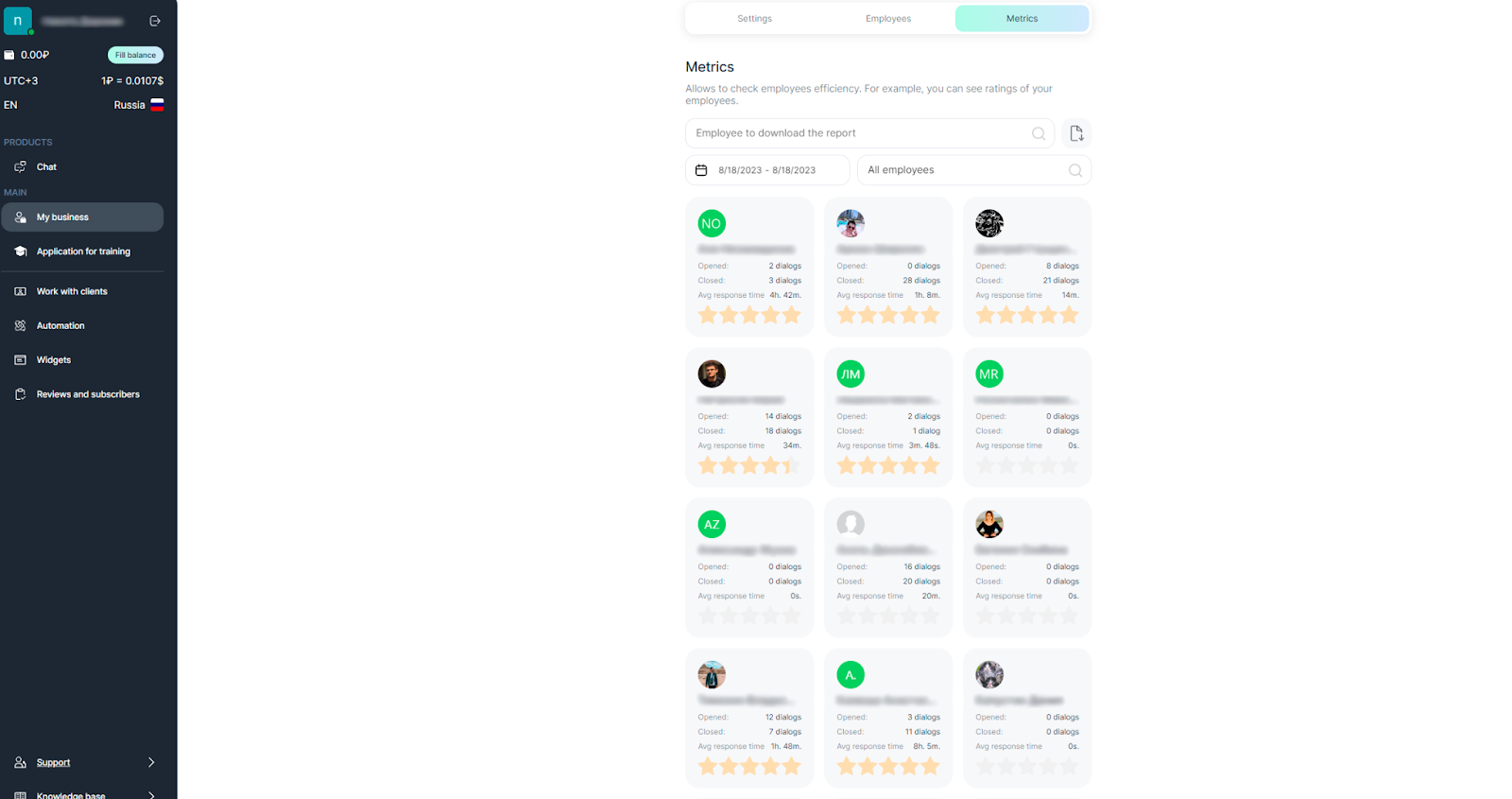
- See the statistics of each individual employee. The average response time, dialogue closure, and score are shown at the bottom.
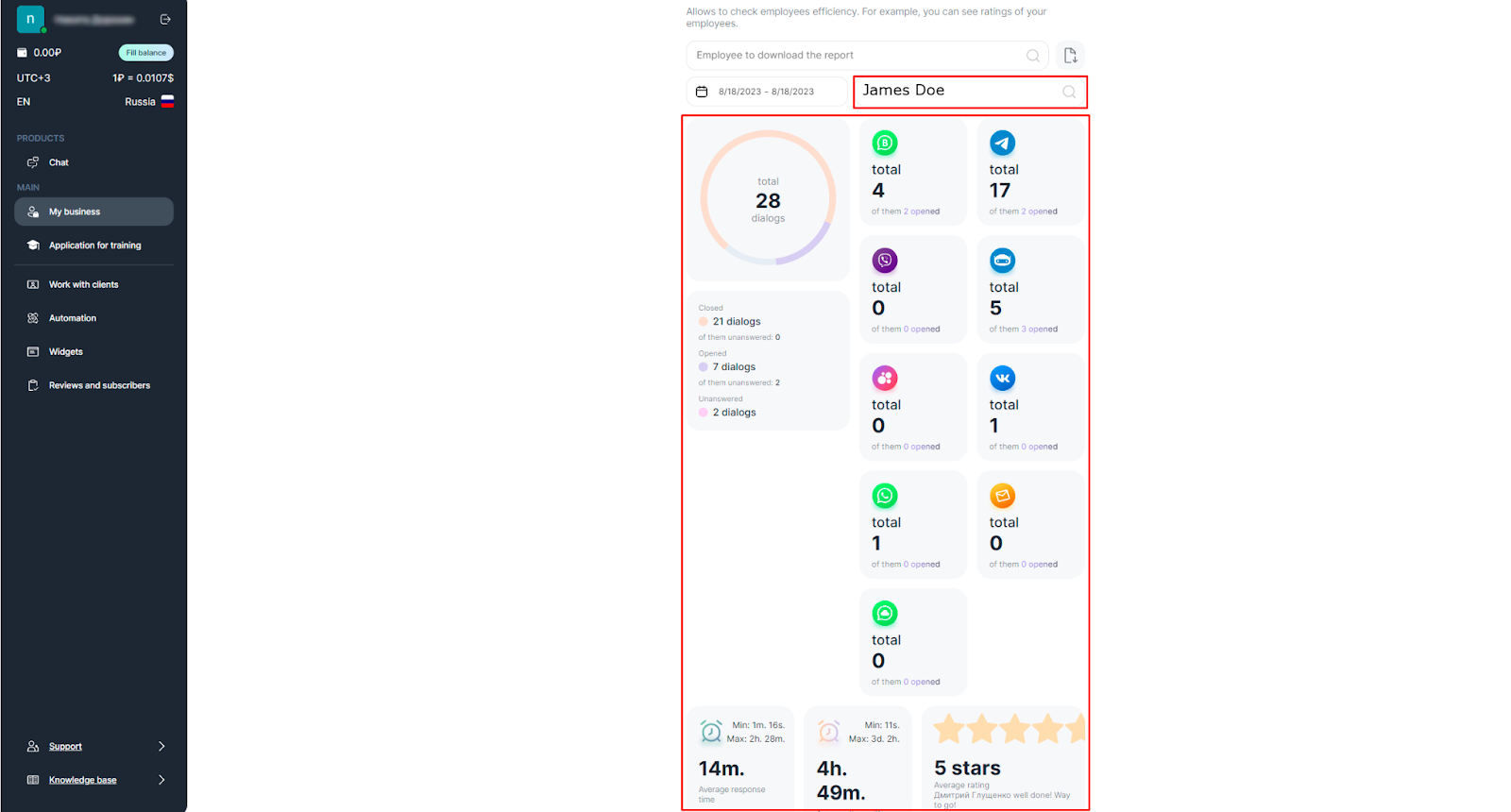
- Select “Employee” to see overall statistics for the company. From which messengers clients write more often. The average response time, dialoe closure time and score are shown below.
- Select “All Employees” to see the statistics of all employees and compare.
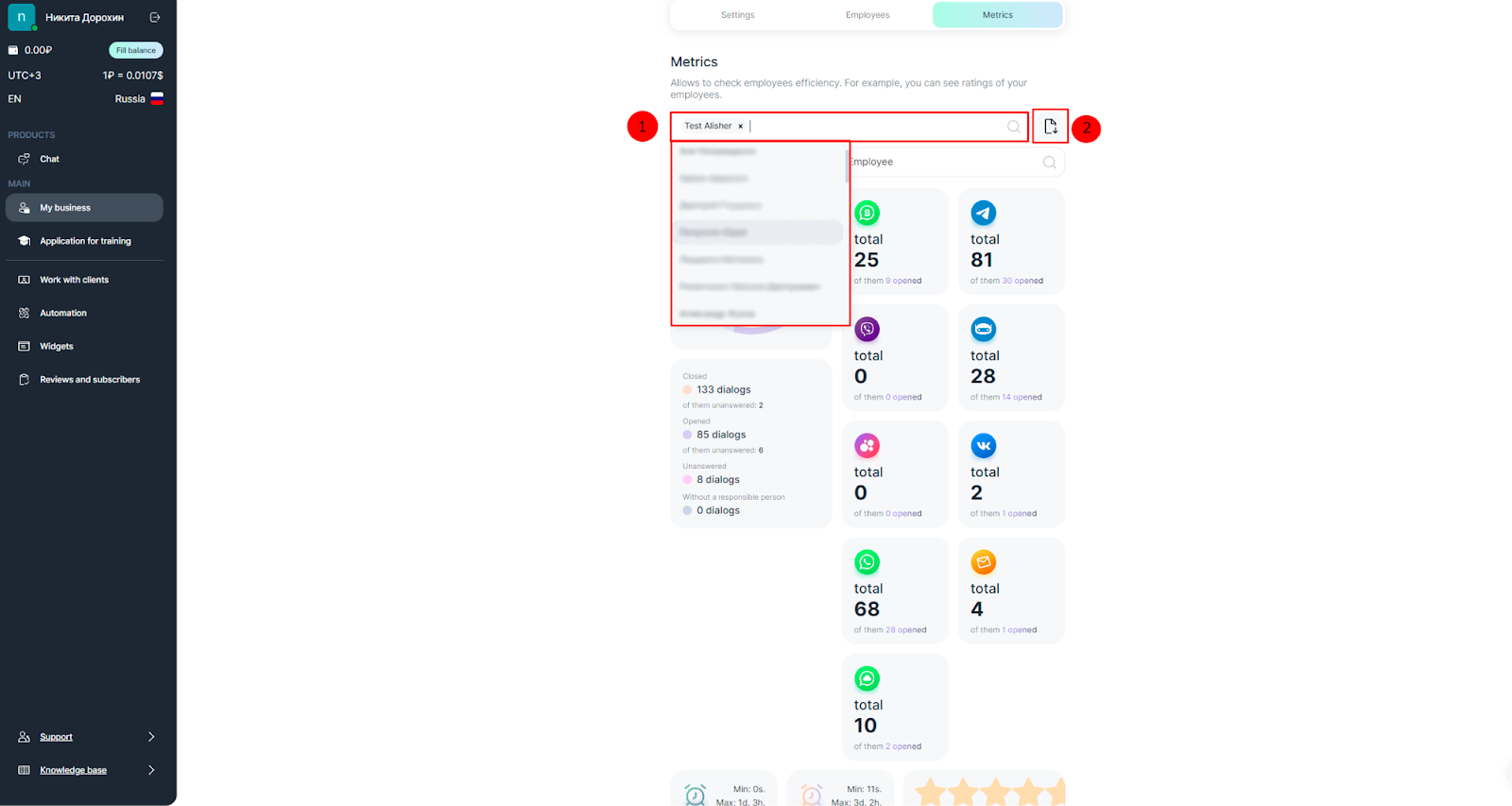
Upload selected employee statistics to an Excel file
Use Excel tools to evaluate employees more effectively.
- Select one or more employees in the “Employee to upload report” field.
- Click on the button
, the file download will start.
View dialogs in the ChatApp Dialog
Open and closed dialogs are saved in the metric. Use this if there is a contentious dialog, or you need an example to train new employees.
1. Click on the messenger tile to open a list of open and closed dialogs.
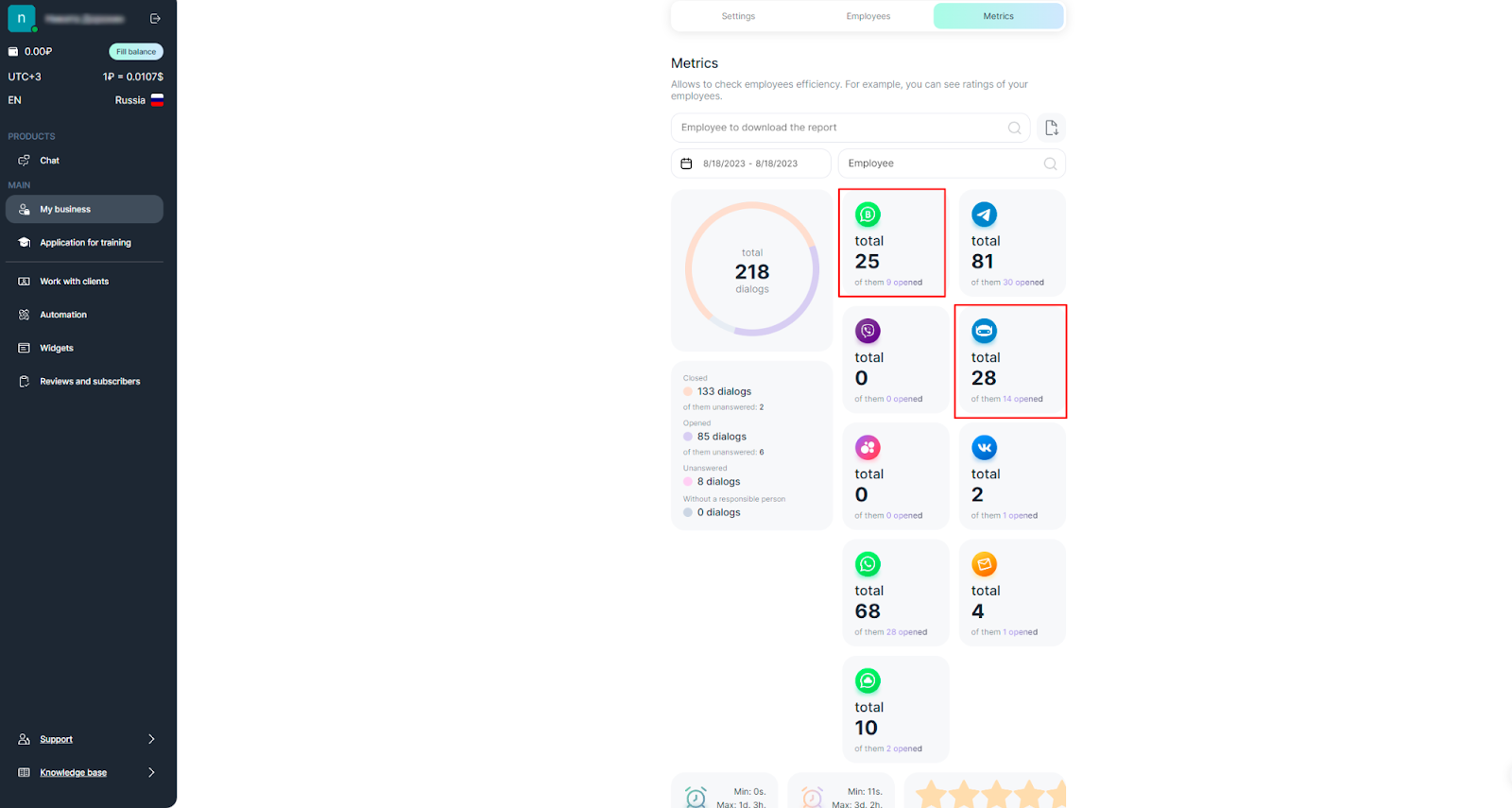
2. Select a dialog from the list and click on it.
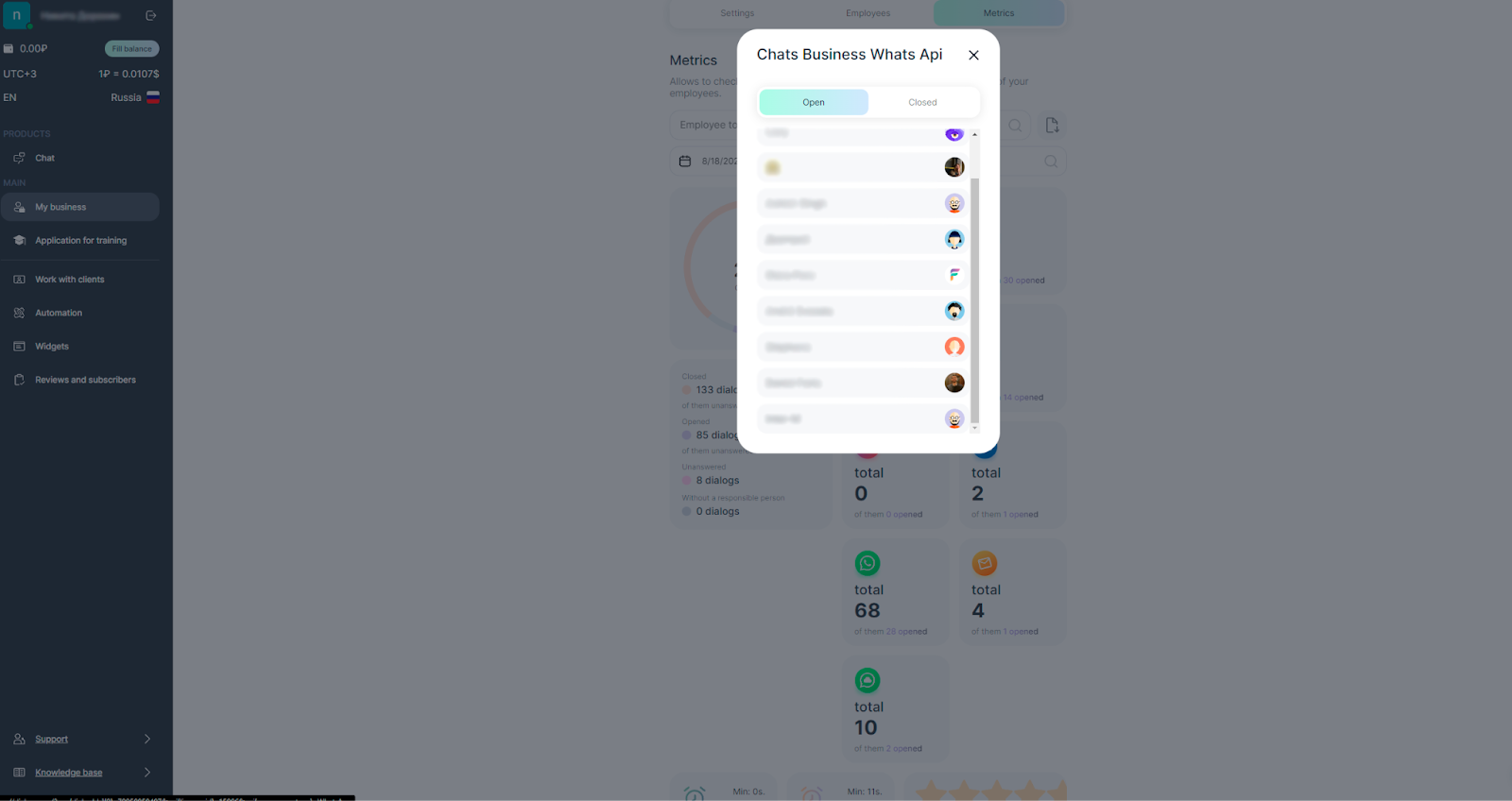
3. This dialog will be opened in ChatApp Dialog