The block "Voice File Parsing (GPT)" converts a file with a voice message into text, summarizes the content and finds the necessary data in the message.
You need to connect the ChatGPT model for the block to work in the bot. For detailed instructions, see the article Connecting ChatGPT. The block supports the following file types: ogg, flac, mp3, mp4, mpeg, mpga, m4a, wav, webm.
How to set up the block
1. Go to the Script Editor and add the Voice File Parsing (GPT) block to the workspace.
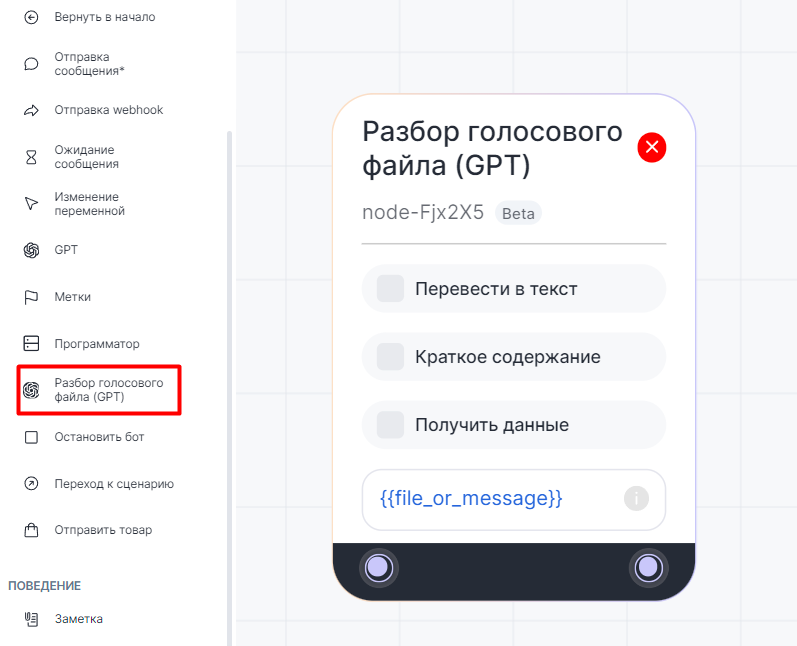
 2. Select the action you want to perform in the block:
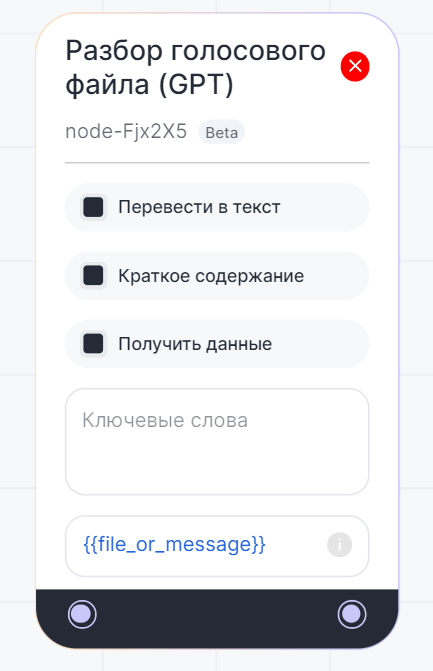
- Convert to text - converts the audio message to text;
- Summarize - summarizes the audio message in text format;
- Get Data - finds information in the audio message using keywords. Enter them in the "Keywords" section, for example: phone number, name, order number. Press "Enter" after each keyword to add it to the list;
- File or text selection field - can be used for analysis by the block. By default, it contains the "file_or_message" variable - it accepts both audio and text values. You can add a link to an audio file, a text file or a variable - your own or the one of the system: {{message}} (text), {{file_link}} (link to audio file), {{file_or_message}} (audio or text). If the field is left empty, the bot will use the last message to process.
3. The result of message processing by the "Voice File Parsing (GPT)" block can be saved in the "Send Message" block.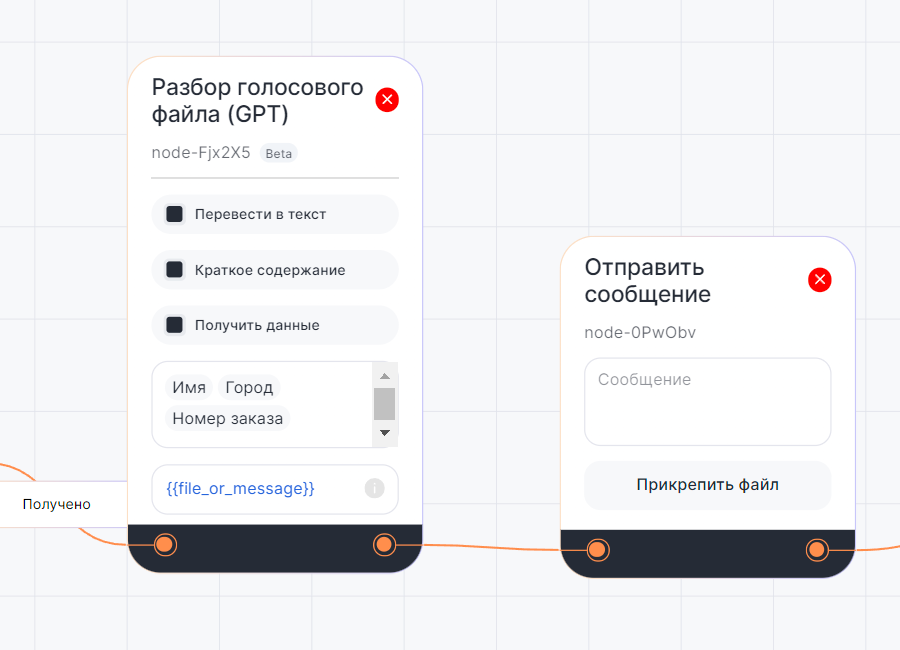
 4. To insert a message processing result into the "Send Message" block, enter two curly braces "{{" and click "Block Results" in the drop-down menu. In the "Voice File Parsing" section, select the result you want to use:

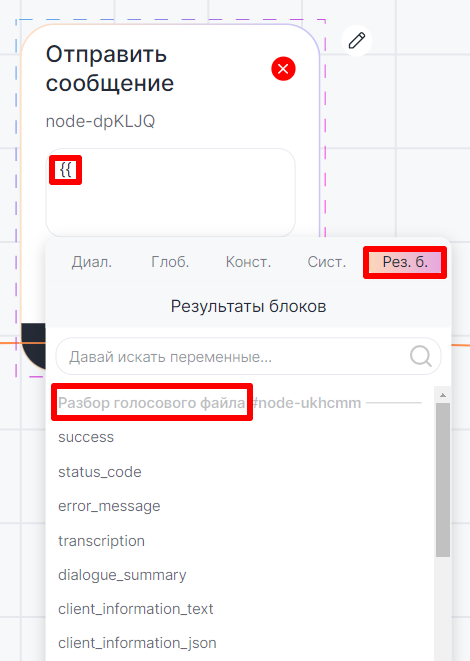
- transcription - text version of the audio message.
- dialogue_summary - a summary.
- client_information_text - collected data about the client, sorted by keywords. For example, "Full name: Semyon Semyonov Client's phone number: 79999999999 E-mail: chatApp@ChatApp.ru".
- client_information_json - collected data about the client sorted by keywords in json format.
6. Save and publish the bot.
Usage example in the Bot Constructor
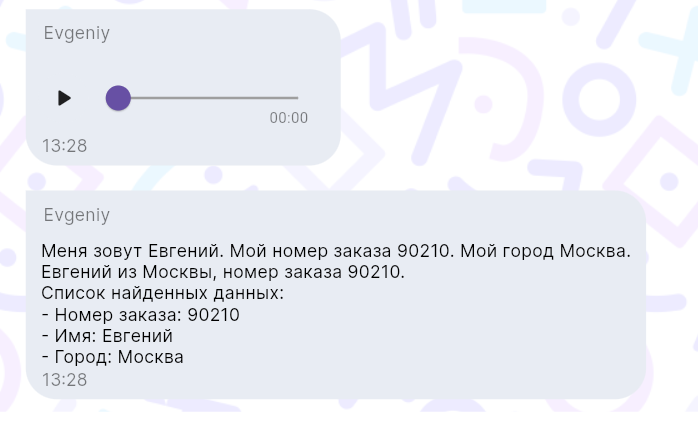
You can create an assistant bot to forward client voice messages to it for transcription. The bot will return a text version, a summary, and data: client name, city, order number.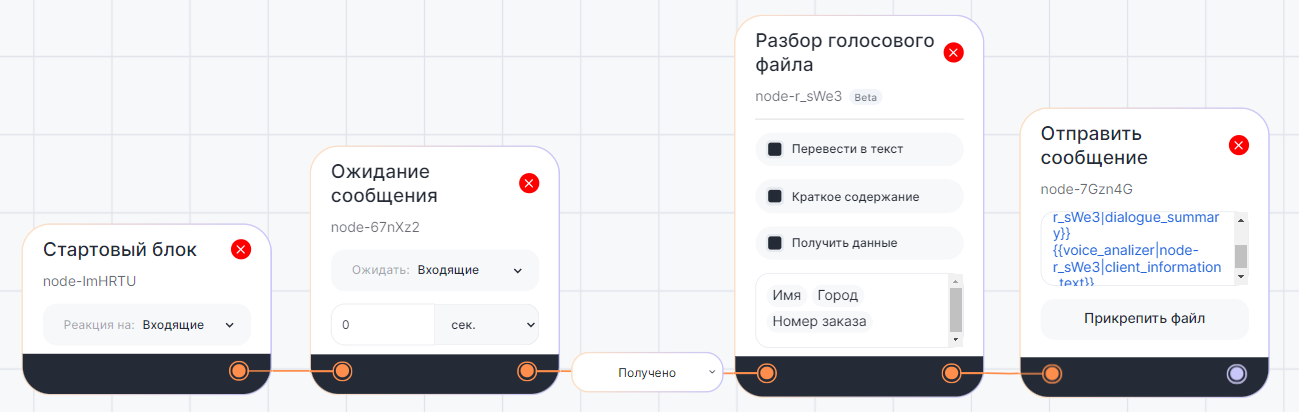
After the client sends a voice message, the bot decodes it: