In the bot's dialog with the customer, the "Edit CRM contact" block automatically changes the contact's data in the CRM system.
Block can edit a contact in such CRM systems as:
- Bitrix24;
- amoCRM.
Important: the "Edit CRM contact" block only modifies the item, it will not be able to check if such a contact exists in CRM.
You can learn more about creating a contact in the Bot constructor in the article Create CRM contact.
Editing CRM contact in bot script
1. Go to the Bot constructor and start the script from the Start block;
2. From the CRM menu, select the Contact tab and Edit. Add the Edit CRM Contact block to the workspace;
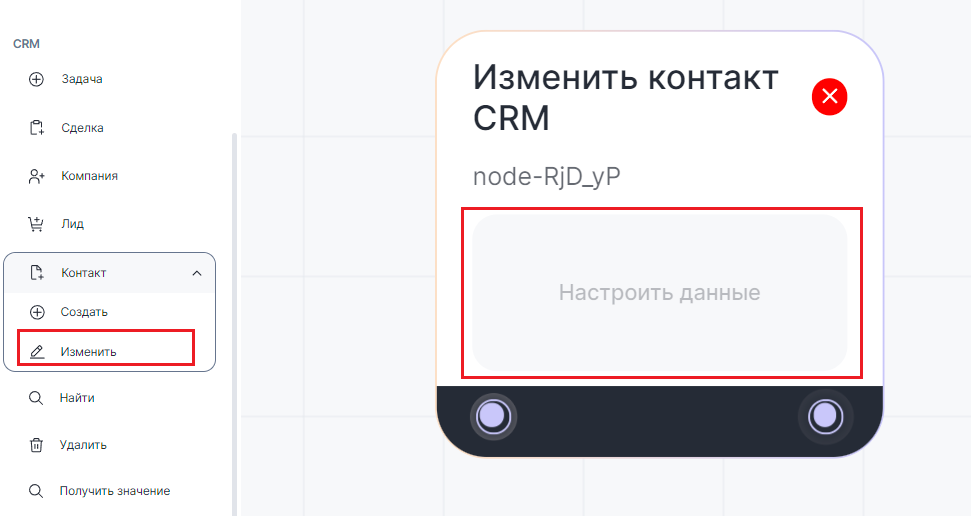

3. Click in the Customize data box;
4. In the pop-up window, enter the contact details you want to edit. You can add variables to any field;
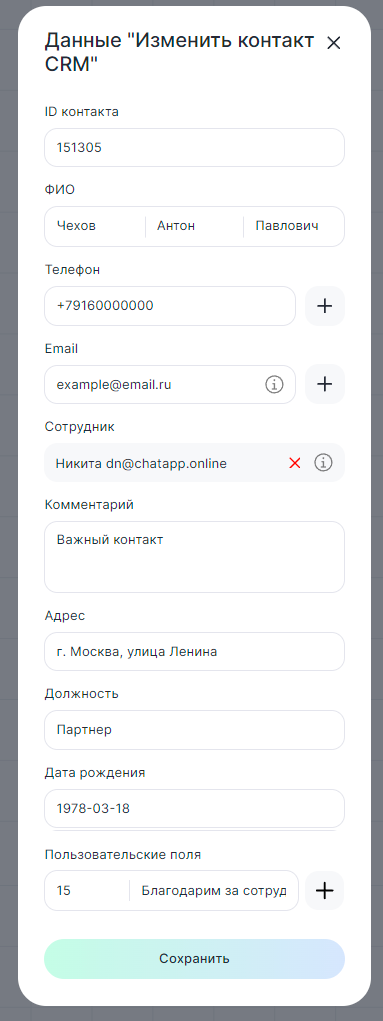
- Contact ID - enter the ID from the CRM system;
- Full name - enter the contact's full name;
- Phone - enter the contact's phone number;
- Email - add the contact's email;
- Employee - select from the list (maximum 500 employees are displayed). To add an employee manually, enter his ID from the CRM system;
- Comment - add a comment to the contact as desired;
- Address - specify the address of the contact's home or office;
- Position - enter the contact's work status;
- Date of birth - enter in the format YYYY-MM-DD. Only in this sequence and only with hyphens. When adding a variable, the date must be in this format. Otherwise it will not be displayed in the contact card;
- Custom fields - add the ID of the required field from the CRM system. How to get the field ID read in the article Get field ID in CRM-system. Text and symbols are allowed in "Value". For example, order number or price.
Completed fields will update the values in the CRM system.
Click "Save".
5. Connect the "Edit CRM contact" block to the previous block.
When the script reaches this block, the CRM system will automatically change the contact's data.
How to use it in Bot constructor
You may need to change contact details, for example, if a customer decides to change their status or contact details.
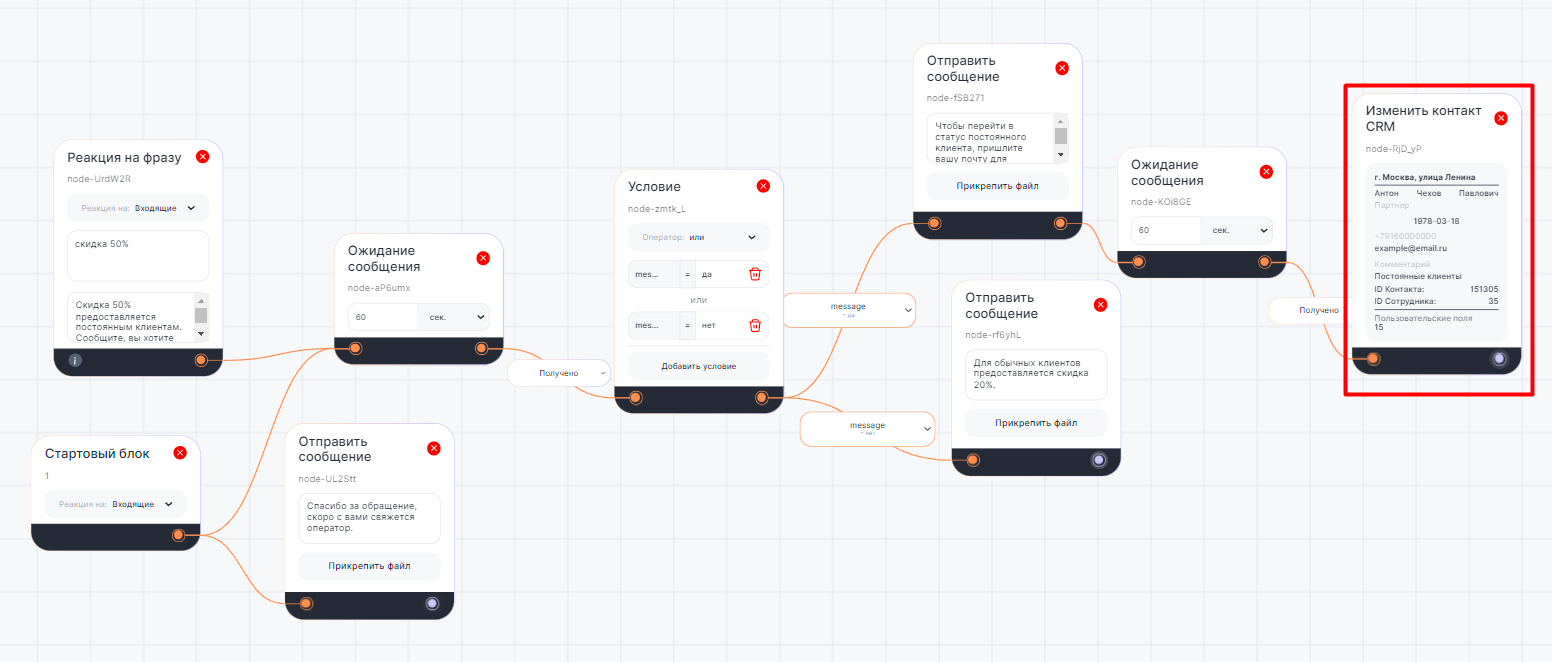
In the following script example:
- A customer inquires about the availability of a 50% discount;
- The bot responds to the keyword and specifies the desire to become a regular customer;
- A message is sent about the conditions of getting a discount for regular customers;
- If the client wants to become a regular customer, the status of his contact in the CRM system changes;
- If the client does not want to become a regular customer, the bot offers a 20% discount.