

The “[ChatApp] – Remove Participant from Group” automation rule automatically removes a WhatsApp or Telegram user from a group.
Setting up the automation rule to remove a member from a group
After moving the deal to the stage of your choice, the rule will automatically remove the participant from the WhatsApp or Telegram group.
If you don’t see the automation rule or other new features, reinstall the ChatApp integration in Bitrix24.
1. Go to Bitrix24;
2. In the left menu, click “CRM”;
3. In the kanban at the top right, click “Automation rules”;
4. Add the “[ChatApp] – Remove Participant from Group” automation rule to the deal at the desired stage.
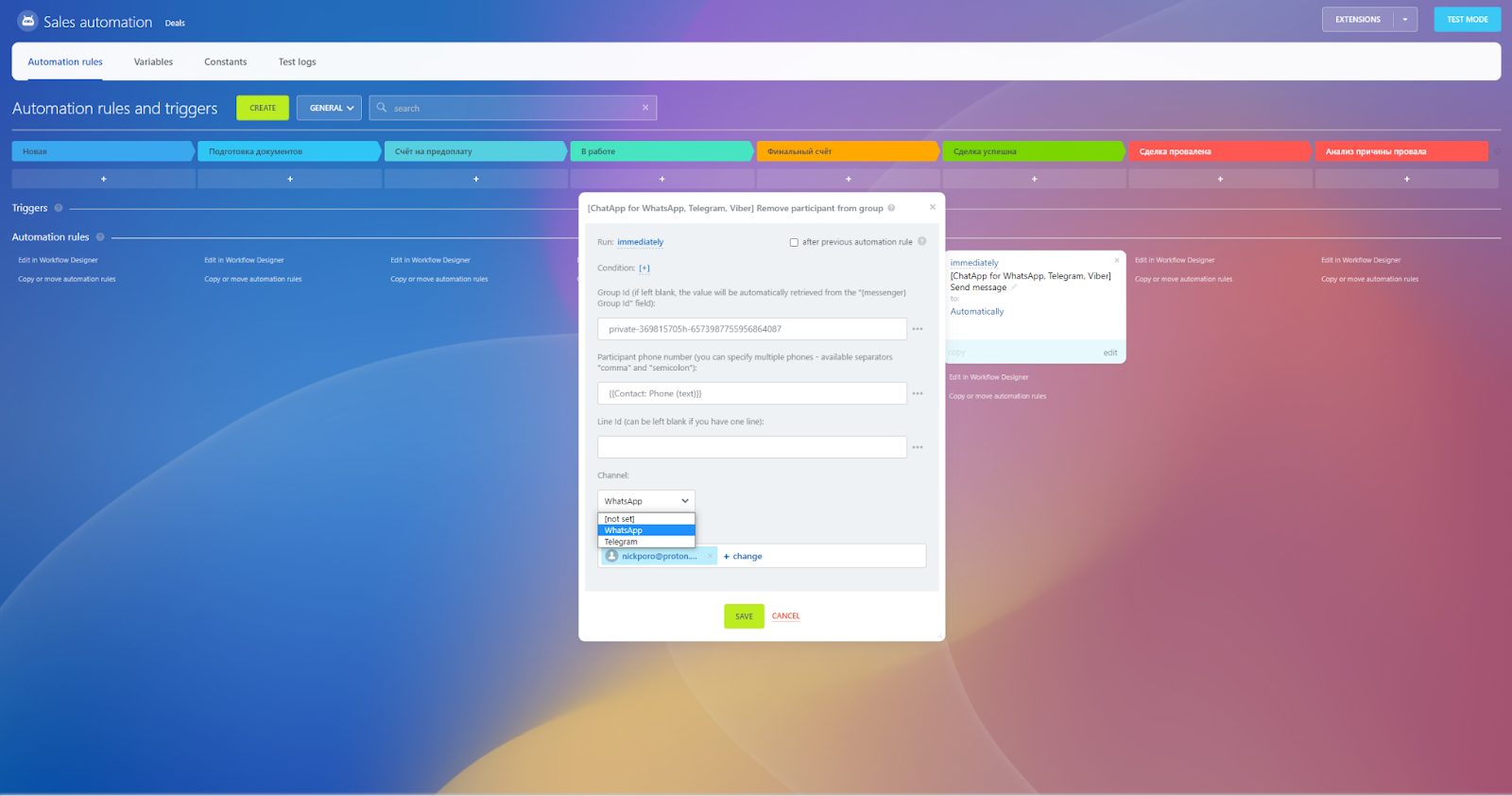
5. Fill in the rule’s parameters:
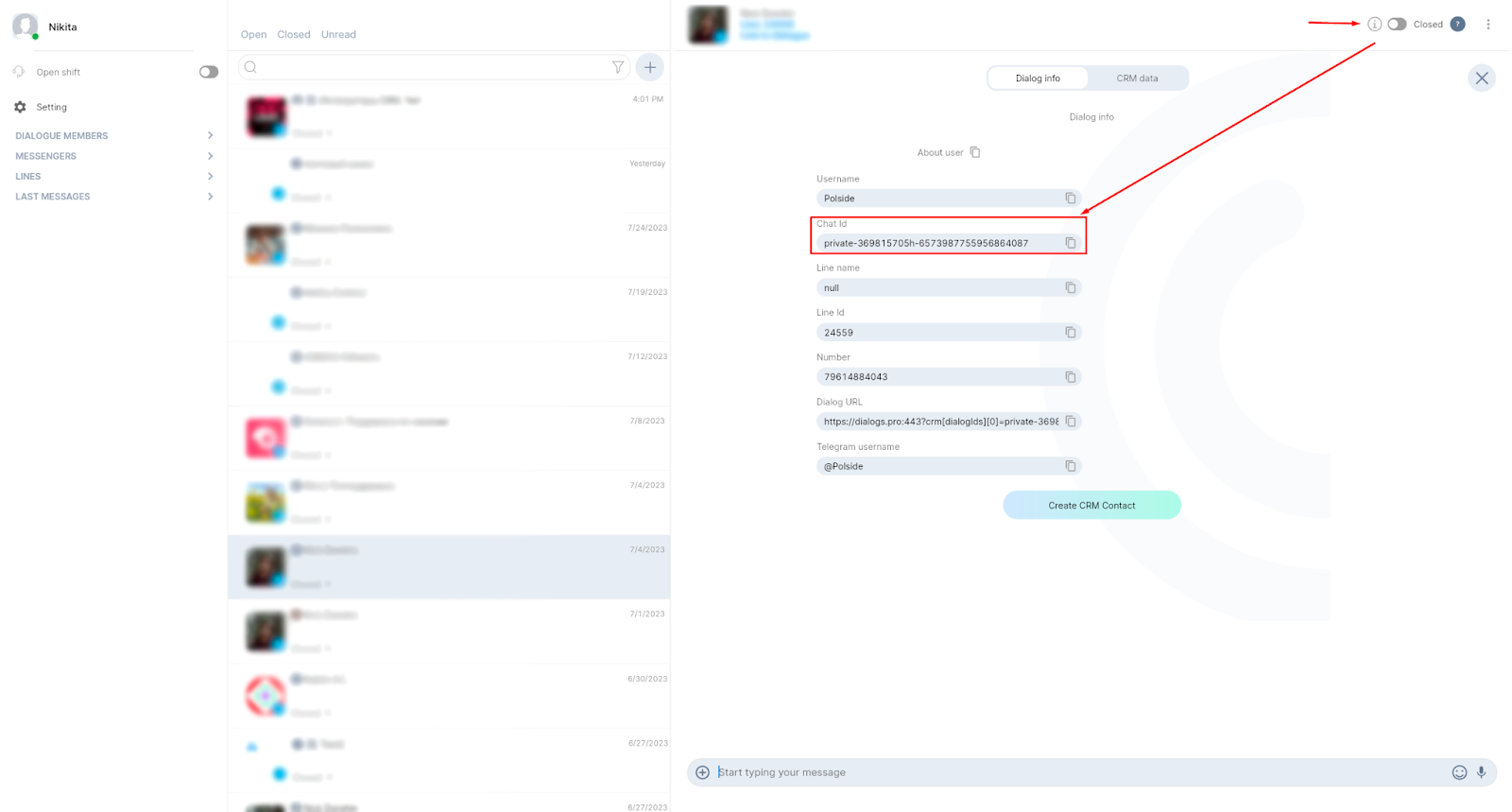
- Group Id: You can find Group Id in the ChatApp Dialog
- Participant Phone numbers: The phone number of the user you want to remove from the group chat. You can enter {{Contact: Phone (text)}} in the field, this way the phone number will be pulled from the contact card.
- Line Id: specify the ChatApp account (line) ID. You can leave this field blank if you have only one line.
- Run as: specify the employee who has access to contacts, leads, or deals.
Set up notifications
Add the standard Bitrix24 “Notification” automation rule and receive notifications when a participant is successfully removed from a group. You will immediately know if an error occurs at the moment of deletion.
