

 Россия
 English
 Казахстан
и СНГ
Казахстан
и СНГ

The Automation rule is created to automatically add the desired WhatsApp or Telegram user to the group.
An example of adding participant to the Telegram or WhatsApp group.
The Automation rule is created so that after the transition of the deal to a certain stage, the WhatsApp or Telegram number is automatically added to the already-created group
- Add the Automation rules for a deal, for example, in the Waiting stage. Use the standard procedure for setting up ChatApp Automation.
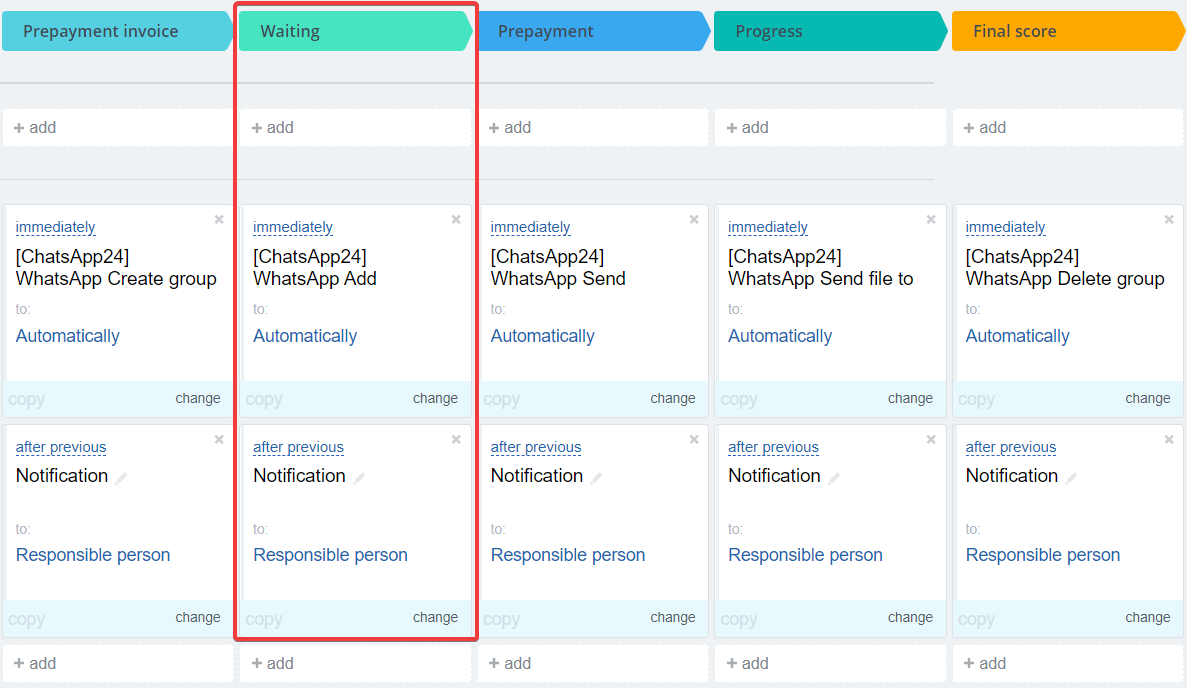
2. Fill in the parameters as shown in the figure in the table below and save the.
2. Configure the automation rule by specifying the necessary parameters.
- Group ID - when creating/adding a group, the WhatsApp Group id field will appear on the card
Participant phones - the phone number of the user to add to the group chat.
Account ID - Enter your СhatsApp account ID. See How to Find Your ChatApp Account ID for details. If you leave the field blank, the system uses the account number that is first in the list in the ChatApp settings
First Name, Last Name - specify the First Name and Last Name of the user you want to add to the group, use only for Telegram users.
Channel - select the messenger from which you want to add a user.
Run as - specify an employee who has access to contacts, leads, or deals.
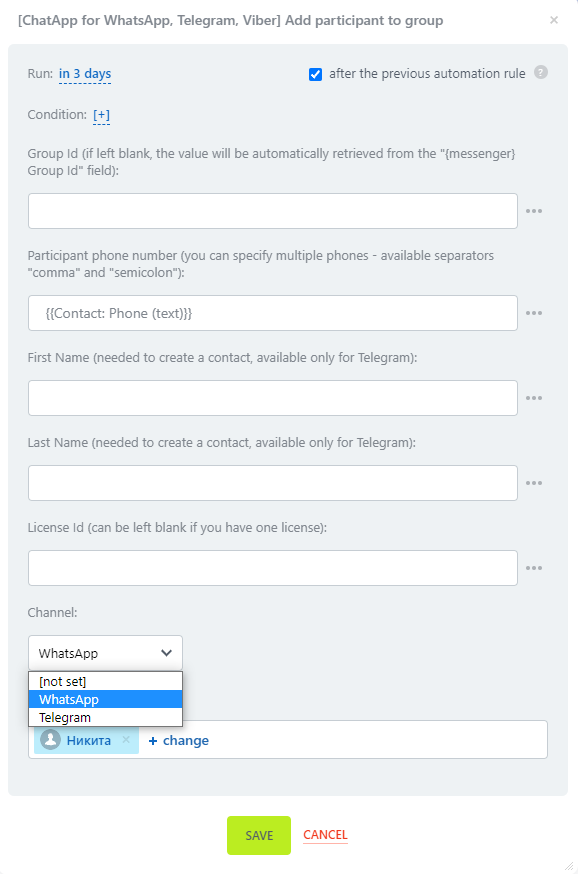
3. In order to receive a notification after adding a participant, the person responsible for the deal set up another automation rule. This will help you know if an error occurred while adding.
Video Tutorial
If you still have questions, we have prepared a video tutorial about adding member to group using the ChatApp robot in Bitrix24.
