

Triggers on the Bitrix24 platform allow you to automate many business processes and improve the quality of interaction with the service.
The trigger responds to an incoming message. You can set the execution condition about the content of the key phrase in the message.
Adding a new Trigger
- Go to the Robots tab and select the desired stage of the transaction;
- Click on the “Create” button and select Trigger;
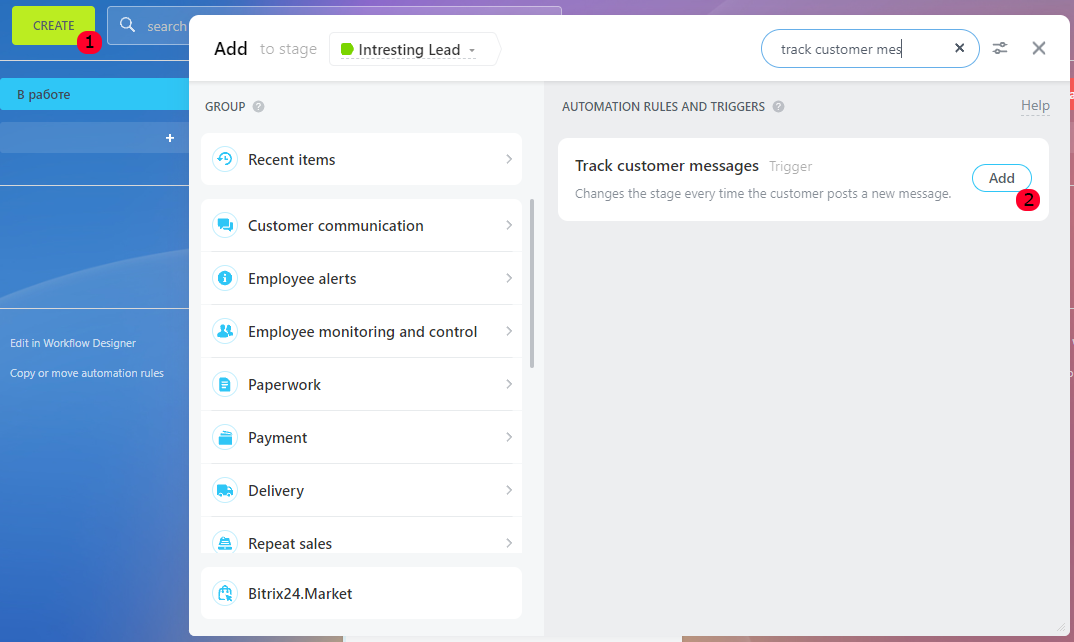
All Triggers can be copied, moved and deleted;
- To delete, click on the “cross” on the desired Trigger.
Working with Triggers
For example, consider the automation rule using the “Track customer messages” Trigger. The job of this Trigger is to keep track of the Client’s messages in the Open Line chat.
- The trigger reacts when the text of the Client’s message contains the word “Call back” and moves the deal to the next stage – in this case, the “Training” stage.
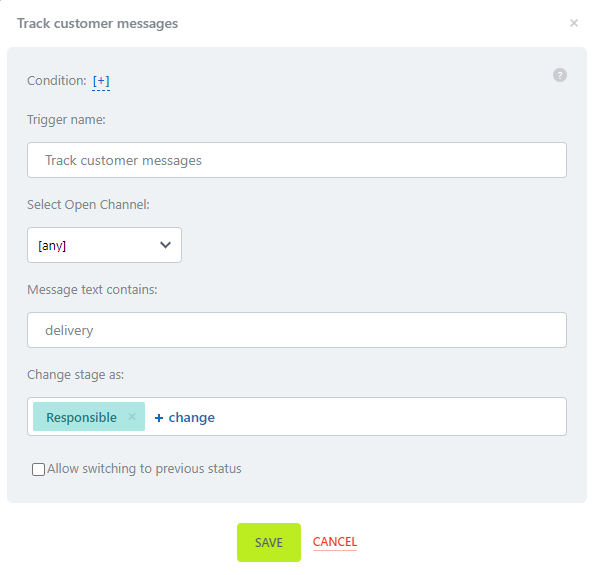
- In addition to keywords, the Trigger can also respond to numbers, but in this case, you need to use a different kind of numbers, for example, “Framed Numbers”.
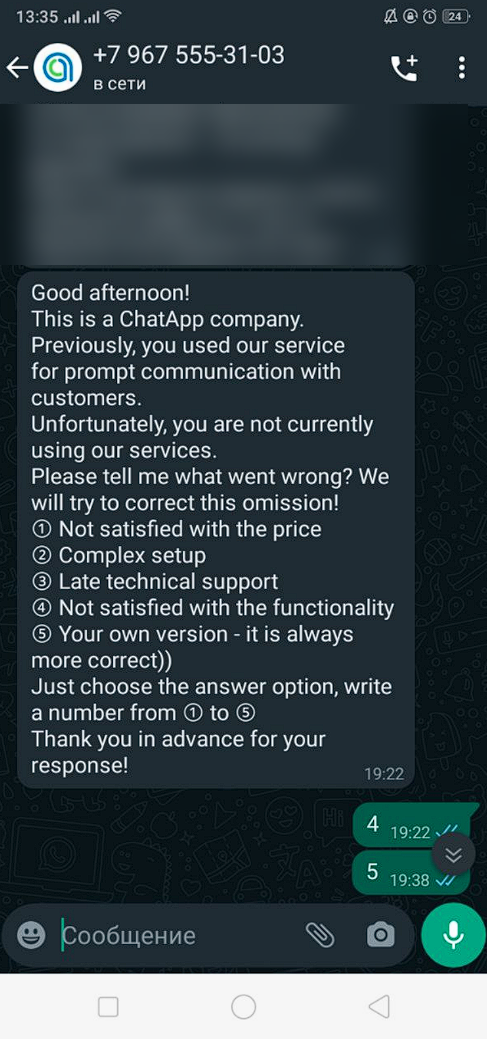
- Such functionality can be successfully used to segment the customer base.
Use the Response to Messages Bot script to automate the sending of messages.
More about Triggers on the Bitrix24 portal→
