

In Telegram , you can chat with a particular person or a group of people. To make it possible for your employees to communicate with a group of people using the Bitrix24 chat, ask the Telegram group administrator to add the phone number (tied to Telegram ) of your company to the group members.
When someone sends a message to the group for the first time, a notice comes to Bitrix24. On the panel on the right, the icon with the unread message count appears.

In the Bitrix24 chat window, the chat appears:
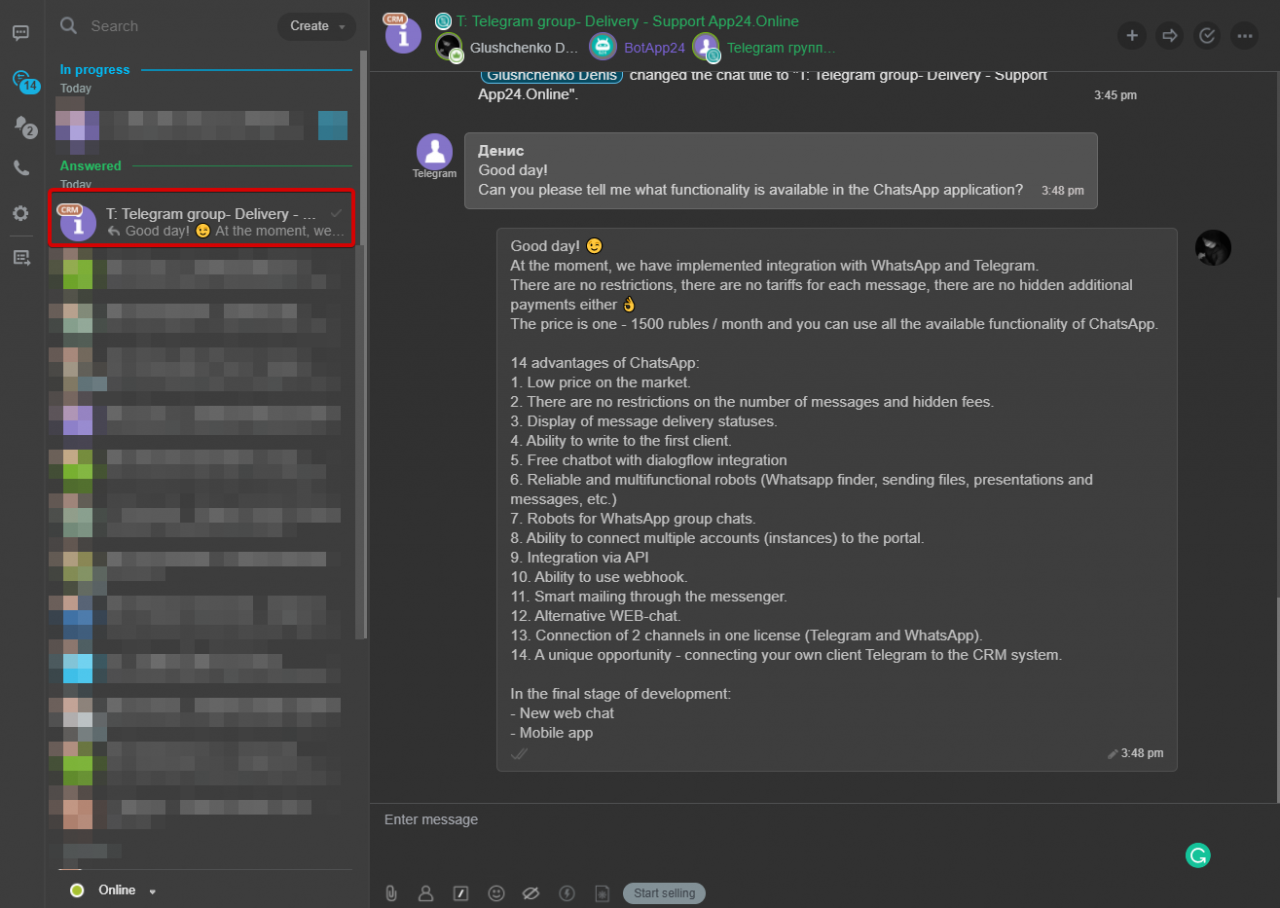
The employee to receive the message will be calculated in accordance with settings Agent queue and Distribute submissions among employees.
Here’s how to answer a received message:
- Click button Reply.
- In the field that appears, type and send your reply. In the WhatsApp group chat, your name will be added at the beginning of the message.
- In the group chat, in the upper right corner, click button

- In the drop-down list, click View lead.
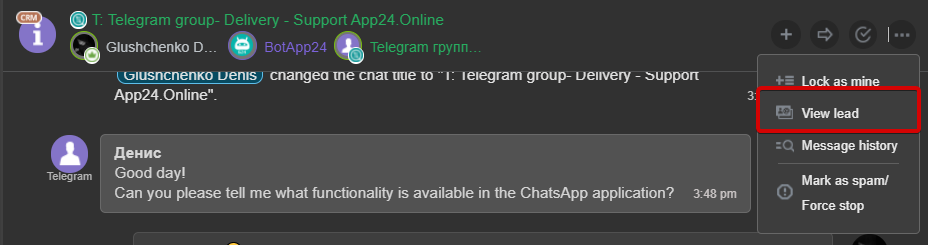
- In the dialog box, create a contact.
- In the contact card, edit its name, and then save your changes.
As a result, employees will be able to find the group in the CRM contacts and join the conversation.
To invite an employee to a group chat, do the following:
- In the group chat, in the upper right corner, click button

- Select the employee, and then Invite.
IMPORTANT. You can send messages to a group if it is saved as a contact in the CRM.
To send a message to a group, do the following:
- In the CRM, go to the Contacts tab.
- In the search bar, type group.
- In the list that opens, open the group card, and then in comments area, switch to the group chat by clicking the link or button
 .
.
To disable incoming messages from groups for each open channel, follow these steps:
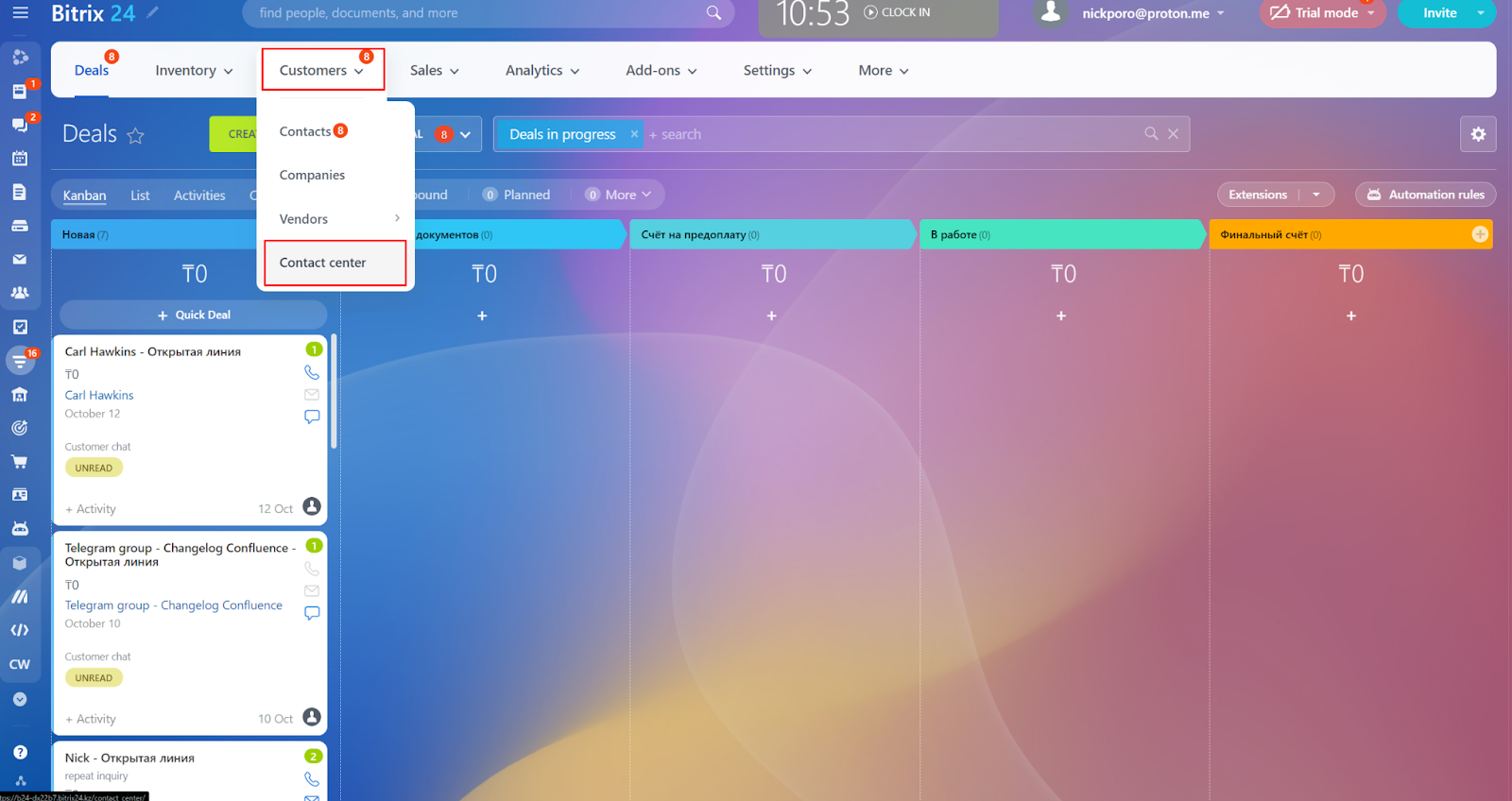
1. In Bitrix24, go to the CRM tab;
2. Go to the Contact Center section;
3. Select the required channel;
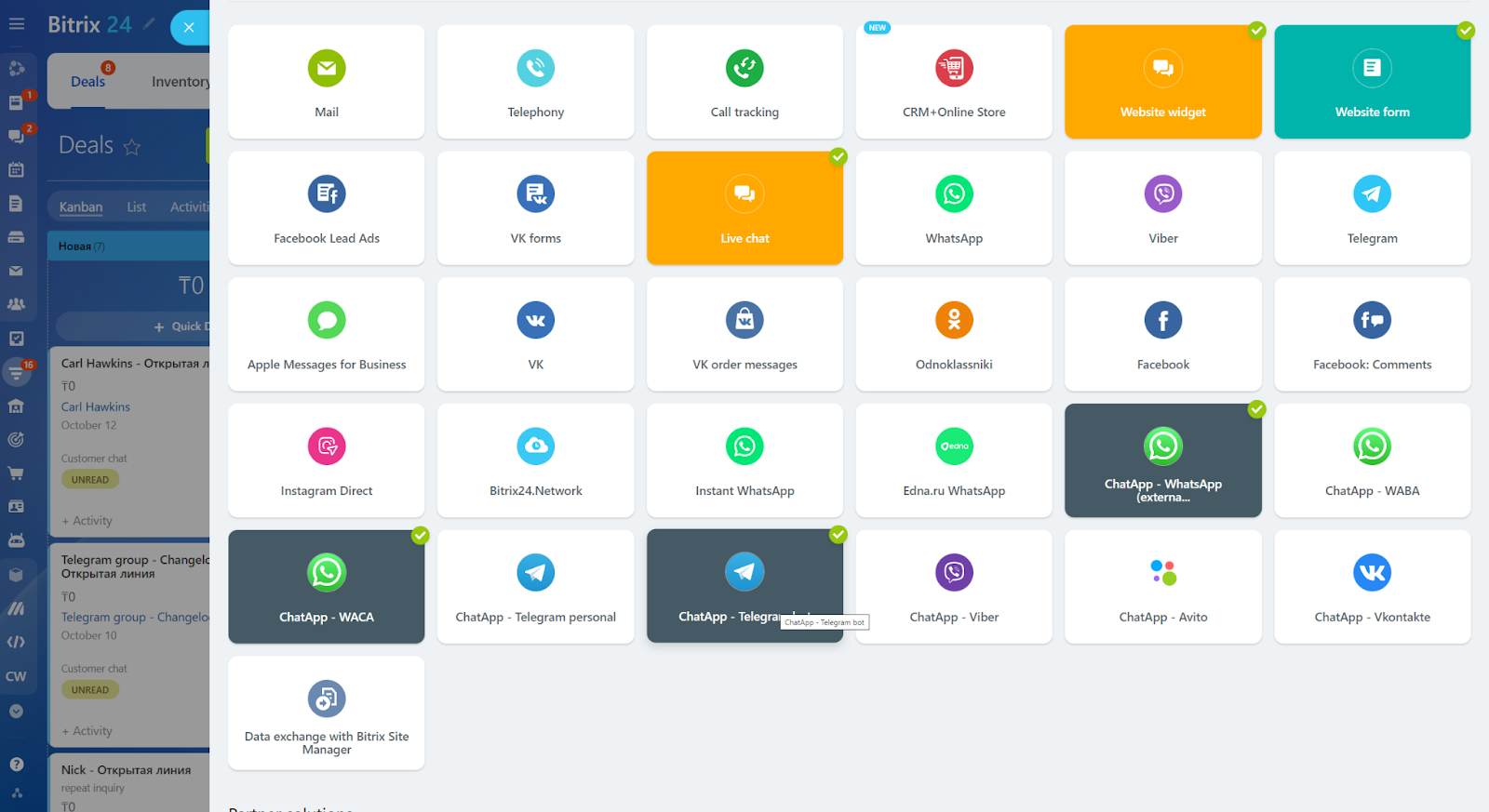
4. Press “Change”;
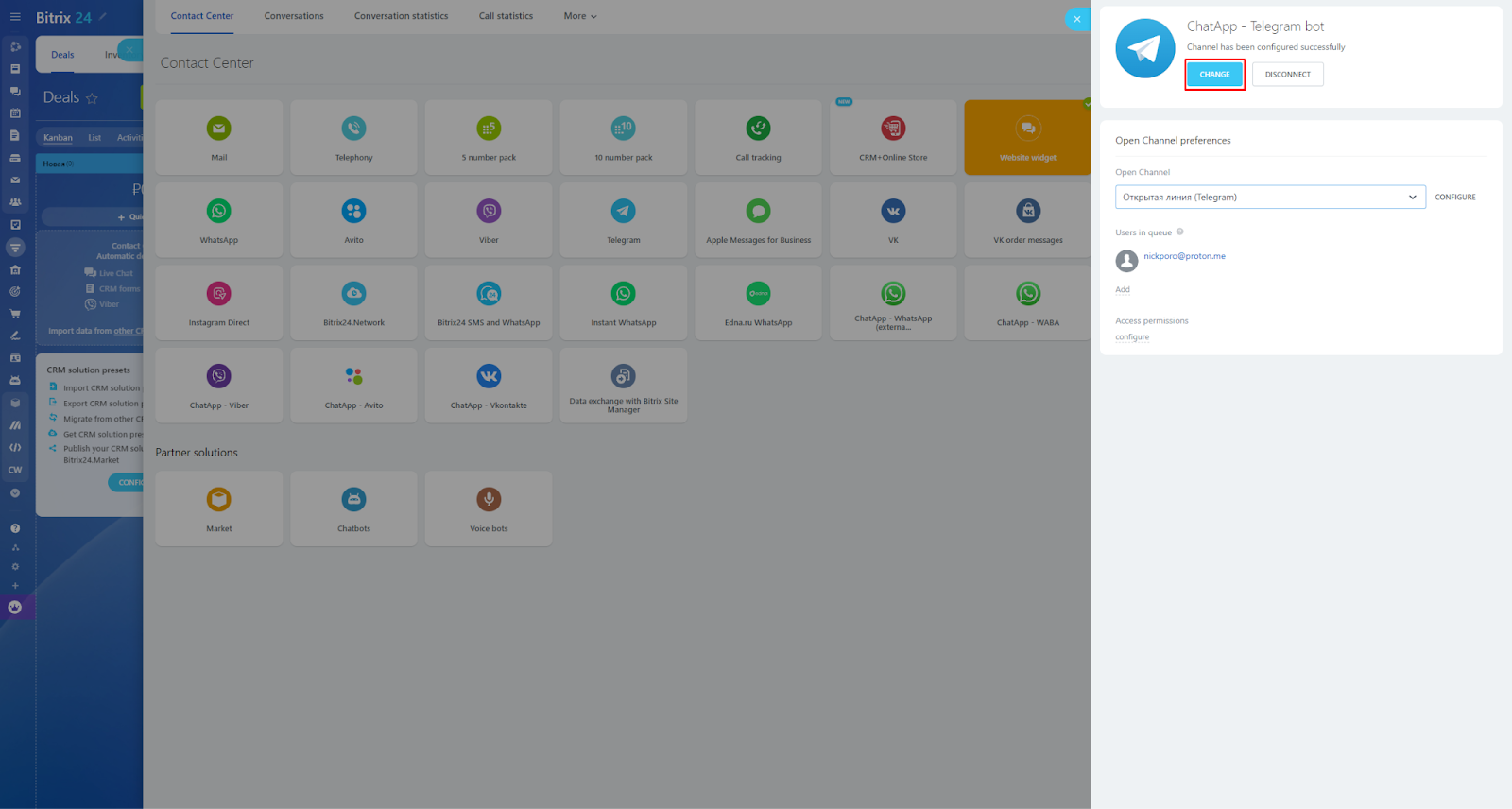
5. In the “Chat Settings” section, uncheck the box next to “Enable group chat messages”.
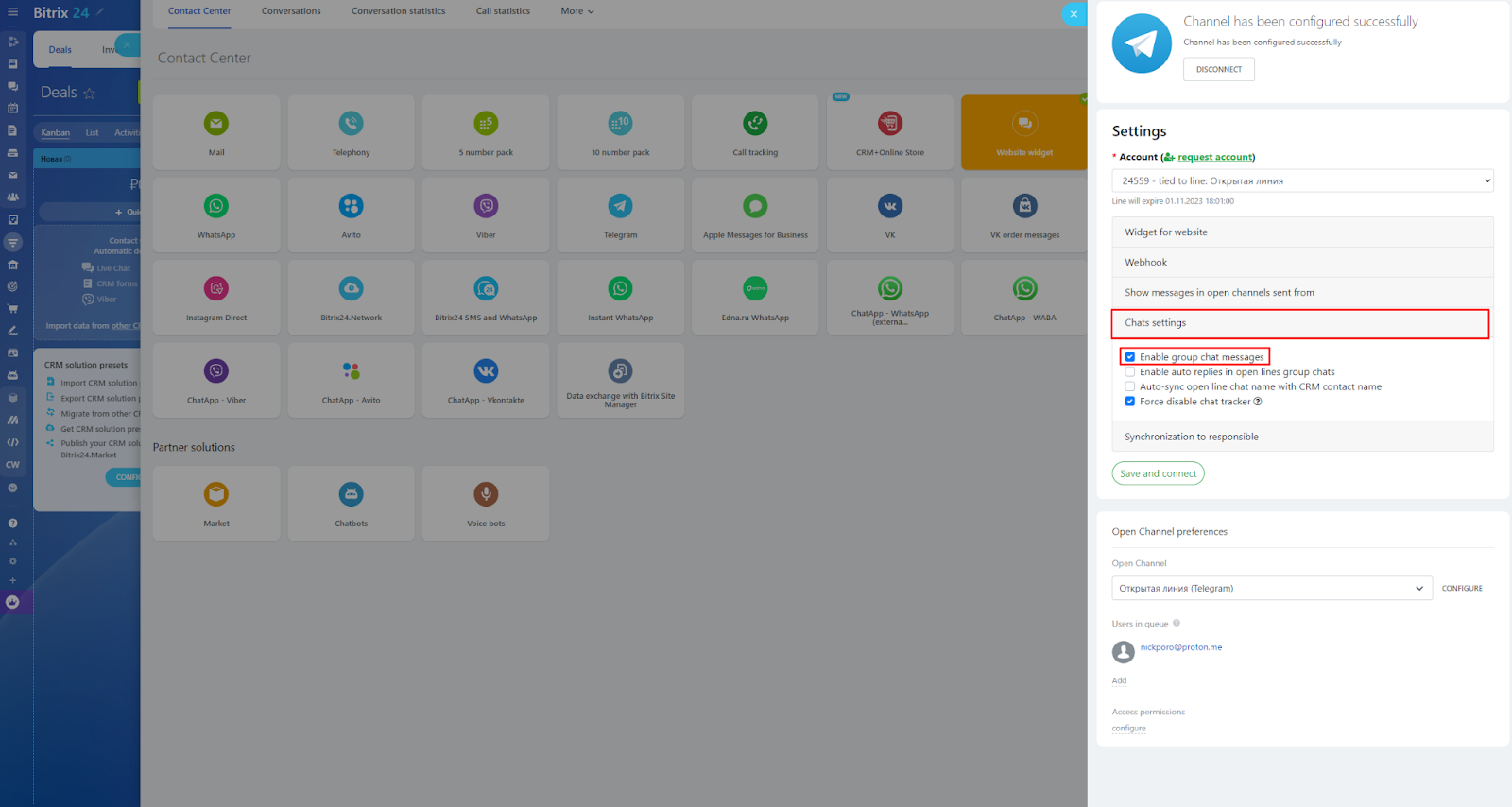
Note: This option is available for the following connectors: ChatApp – WhatsApp (external provider), ChatApp – Telegram personal, ChatApp – Telegram bot, ChatApp – Vkontakte.
For more information about chats, see the Bitrix24 Help.
