



To change the phone number linked to your personal account:
1. Go to your ChatApp personal account;
2. In the menu on the left, click on the profile icon;
3. Under your phone number, click “Change Number”;
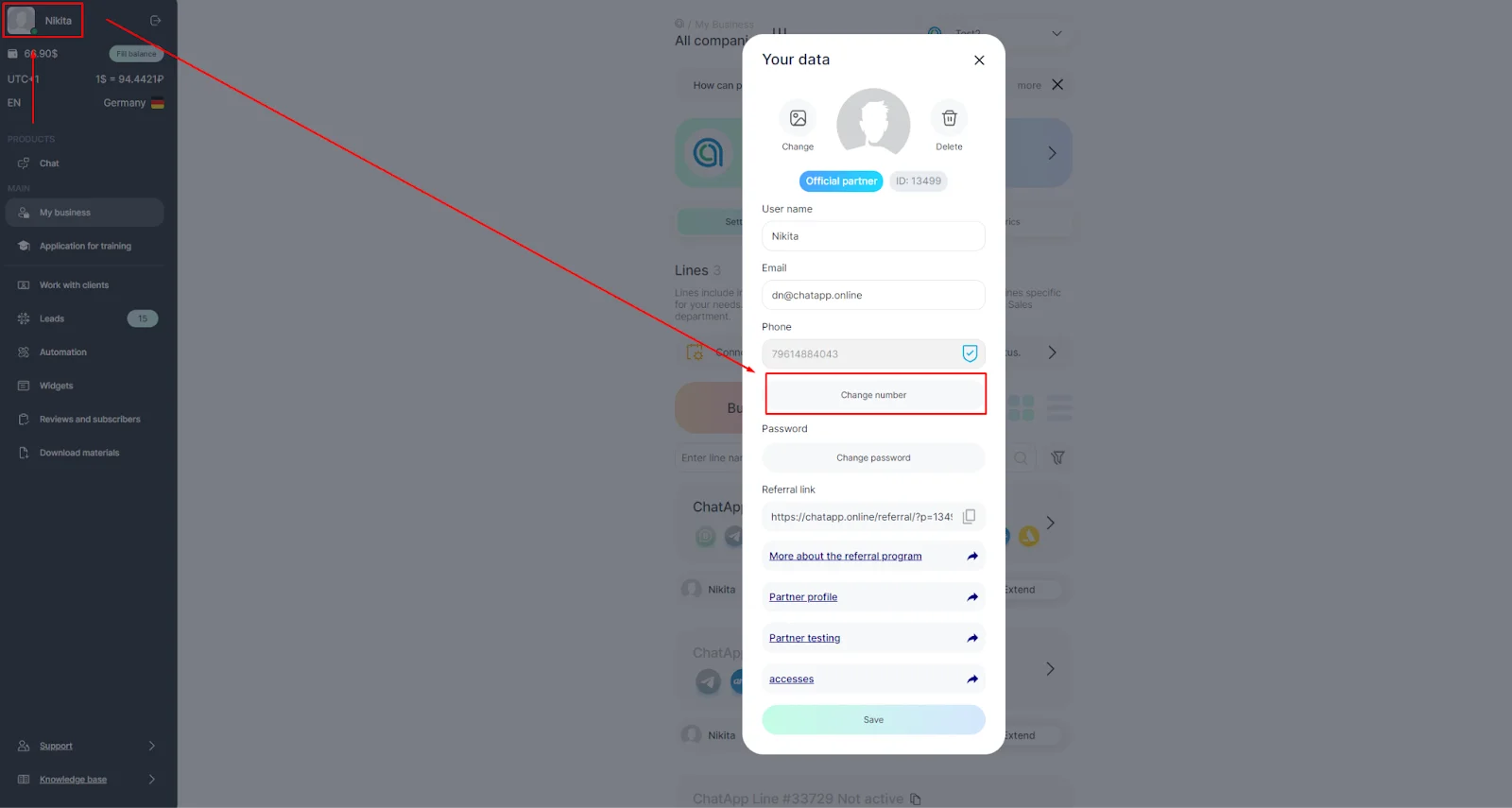
4. Delete the old phone number and enter the new one;
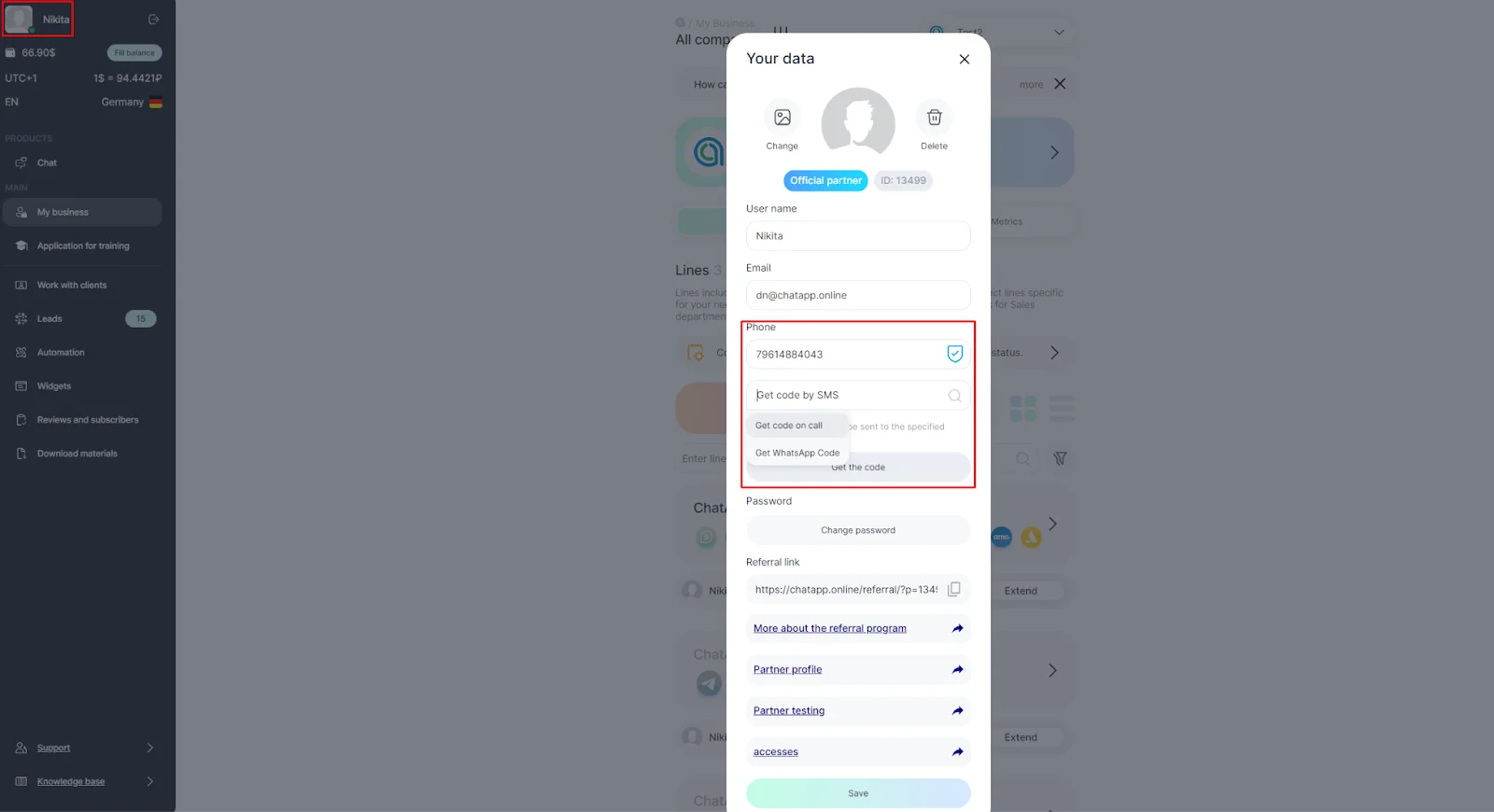
5. Select how you want to receive a code:
- Via Sms
- Via phone call
- Via WhatsApp message
6. Press “Get code”. The specified number will receive a call and the robot will dictate the verification code;
7. Enter the code dictated by the robot.
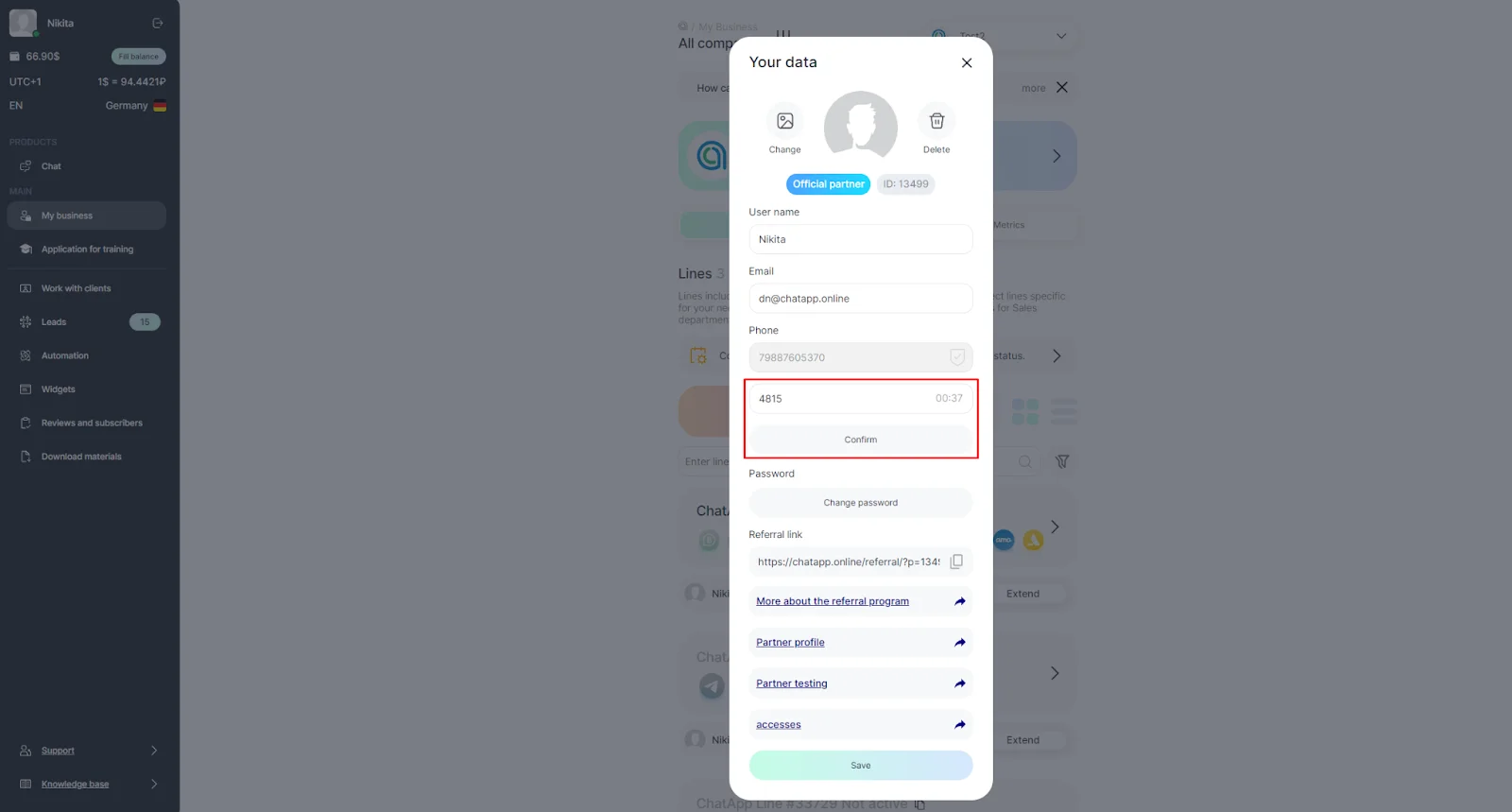
Done! You have successfully changed your number.
