



The chat tracker in Bitrix24 automatically recognizes a client when they write to you from different sources, and aggregates and saves information about the contact – in a CRM card.
Read more about what a chat tracker is on the Bitrix24 portal.
How to enable chat tracker
We have disabled this feature by default because it can get in the way and confuse you. But if you still need the tracker, you can enable it.
1. Log in to Bitrix24;
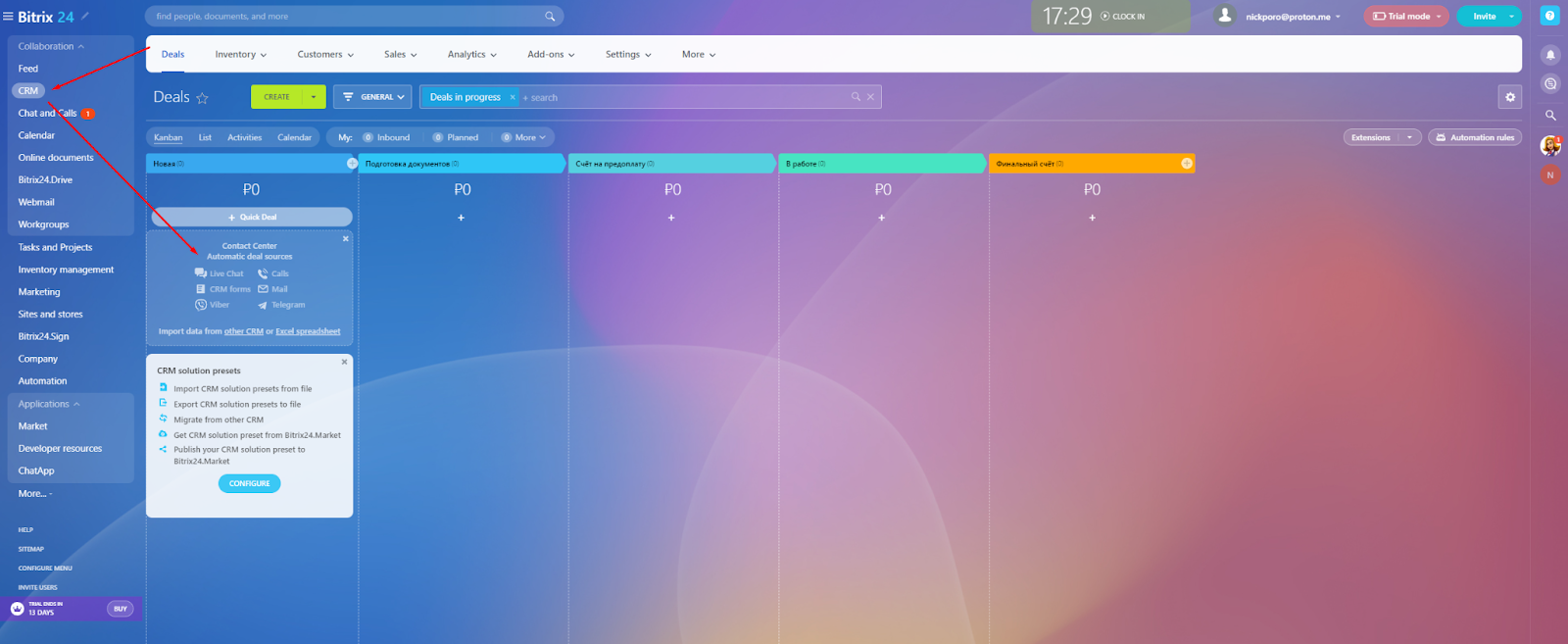
2. From the menu on the left, click “CRM”;
3. Go to “Contact Center”;
4. Select the ChatApp connector where you want to enable the chat tracker;
5. Open the “Chat Settings” tab;
6. Uncheck the “Forcibly disable chat tracker” checkbox.
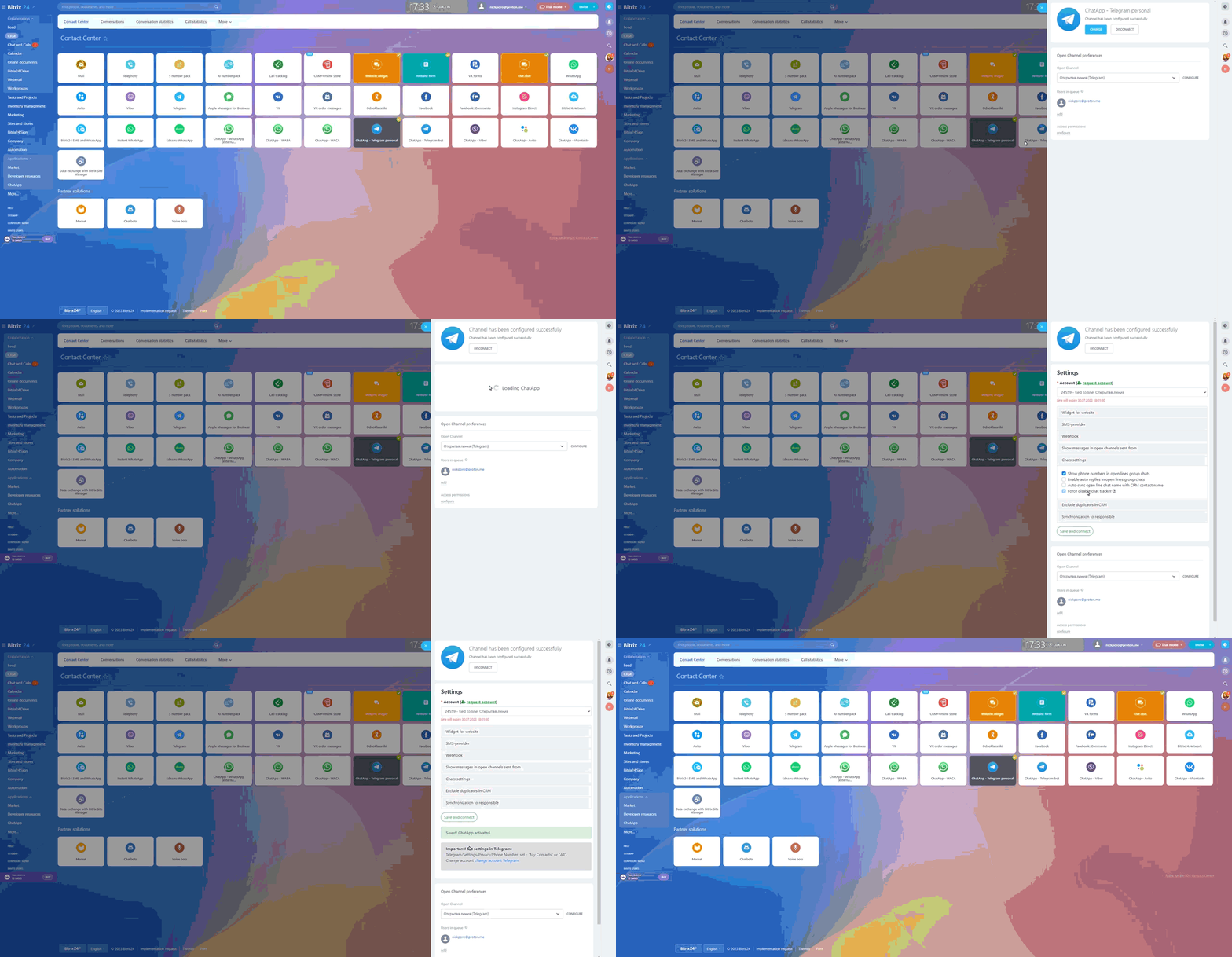
Now the chat tracker is enabled. When a client writes to you, system messages will appear in open lines.
