



You may need system notifications in order to find out that integration has been disconnected from the line (for example, WhatsApp Web). Or vice versa, see a new connection.
Notifications will be sent to your Telegram private messages:
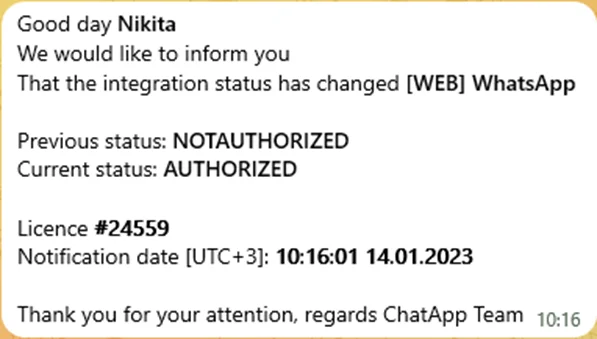
Types of notifications:
- WhatsApp Web connection status change – authorized or not authorized
- Telegram personal connection status change – authorized or not authorized
- You have run out of your WhatsApp Business API (WABA)
To connect system notifications:
1. Allow sending notifications to Telegram.
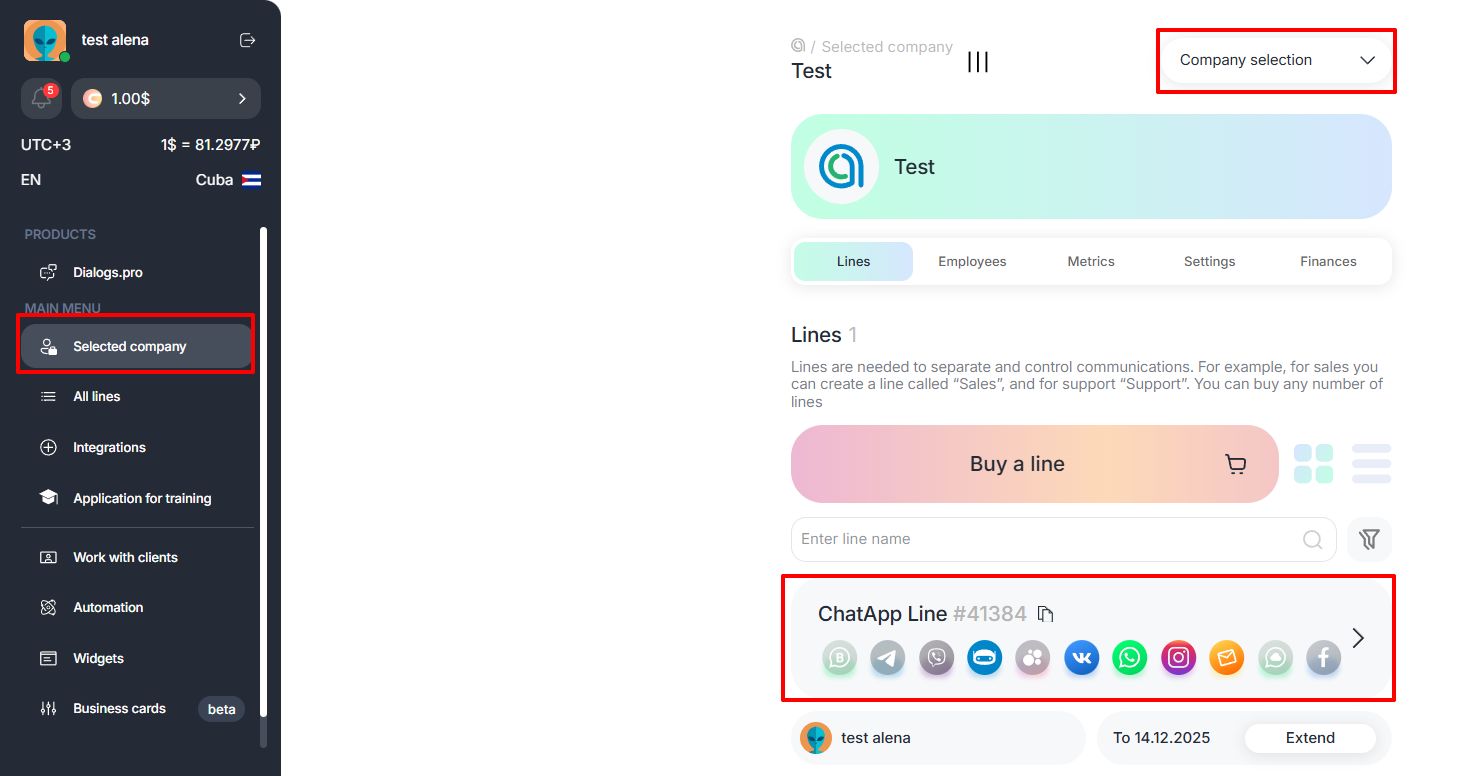
2. Go to the Selected company tab in the left menu and click on the line for which you want to connect notifications.
3. At the bottom of the page in the Notifications section, move the desired sliders to the right position as shown in the screenshot.
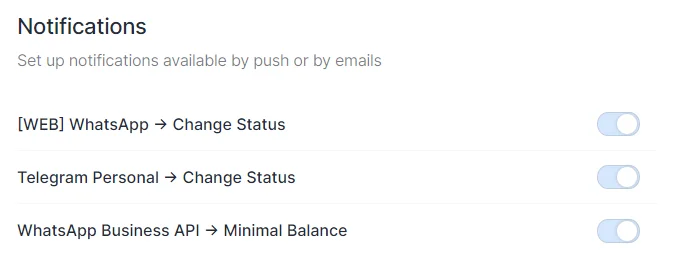
Now, when changing the authorization status in WhatsApp, Telegram, WhatsApp Business API, notifications will be sent to your Telegram private messages.
