



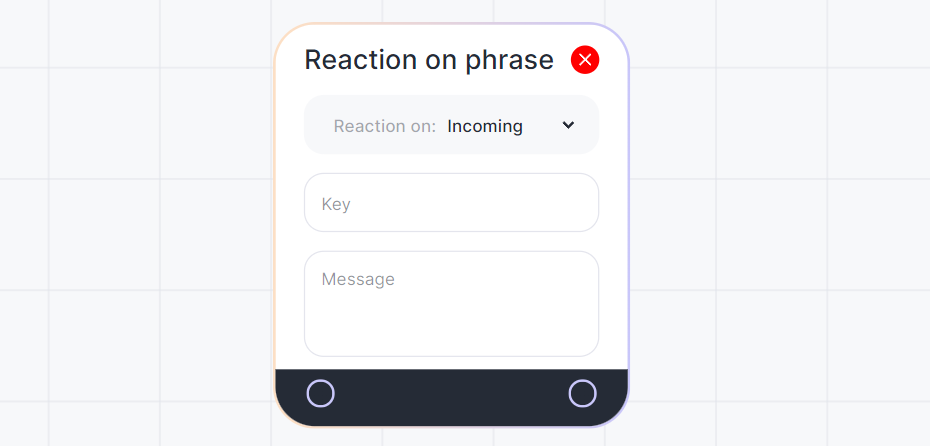
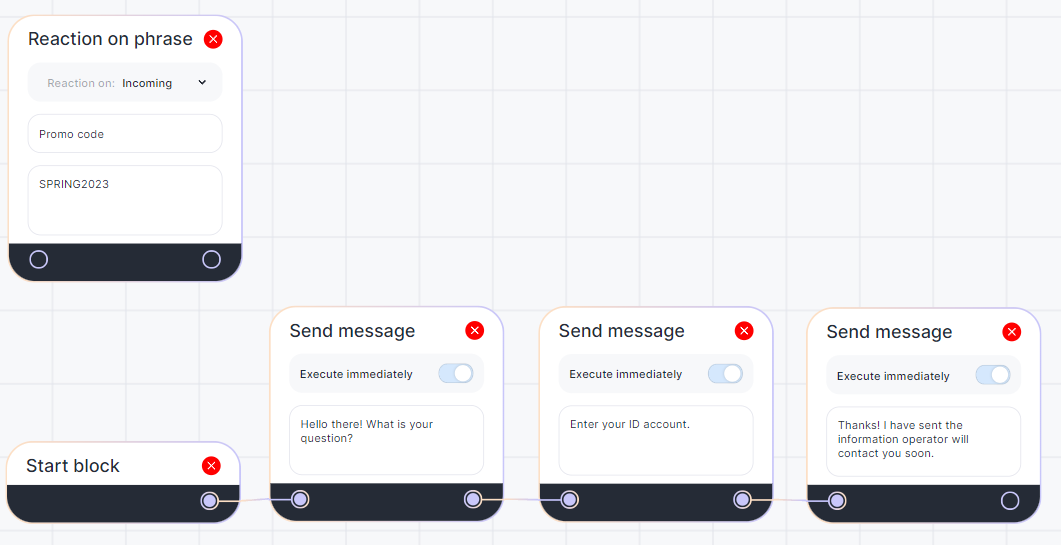
Reactions to the Phrase block can be used separately from the script: without connecting it to the main chain that begins with the start block. In this case, the reaction to the phrase happens at any point when the key appears.
Example. In the screenshot, you can see that the client can write “Promo code” and receive “SPRING2023” in response at any moment of the dialog.
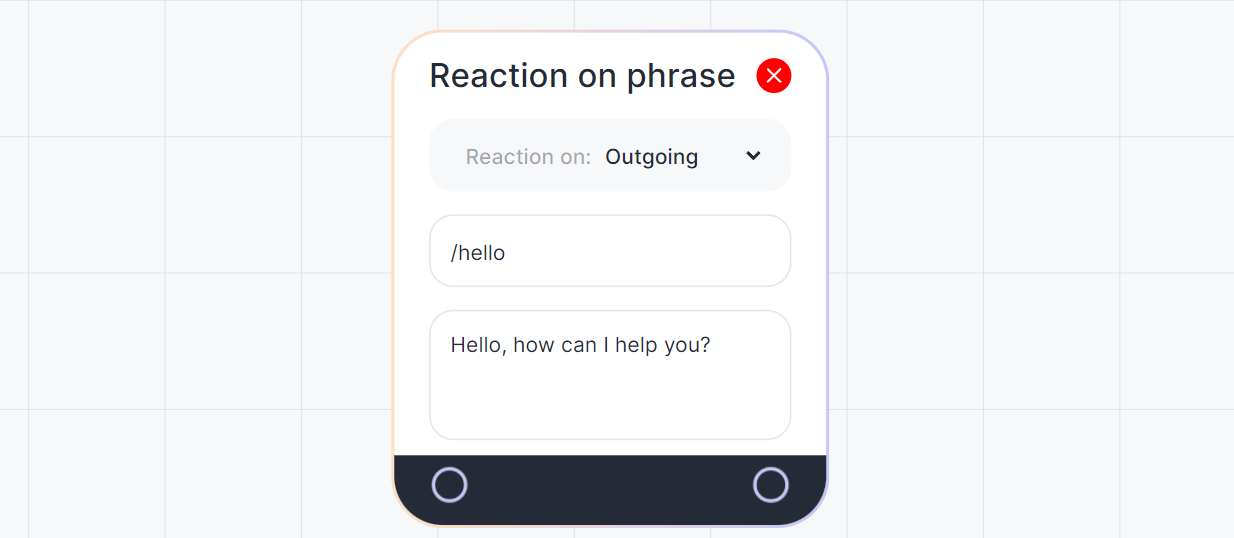
Messages starting with “/” are called commands and the client does not see them.
1. Set “React to: Outgoing”.
2. In the “Key” field, enter a command, for example /hello
3. In the message, enter the greeting text for clients.
The following screenshot shows a script in which the “Promo code” key won’t be triggered until the client answers the question.
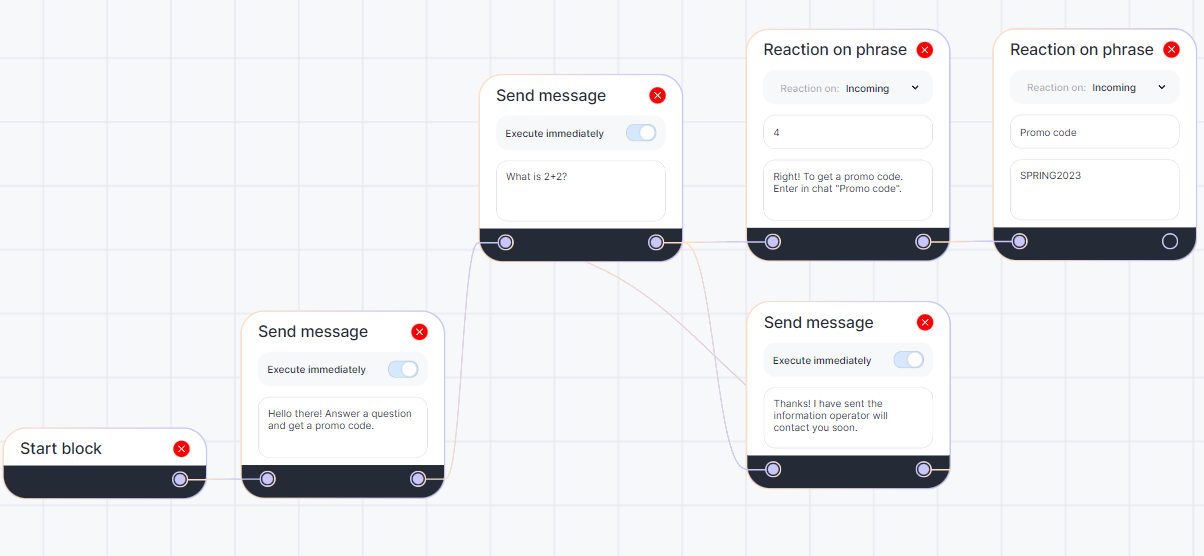
Several “Reactions to the Phrase” can follow any block. However, only one block can be output along with a “Reactions to the Phrase”. If you want the client to select one option, create multiple Reactions and one message block that will be triggered if no key is found. For example
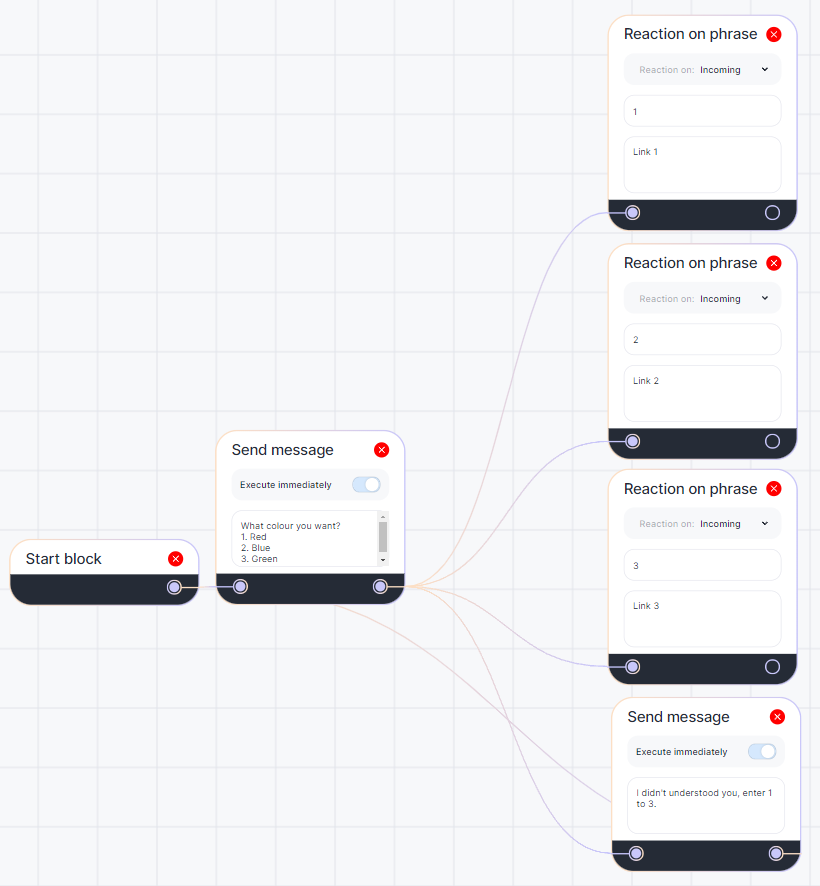
In this example, there are two “Sending a message” blocks. Connect them in such a way that the first block is followed by the second block, and the second block is followed by the first block again. This way, sending the message “I don’t understand you…” will bring the script back to the choices and allow the client to try again. Otherwise, the script will stop at the second block and the bot will stop responding to messages.
Interrupting Pause and Stop Bot Blocks with Phrase Reaction
You can now interrupt a Pause in a chat using the Phrase Reaction block. The Phrase Reaction block can interrupt both Pause and Stop Bot blocks when the “Reaction while on pause” setting is enabled.
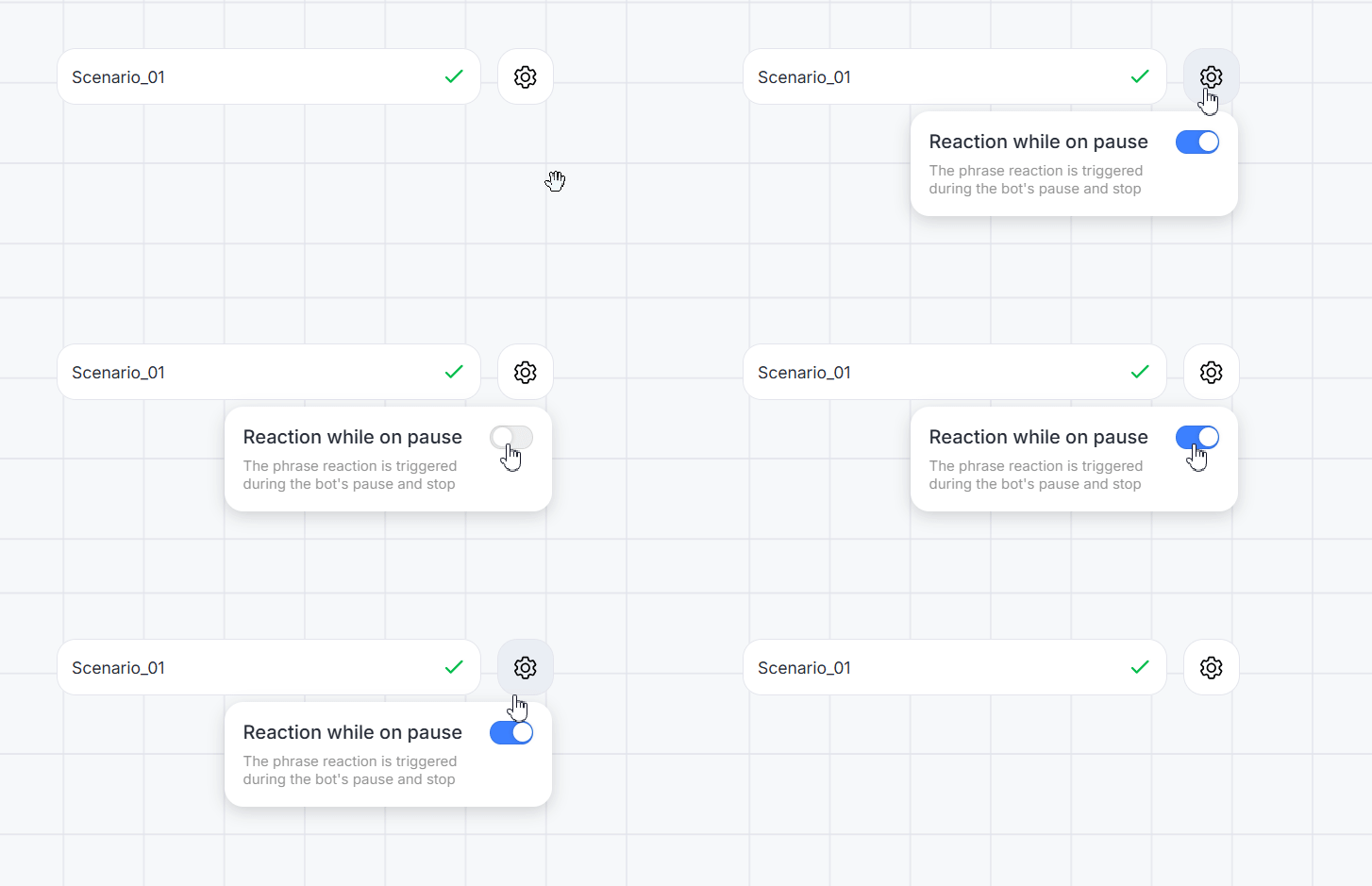
Settings
1. Open the settings menu next to the scenario name.
2. Enable the “Reaction while on pause” toggle and save the scenario.
If a key phrase appears in the chat, the Phrase Reaction block will trigger even if a pause is active or the bot has been stopped. The scenario will continue along the branch specified in the Phrase Reaction block.
If no branch is specified — the pause will not be interrupted.
Watch our video tutorial about the “Reaction to the phrase” block or go on to the next block – “Closing the dialogue”.
