




Line Renewal
Renewing an existing line allows you to keep the authorization of connected channels without creating a new line.
Below is the instruction for renewing a single line.
If you need to renew two or more lines with a single payment, refer to the «Group Line Renewal» instructions.
-
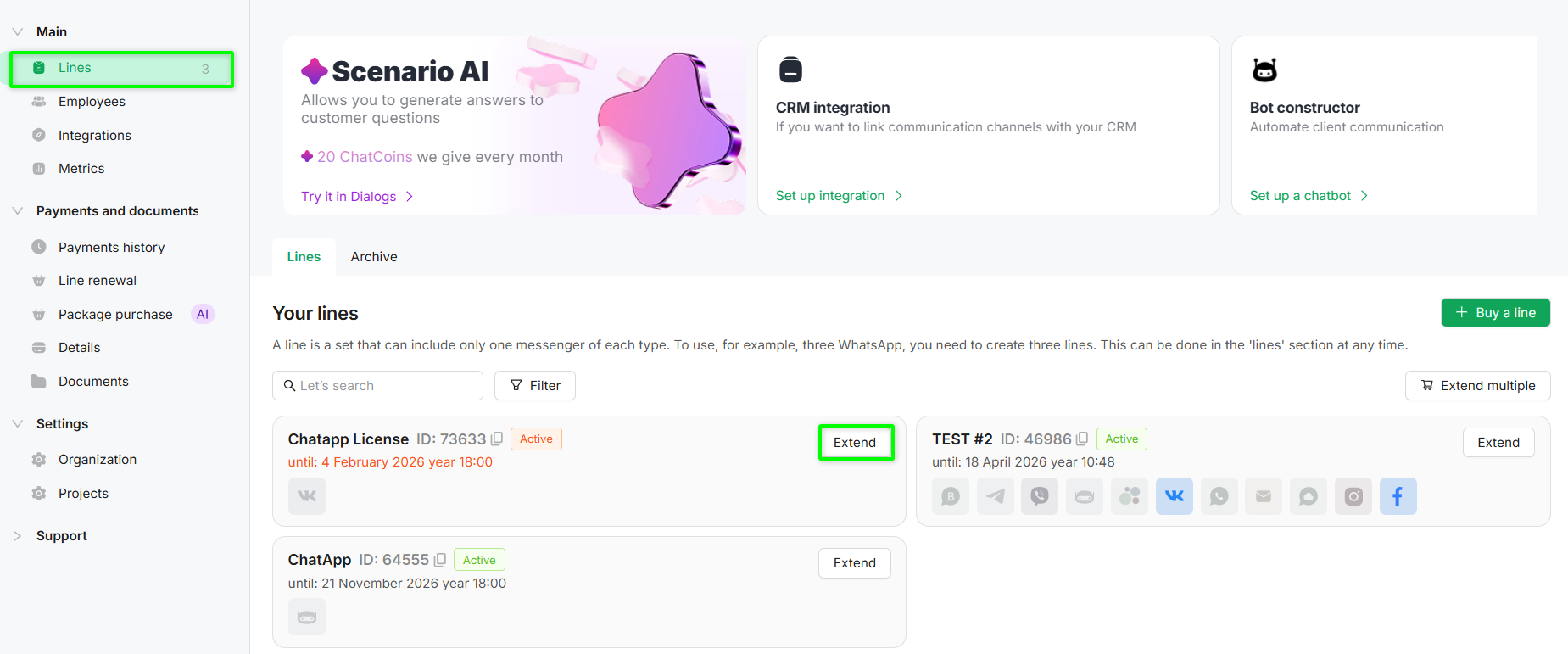
Go to the «Lines» section of the required project.
-
Click the «Extend» button next to the required line.
-
The system will generate an order where you can:
-
change the line term;
-
add a new line by clicking the «+ Add line» button;
-
add ChatCoins to the cart (see instructions).
-
-
Click «Next» to proceed to order payment.
-
Select a convenient payment method and complete the payment.
The channel configuration can be changed up to 5 days before the line expiration date.
