

After connecting ChatGPT to the bot, you can train it. This is necessary for AI to learn about your company and be able to answer questions about it.
First, prepare quick responses, as described in the article “Creating Standard Quick Responses.” Now, let’s go through how to feed this database to artificial intelligence (create a model).
Creating a JSONL File for Model Training
JSONL is a format where each line of the file represents a JSON object.
- Create a JSONL file, for example, in a regular text editor.
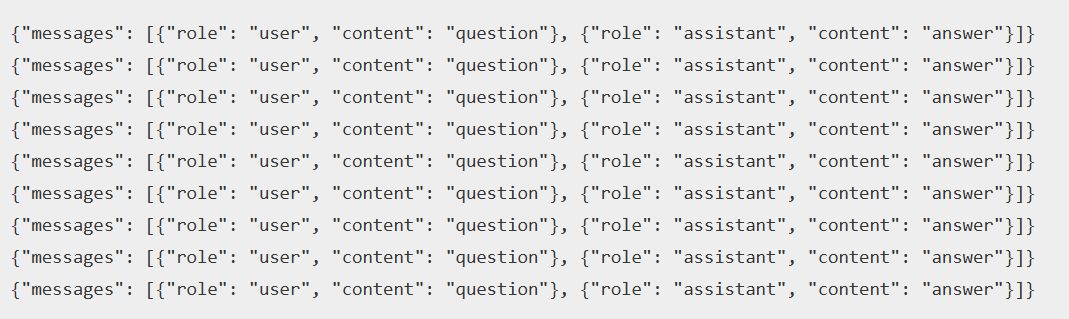
- In the file, add at least 10 lines — examples with a user’s question and the assistant’s response. Line format:
{"messages": [{"role": "user", "content": "question"}, {"role": "assistant", "content": "answer"}]}The role can be of two types: assistant or user.
The content is the text of the message. A question or an answer must not exceed 5000 characters and cannot be empty.
Creating a Model
1. Go to the bot connected to ChatGPT.
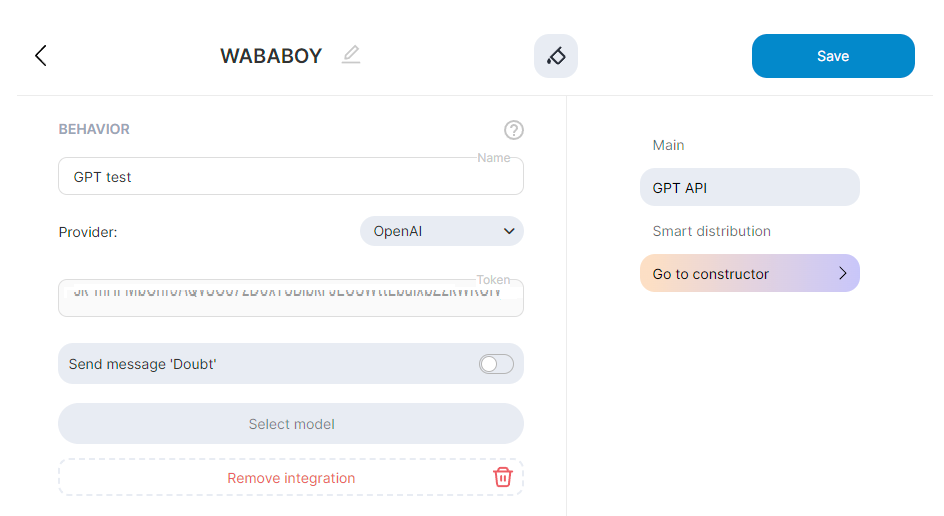
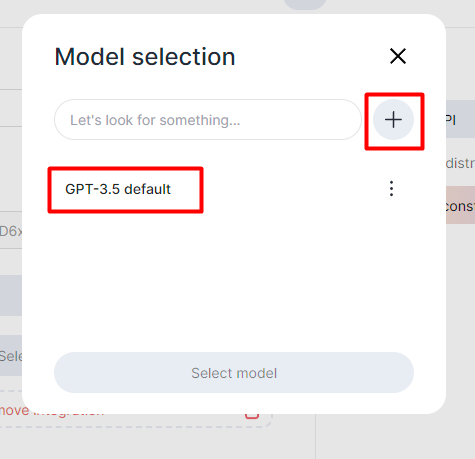
2. Select a model or click on “+”
3. Enter the necessary settings:
- Add a name to easily distinguish it from other models.
- Choose the GPT version (currently, only GPT-3.5 Turbo is available).
- Select the language in which the model will respond. If left blank, the response will be generated in the same language as the question.
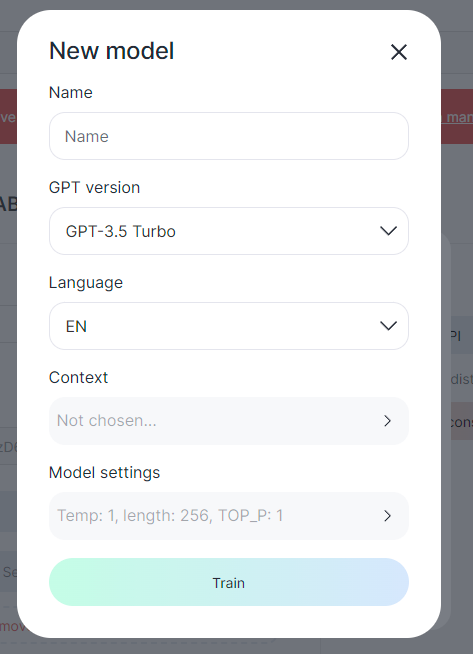
- Context is the material on which the model will be trained. Choose the folders with the quick responses you created.
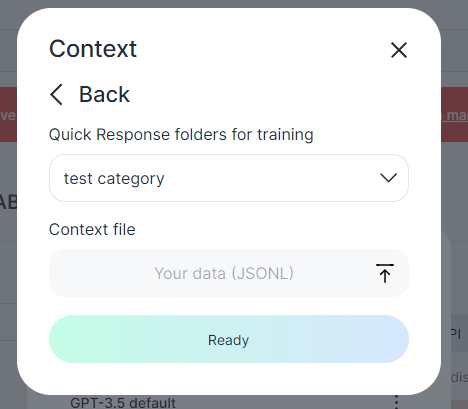
- Model Selection: Choose the model that will respond to the customer.
- Language Selection: Select the language in which the model will respond.
- Model Settings:
- Temperature: The lower the value, the closer the model’s response will be to the topic; Optimal value is around 0.4.
- TOP_P: This parameter allows you to adjust the degree of diversity in the text, i.e., how much the next sentence will relate to the previous one.
- Number of tokens in the response: One token is approximately 8 characters.
- Stop Sequences: A sequence of characters after which the model stops generating a message. So, if you enter “123”, and the neural network generates this sequence in the text, it will stop.
- Frequency Penalty: A number from -2.0 to 2.0. The higher the value, the less likely the model is to repeat the same line literally.
- Presence Penalty: A number from -2.0 to 2.0. The higher the value, the more likely the model is to talk about new topics.
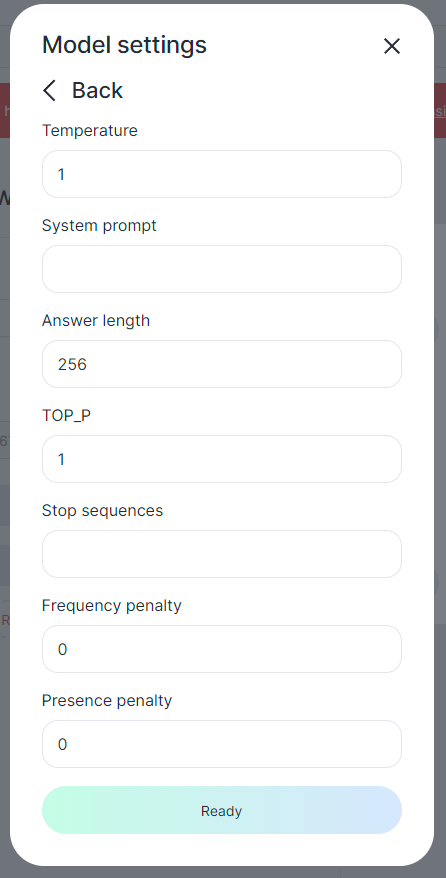
We recommend adjusting either the temperature or TOP_P, not both parameters simultaneously. Otherwise, the result may become unpredictable.
4. Click “Ready” and “Train.”
To check the training status:
- Click on “Select Model.”
- Click on the desired model.
- The training status will appear with the ongoing process. You can modify the name, language, and add context to retrain the model if needed.
Great! The model is trained and ready for use in the bot builder and Assistant.
