

How to connect Telegram Bot
To connect Telegram bot to the ChatApp service:
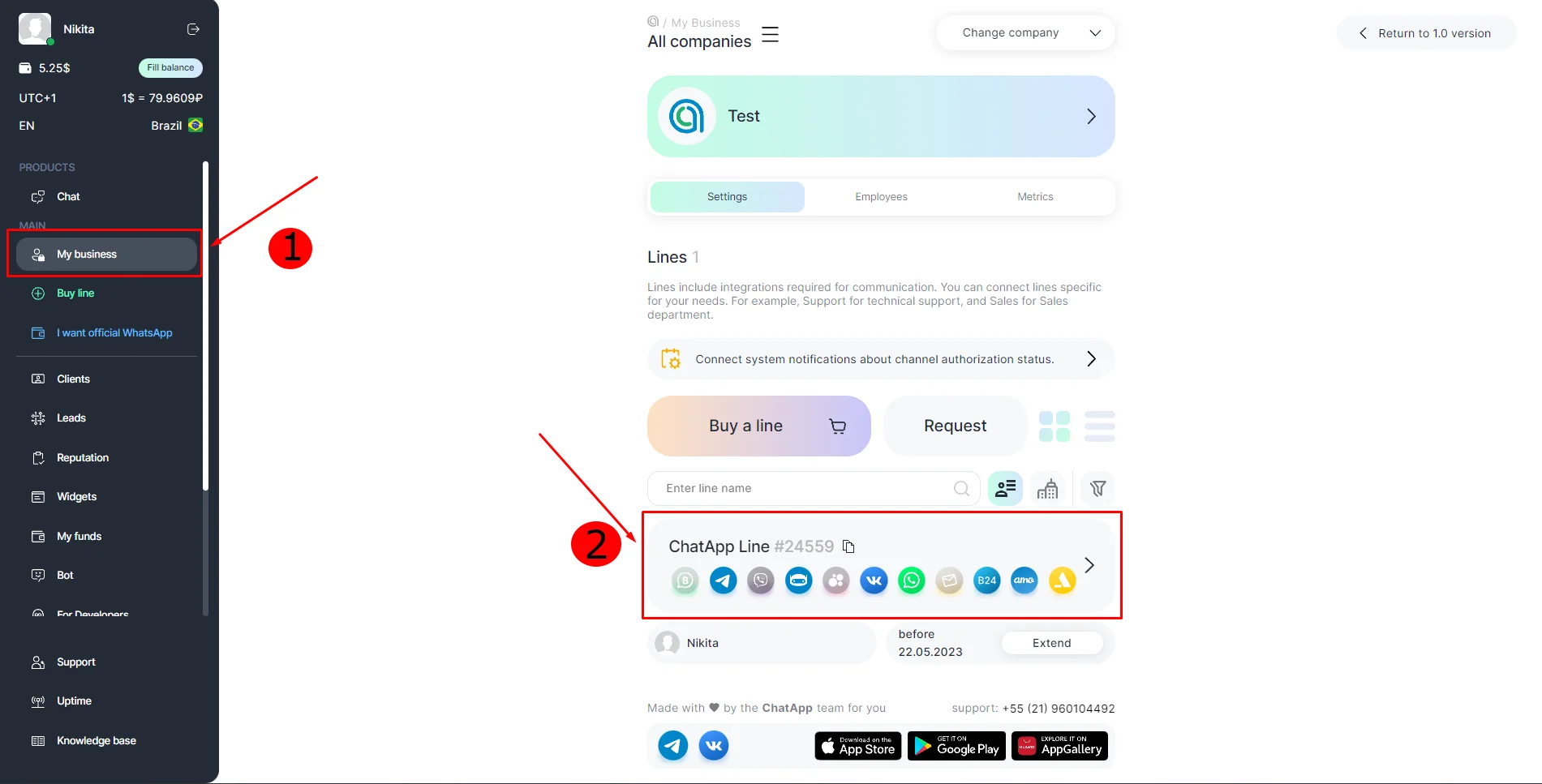
1. Go to your ChatApp Personal account
2. Go to the Selected Company section in the left side menu and select the desired line.
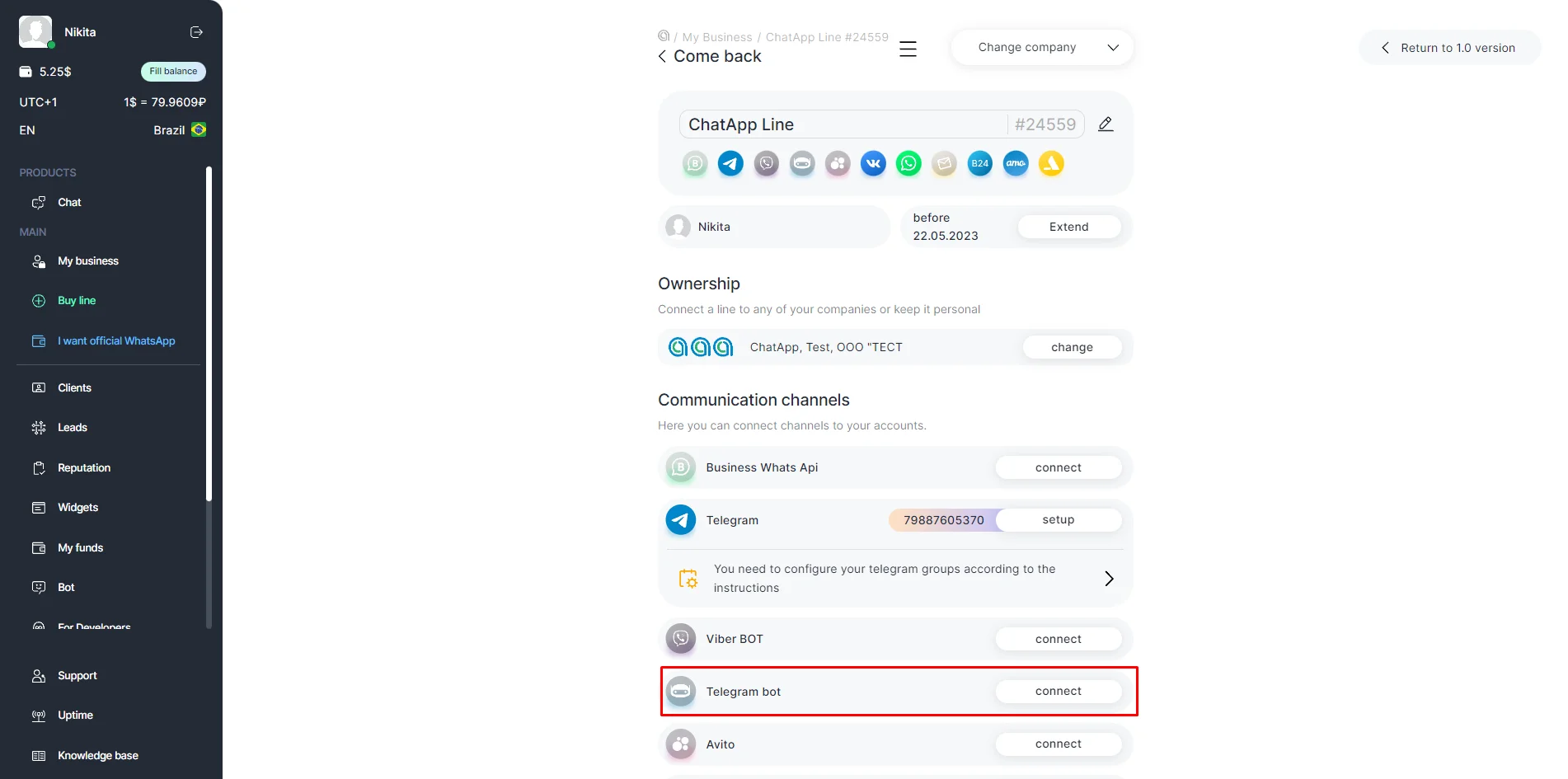
3. Click on connect in the Telegram Bot tab.
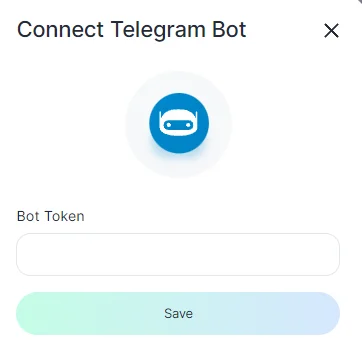
4. In the textbox, enter the unique Bot Token which was obtained when the Bot was created, and click on Save.
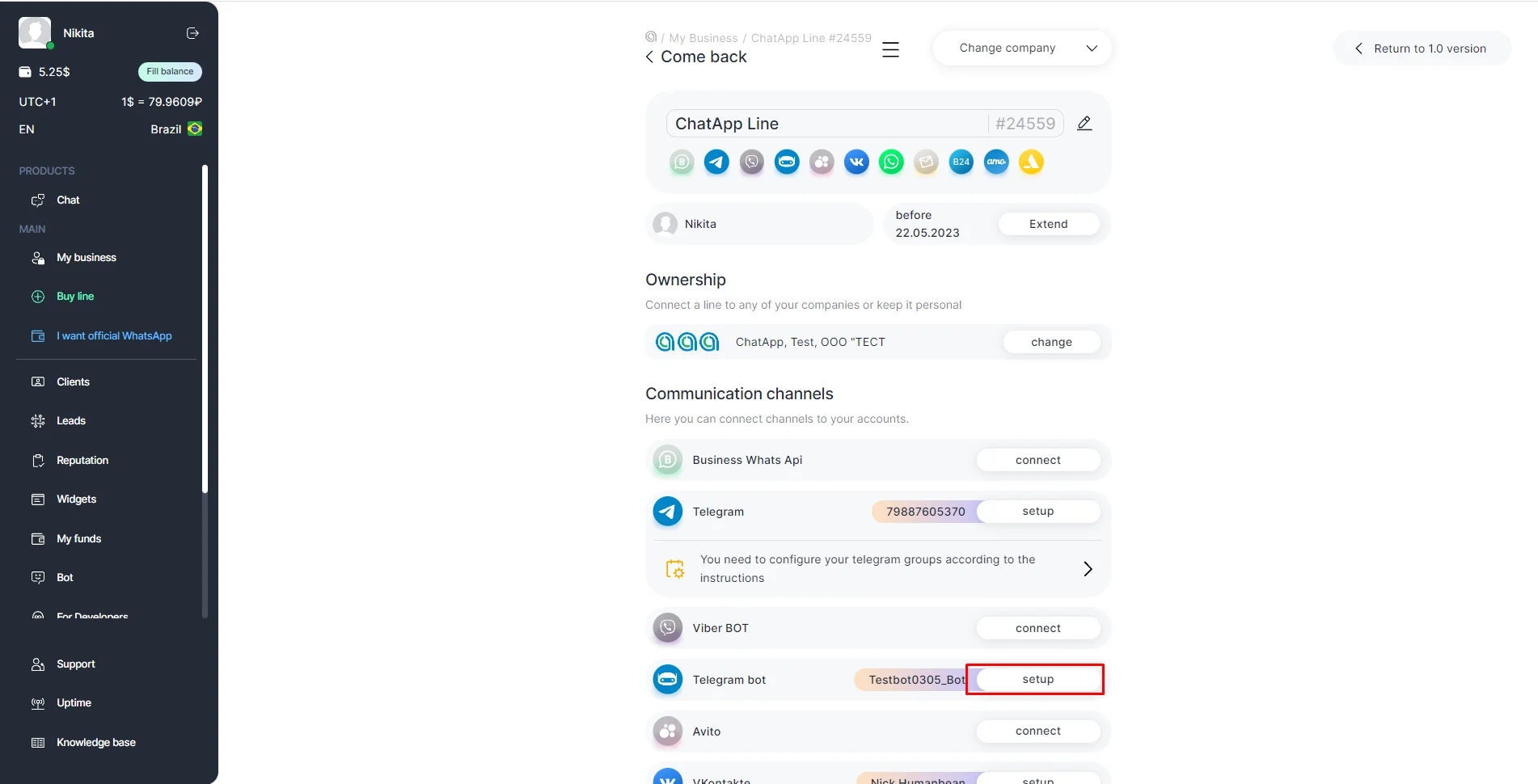
5. The username of the bot will be displayed in the line. Click on setup to view the token, name, username of the bot and get a link to the bot in Telegram.
If your Telegram Bot account has been banned
Launch the official Spam Info Bot. When enabled, it will show you if there are any restrictions on your Telegram Bot account. If the account has been banned, check if you have violated any rules.
The restrictions may not be removed if the violations were serious. However, the bot can be restarted on a regular basis, and you can also contact Telegram’s technical support: spam@telegram.org.
Telegram Bot Features:
- You can only send a message to a user after they subscribe to your Telegram Bot;
- Delivery notifications and message status notifications (read / unread) are not available;
- You cannot get the client’s phone number while chatting. Telegram bot does not transmit this data;
- You can contact the user only by username;
- The file transfer limit is 60mb;
- Telegram bot can delete chat messages, but there are conditions that are listed below:
- A message can only be deleted if it was sent less than 48 hours ago;
- A dice message in a private chat can only be deleted if it was sent more than 24 hours ago;
- Bots can delete outgoing messages in private chats, groups and supergroups;
- Bots can delete incoming messages in private chats;
- Bots with can_post_messages permissions can delete outgoing messages in channels;
- If a bot is an administrator of a group, it can delete any message there;
- If the bot has the can_delete_messages permission in a supergroup or channel, it can delete any message there.
The main differences between connecting Telegram Bot and Telegram Personal:
| Connectivity | Telegram Personal | Telegram bot |
| Be the first to text to the client by phone number or @username | + | – |
| Receive incoming messages from the client and reply to them | + | + |
| Connect group chats | + | + |
| Create a mailing to your customer base | + | – |
| Control message sending and delivery statuses | + | – |
| Collect contacts from Telegram groups | + | – |
| Integrate Telegram into CRM | + | + |
| Connect Robots to Bitrix24 and Salesbot to AmoCRM | + | + |
| Use phone contact database or @username | + | – |
