



Use ChatApp Bot to automate communication with a client, for example: send messages automatically, assign dialogs to employees, and ask for feedback.
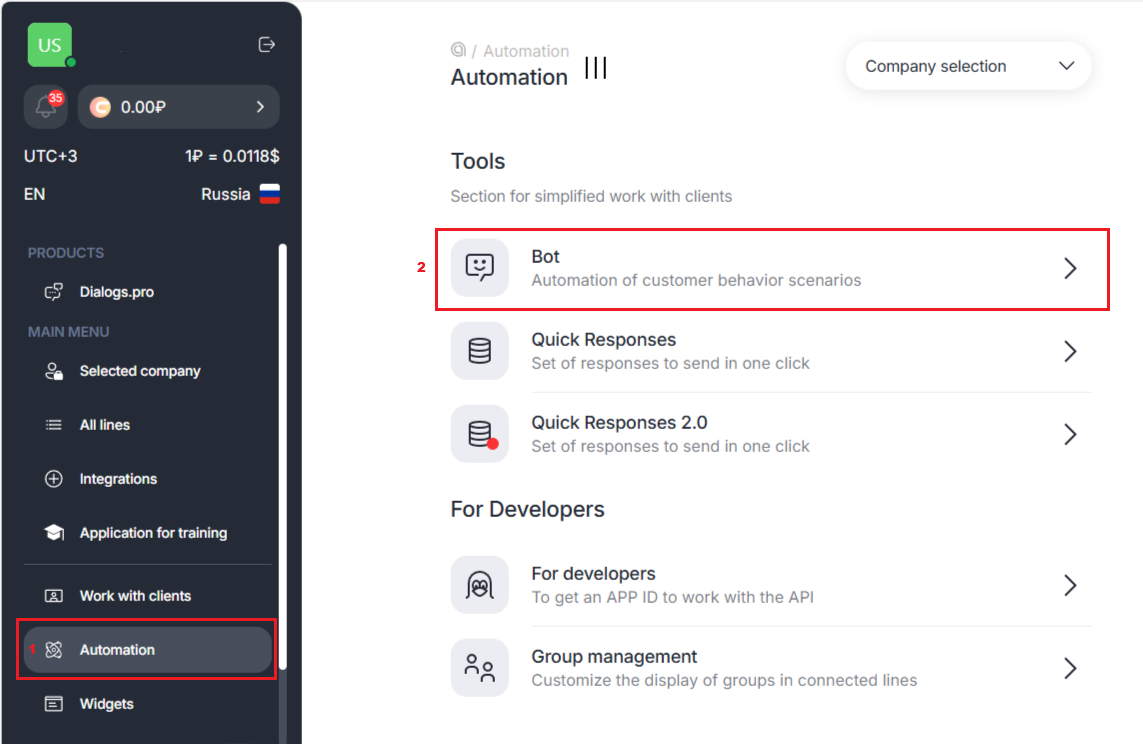
1. In the ChatApp personal account, in the left side menu, select the “Automation” → “Bot” tab.
2. Click on the “+” on the empty bot card.
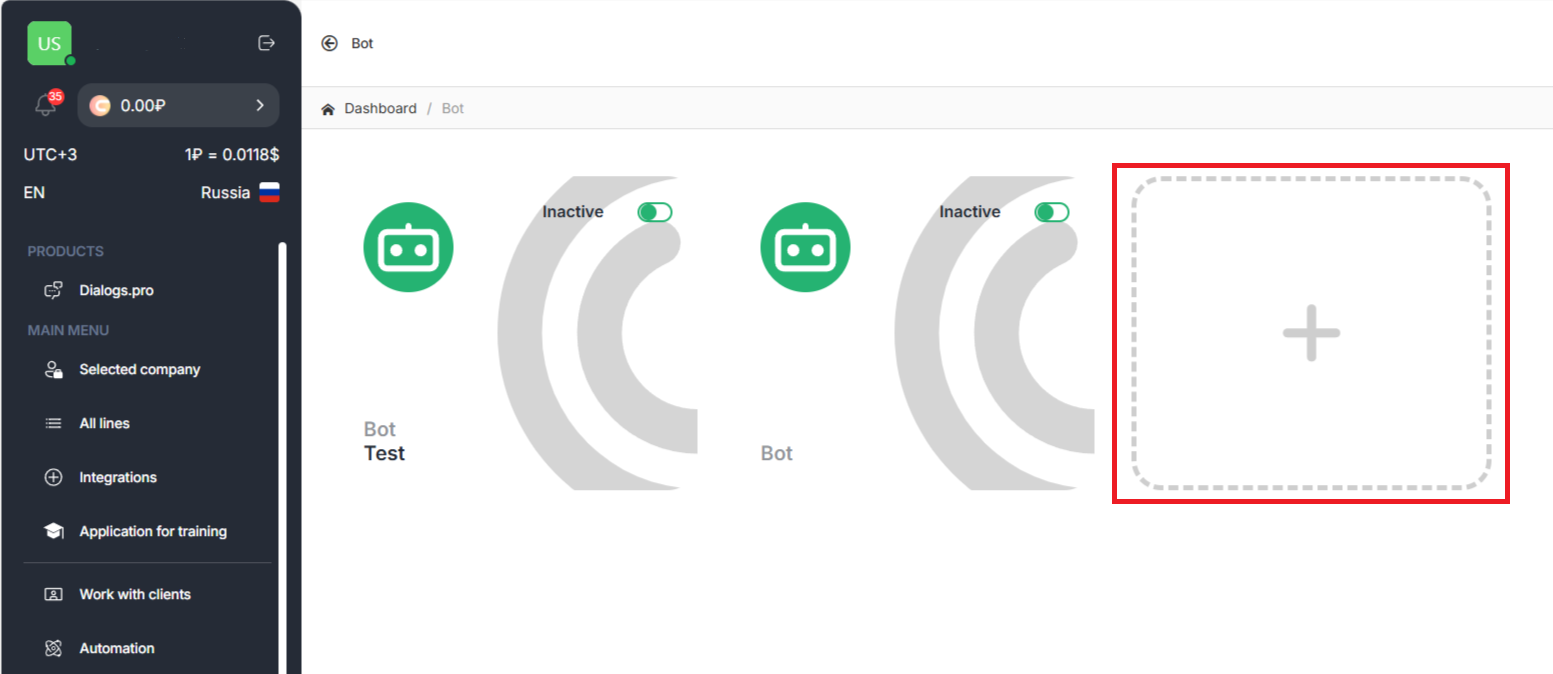
Important: One license can’t be assigned to several Bots
How to set up a bot?
To set up a Bot you need:
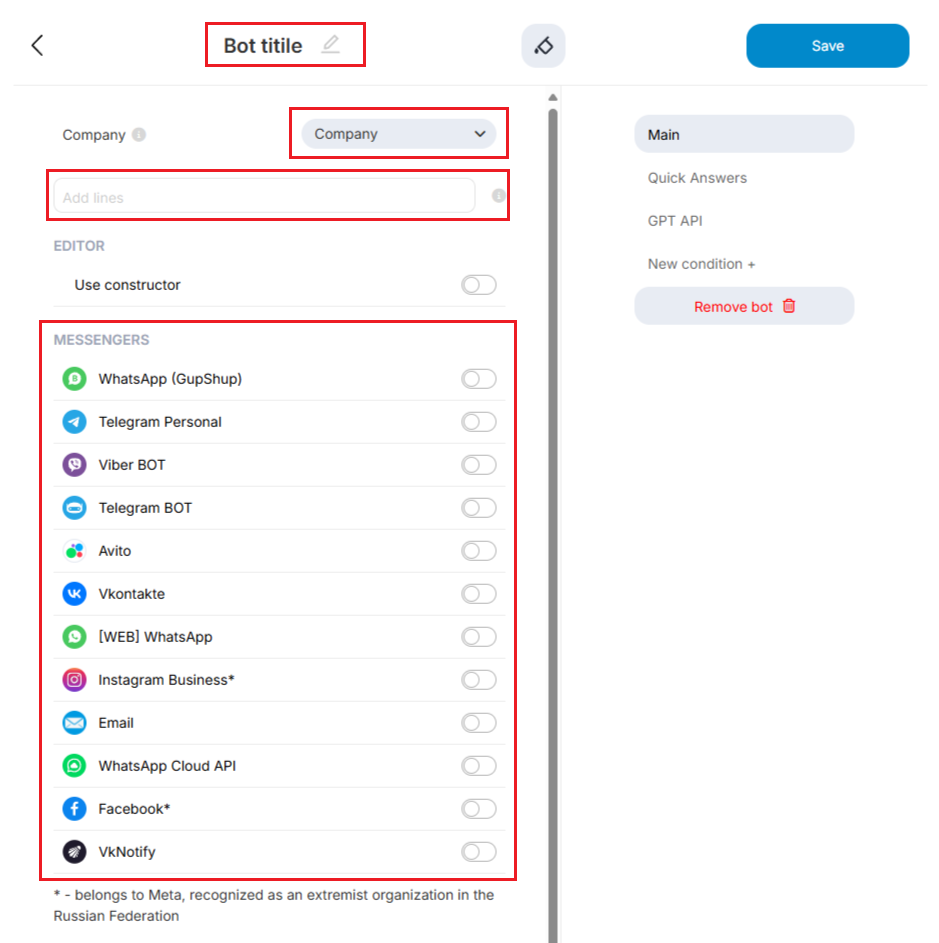
Come up with a name for the Bot that will be displayed in the web chat, and then select the license and messengers in which it will work.
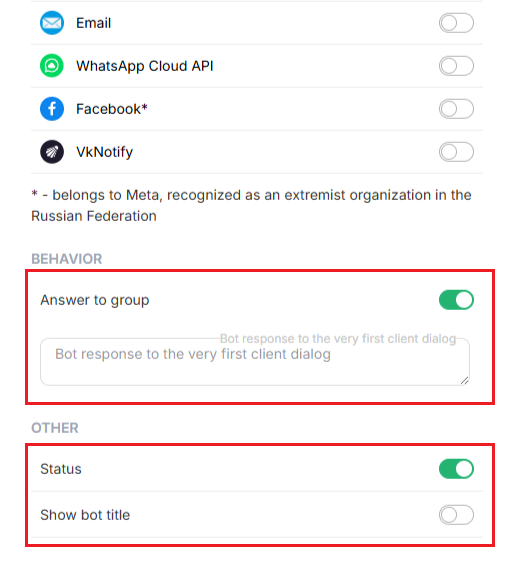
2. Customize Bot behavior. Here you can remove or add the following functions to the bot:
- Allow the bot to Reply in groups.
- Customize the response to the first message from the client.
- Enable and disable the Bot in the “Status” tab.
- Show Bot Title.
- In the Main section, you can add New conditions + to Bot behavior.
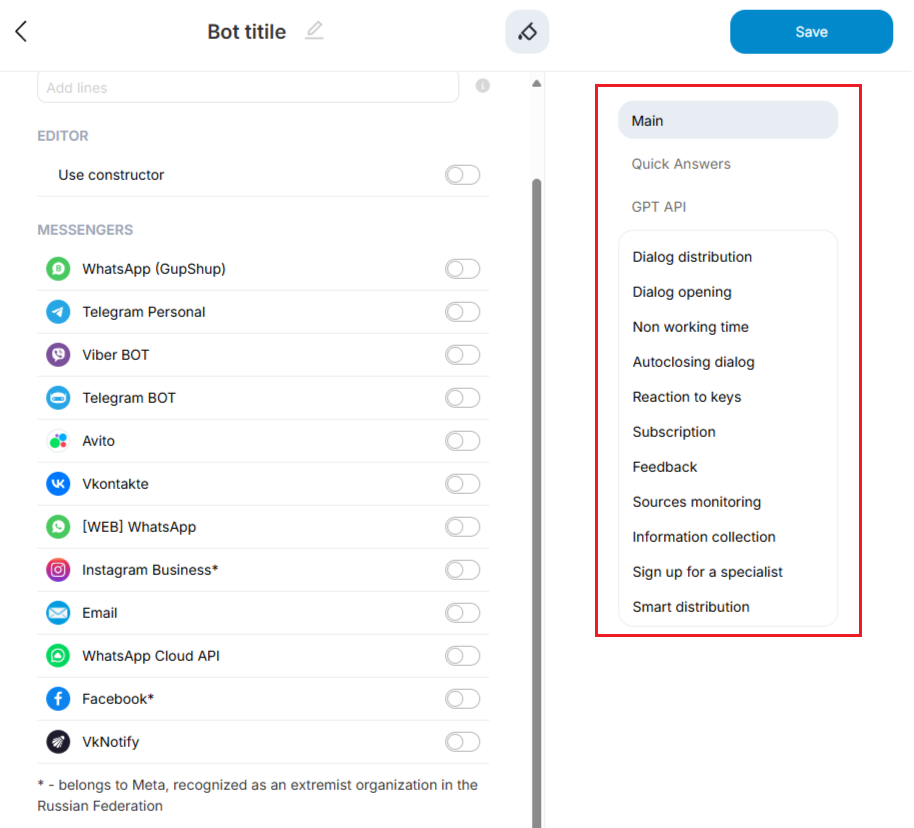
Learn more about what functions can be provided to the bot and what it can do.
- After setting up the Bot click Save.
