

The Chat Tags Automation rule automates the process of labeling and unlabeling conversations.
- Add a Automation rule named [ChatApp] Chat Tags;
- In the Automation rule settings menu, select Line and Channel;
- Select a Tag to highlight from the drop-down list. You can edit Tags in your ChatApp Dashboard;
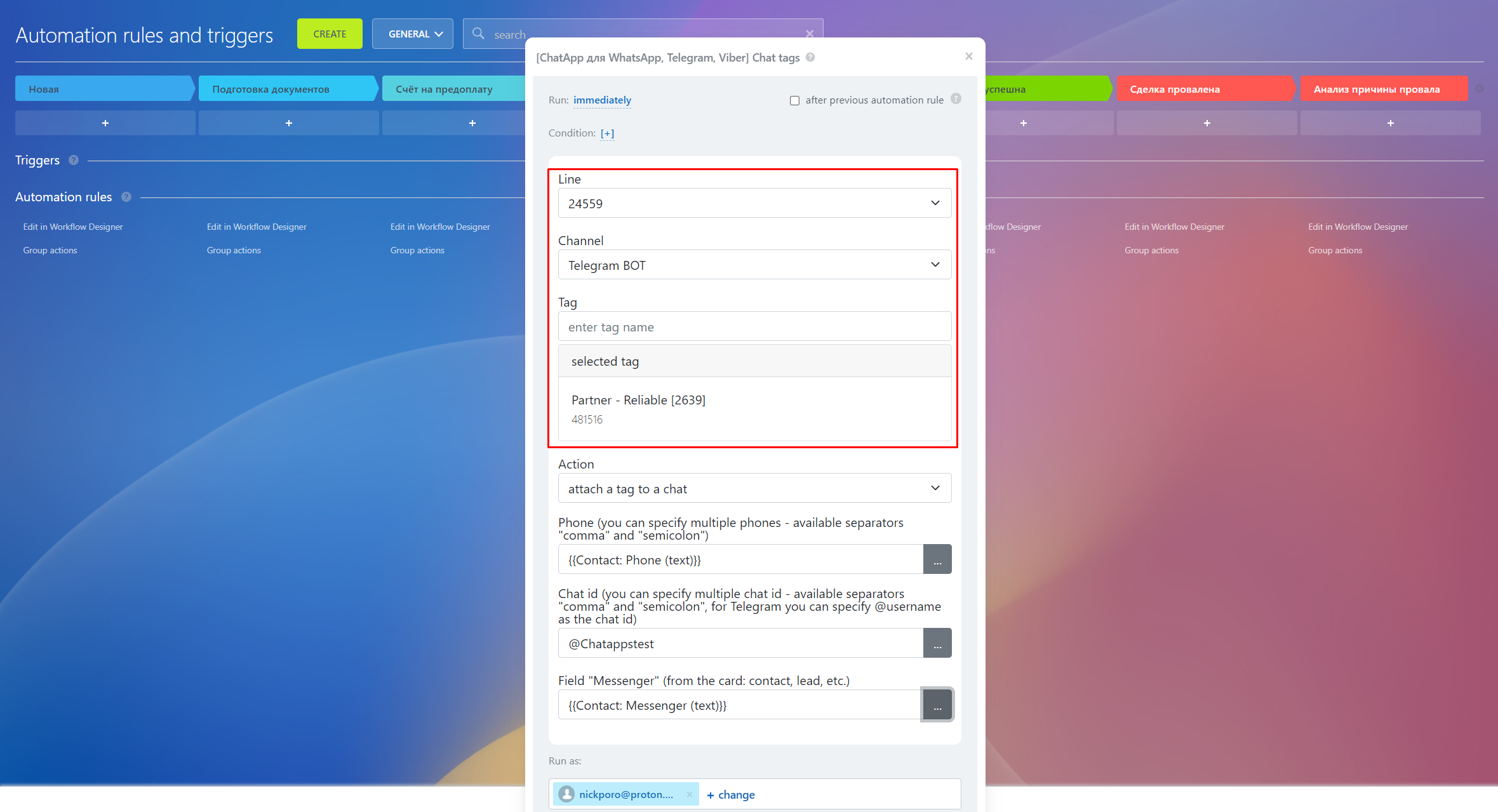
- Specify the action that the Automation rule will perform: "Attach a tag to a chat" or "Unpin a tag from a chat";
The uniqueness of chats is determined by the Automation rules through the fields:
- Phone number - in the field you need to specify the phone number of the contact with whom the interaction will take place. You can specify multiple numbers separated by commas or semicolons.
- Chat ID - this information must be specified if other data is not available. If the contact is from the Telegram messenger, then it is enough to specify the Username of the user.
- Messenger - here you need to specify the "Messenger" field from the deal or lead card through the field mask. This field is required when the contact's phone number or other details are not available.
- The fields must be filled in according to the examples, otherwise the Automation rule may not recognize the entered data. By clicking on "..." you can select the available Field Masks;
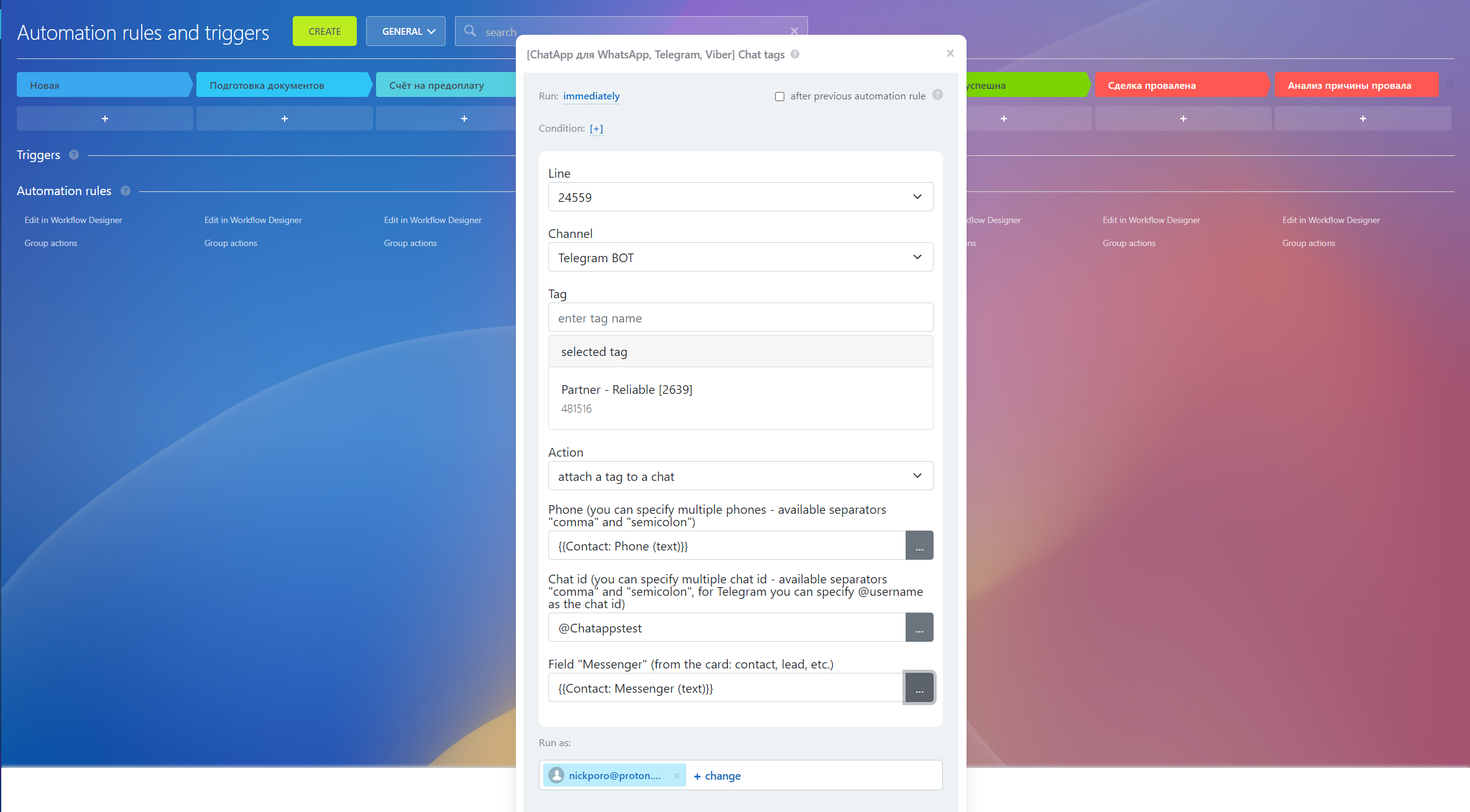
- Next, you can configure the launch of the Automation rule and enter the Condition of work;
- After entering the data, click on the "Save" button. The robot will start when entity card enters the stage of working.
Video Tutorial
If you still have questions, we have prepared a video tutorial about installing tags using the ChatApp robot in Bitrix24.
