1. Invite employees to the company in the My Business section.
2. Make sure the correct company is selected in the main settings.
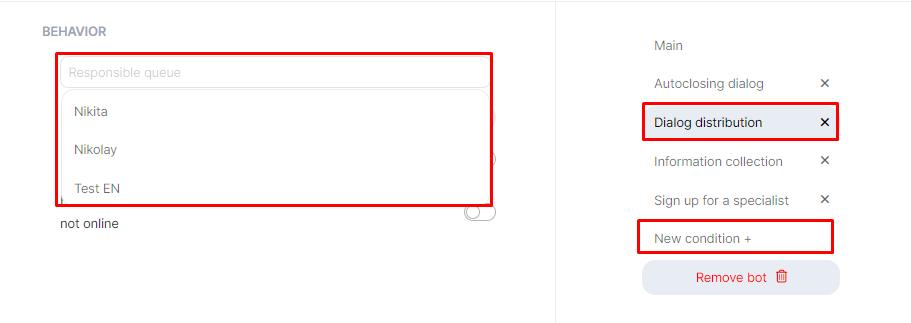
3. Click «New Condition +» and select «Dialog Distribution».
4. Click Responsible Queue, and select the employees to be assigned as Responsible in Dialogs Pro.
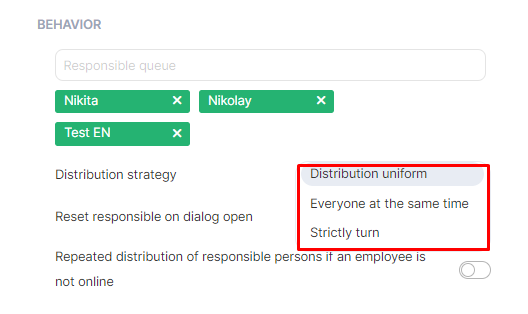
In the distribution of responsible person field, you can select:
- “Distribution uniform” – responsible operators are assigned depending on employees’ busy schedules. For example, if Employee A is assigned to 30 dialogs and Employee B is assigned to 5 dialogs. A new dialog will be assigned to Employee B.
- “Everyone at the same time” – each employee selects their own dialog to respond to and assigns themselves as the responsible person.
- “Strictly turn” – each dialogue is assigned in strict order of employees. For example, dialogue 1 – Nikita, dialogue 2 – Nikolay, dialogue 3 – Test EN, dialogue 4 – Nikita, etc.
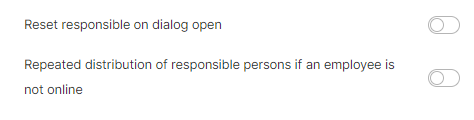
“Reset responsible on dialog open” – if the option is disabled, the same employee will remain responsible on dialog re-open. If the option is enabled, the distribution will start again according to the specified behavior.
“Repeated distribution of responsible persons if an employee is not online” – if the option is disabled, the Bot will assign employees who are not currently working as responsible for the dialog. If the option is enabled, the distribution will start again according to the specified behavior.