

In Bitrix24, you can assign a separate Person Responsible for each of the cards: “Lead”, “Deal”, “Contact” and “Company”. The cards may not be linked by a single customer.
If you have automation configured with distribution through your ChatApp personal account, chats with clients in ChatApp Dialog are distributed with each new request. Sometimes one Person is assigned to the “Deal” card, and another to the “Contact” card. Because of this, the client starts communicating with a new employee every time they contact ChatApp Dialog. To automatically assign the same employees from Bitrix24 and ChatApp Dialog to the dialog, set up synchronization of those responsible.
This is also important if you need to put someone in charge of the client’s card who communicated with the client through ChatApp Dialog.
What you need to start with:
How to set up synchronization
1. Go to the Bitrix24 portal.
2. Go to “CRM” in the menu on the left and find “Contact Center” in the “Deals” area or in the “Contacts” tab.
3. Click on the tile of the desired messenger whose name starts with “ChatApp – …”.
4. In the pop-up window, click “Change” next to the messenger icon.
5. Open the “Synchronize Responsible” tab.
In this window, you can configure how the synchronization will happen.
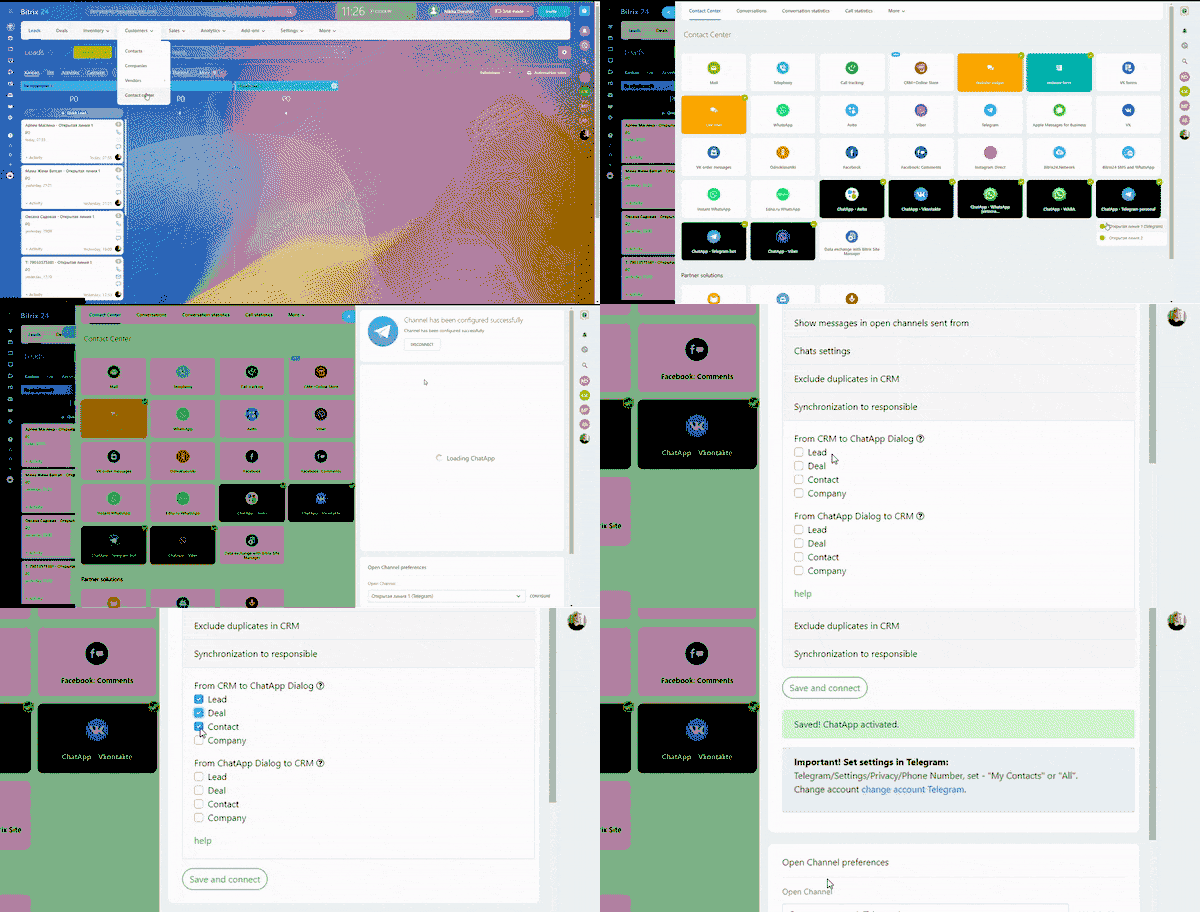
“From CRM to ChatApp Dialog” – in this section you assign from which CRM card to take the responsible person and put in ChatApp Dialog. If you check several boxes, the responsible person is assigned from the last changed card.
Changes in the card are considered:
- Changing input fields in a CRM card;
- Adding comments.
If you check the “Lead”, “Contact” and ” Deal” boxes and make changes to the “Contact” card, ChatApp Dialog will assign a responsible person from the “Contact” card when a customer contacts you.
“From ChatApp Dialog to CRM” – In this section, you set which cards will be assigned to the person in charge from ChatApp Dialog. For example, this is useful if you want to put the card “Lead” responsible for the person who communicated with the client.
If you check “Lead”, “Contact”, and “Deal” after the ChatApp Dialog assigns a person responsible for the dialog, the system will check whether there are cards associated with that dialog and assign persons to them.
How it works
Synchronizing the responsible from CRM in ChatApp Dialog
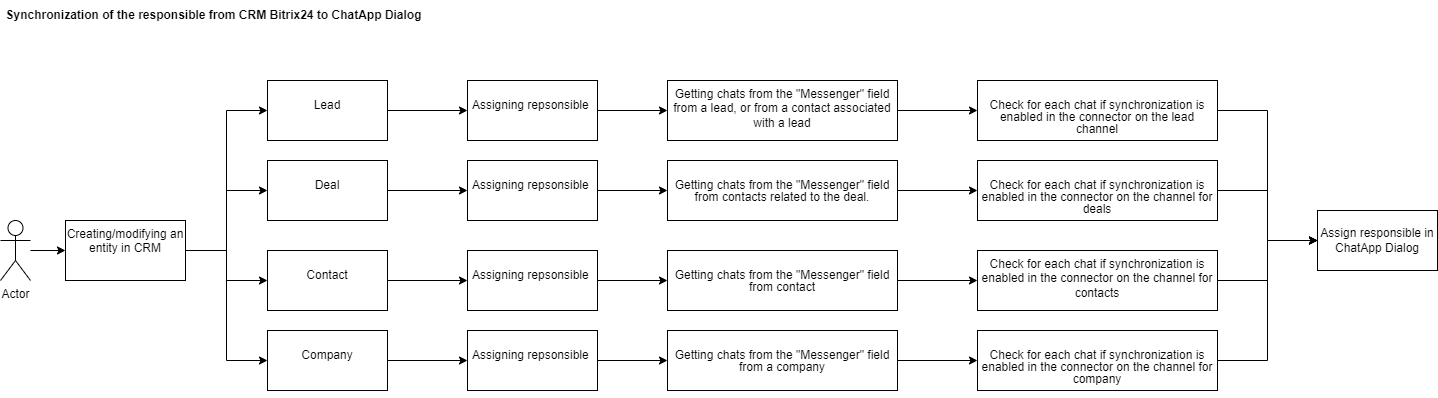
1. A CRM entity is created or changed.
A CRM entity is a Lead, Deal, Contact, and Company card. Synchronization occurs only when the dialog is opened or when the entity is changed.
2. An entity is assigned a person in charge.
3. The system finds chats from the “Messenger” field associated with the entity.
4. It checks in each found chat whether the “Synchronization to responsible” checkbox is checked against that entity.
5. The system assigns a responsible person to the ChatApp dialog.
Synchronizing the person in charge from ChatApp Dialog in CRM
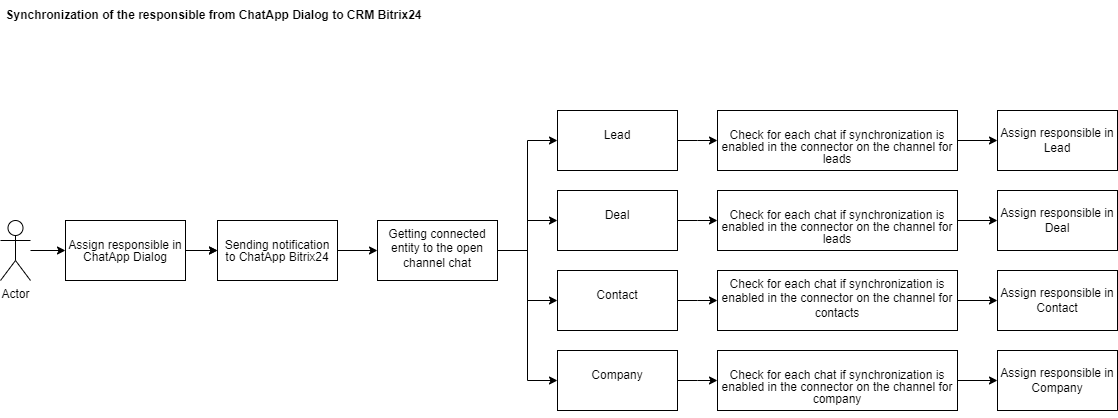
1. The ChatApp Dialog assigns a responsible person.
2. A system message is sent to Bitrix24 to create a chat in an open channel.
3. The system finds the entities associated with the created chat.
4. The system checks whether the “Synchronization to responsible” checkbox is checked against that entity.
5. The system assigns a responsible person.
Why might synchronization not work?:
- errors in setting up roles and linking employees;
- assigning one ChatApp employee to different roles in the CRM system.
