The connector ChatApp – WABA is a channel in the Bitrix24 contact center, which allows you to configure the connection of a WhatsApp Business API to open channels.
Benefits of WhatsApp Business API Integration:
- Support for message delivery and reading statuses;
- Ability to start a conversation with a WhatsApp user by phone number;
- Ability to send a template message from an open channel chat;
- Ability to use an automation rule to send a template message;
- Support for indication of opening and closing of the 24-hour session window;
- Communication from a single messenger window ChatApp Dialog;
- Support for the ChatApp quick response bot and setting up auto-replies;
- Using the Quick Response Database;
- Contact blacklist management;
- Support for ChatApp robots.
To connect WhatsApp in CRM Bitrix24
After connection of WhatsApp Business API channel in My Account, install ChatApp application in Bitrix24 using the market.
If you already use integration of other messengers, you must reinstall or update the application to make the connector appear in the contact center.
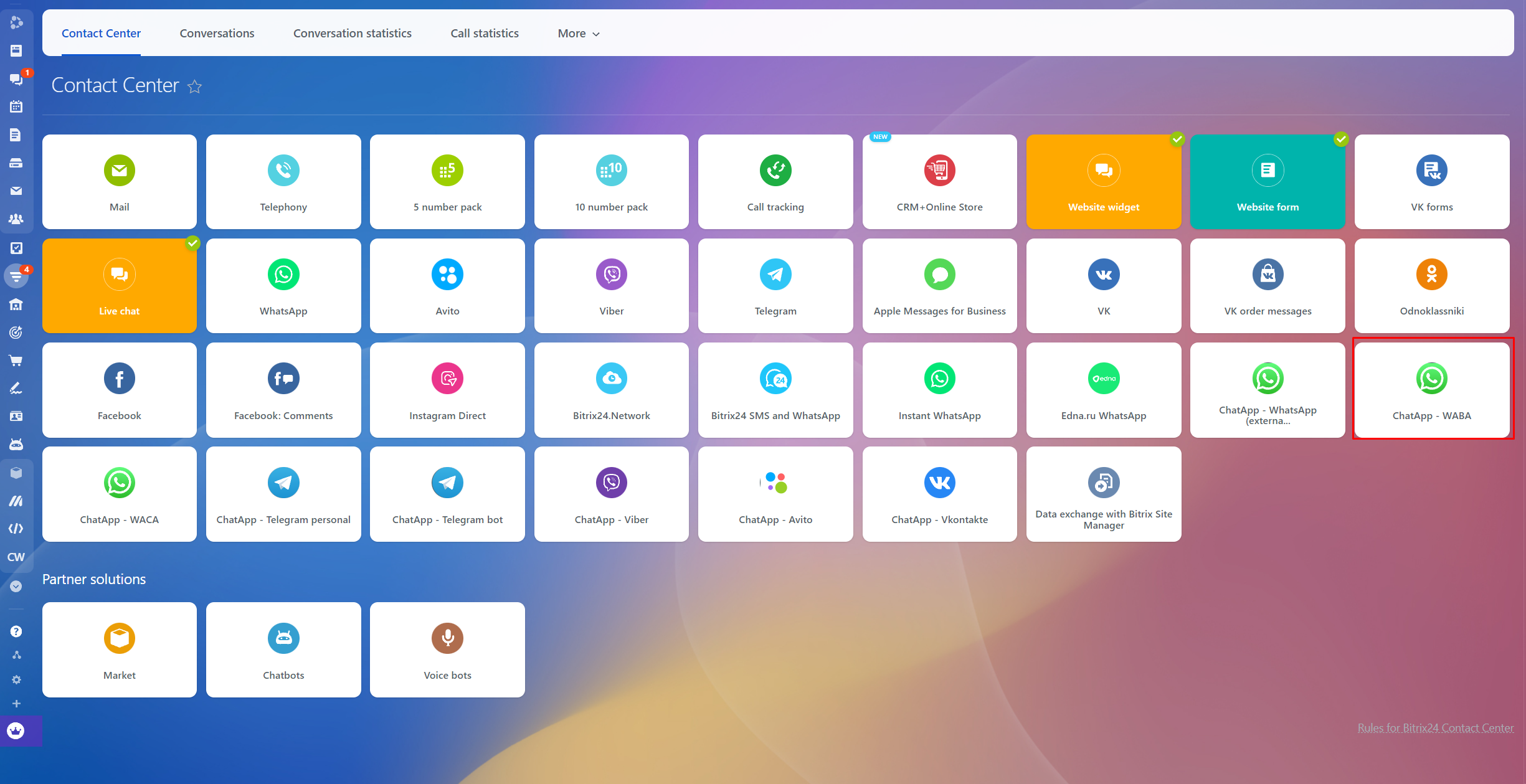
1. In the “Contact Center” section of Bitrix24 press “ChatApp– WABA” connector
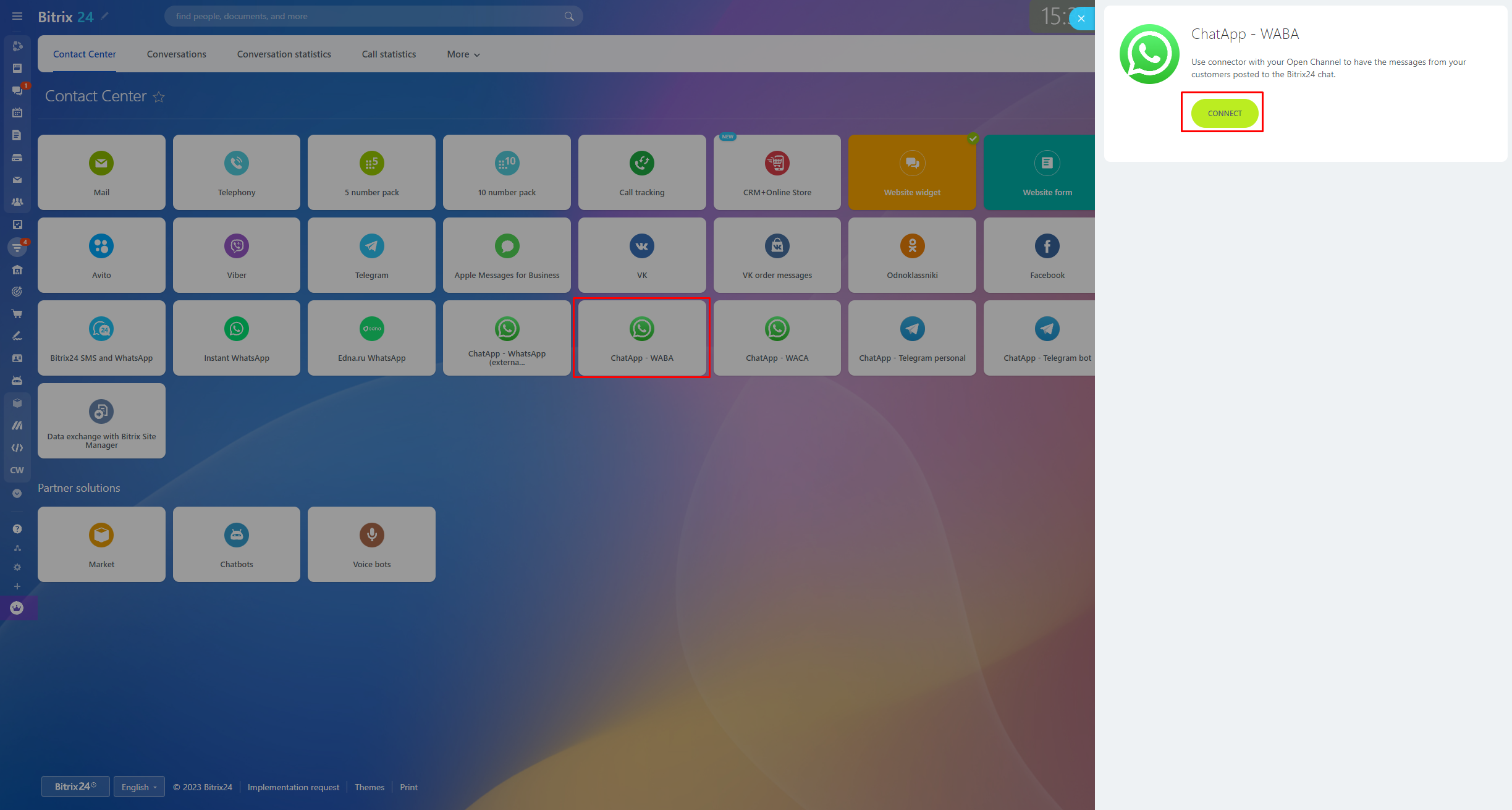
2. In opened widget press Connect button.
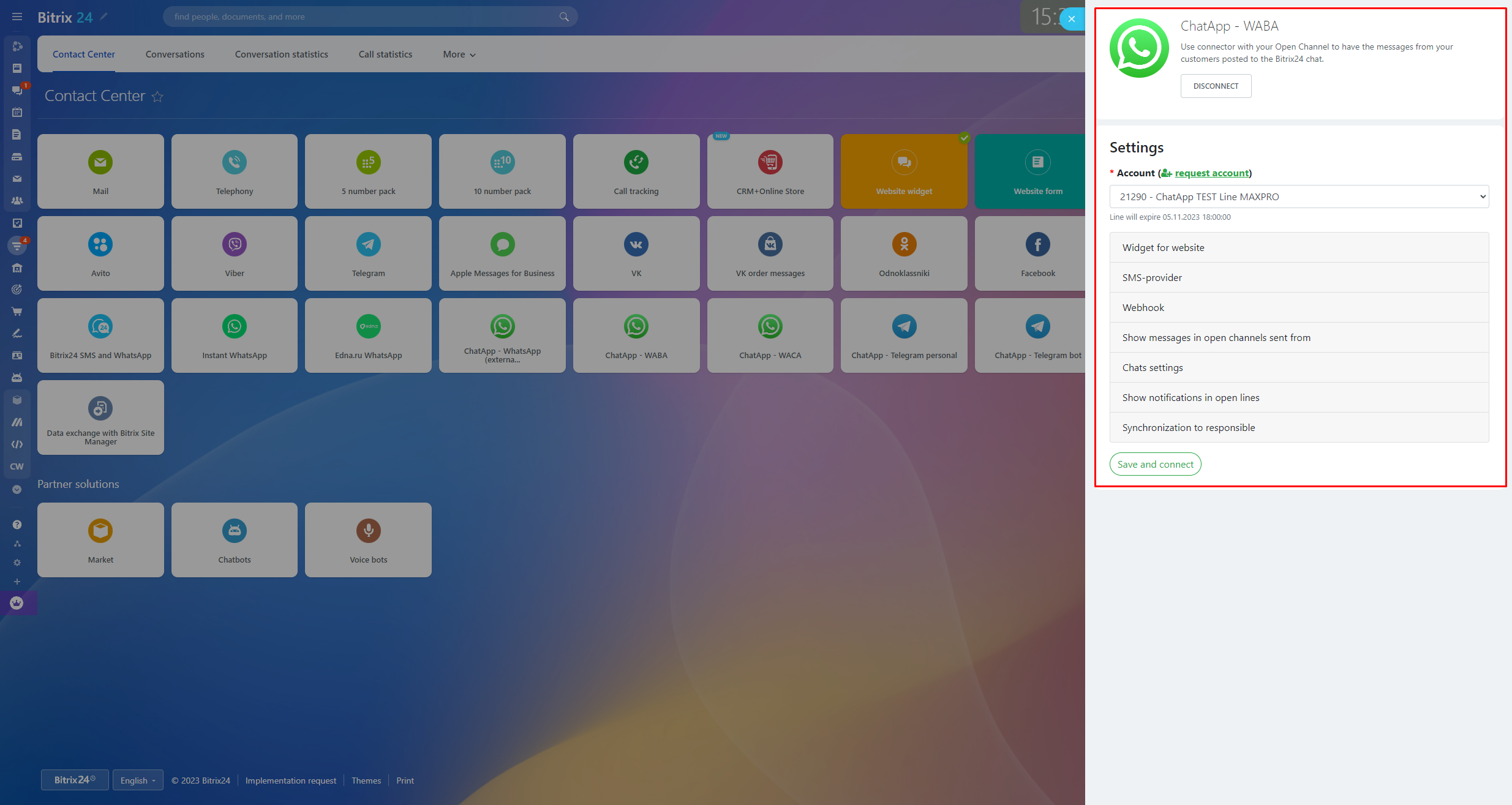
3. Fill in the data:
- In Settings select ChatApp license from the Account dropdown list – a license in which the WhatsApp Business API channel is available.
- Enter the name of the channel and phone number for a widget on the site
- Select communication channels messages from which will be delivered to open channels
- Enable or disable Auto-sync open channel chat name with CRM contact.
- To disable the system notification “FTC session is open (valid for 24 hours)”. In the connector settings, uncheck the “Notification of the opening of a 24-hour session”.
- Synchronize responsible persons.
- Press Save and connect.
The channel is added to the open channel. All clients’ messages will be delivered to a chat of your Bitrix24 and process according to open channel settings.
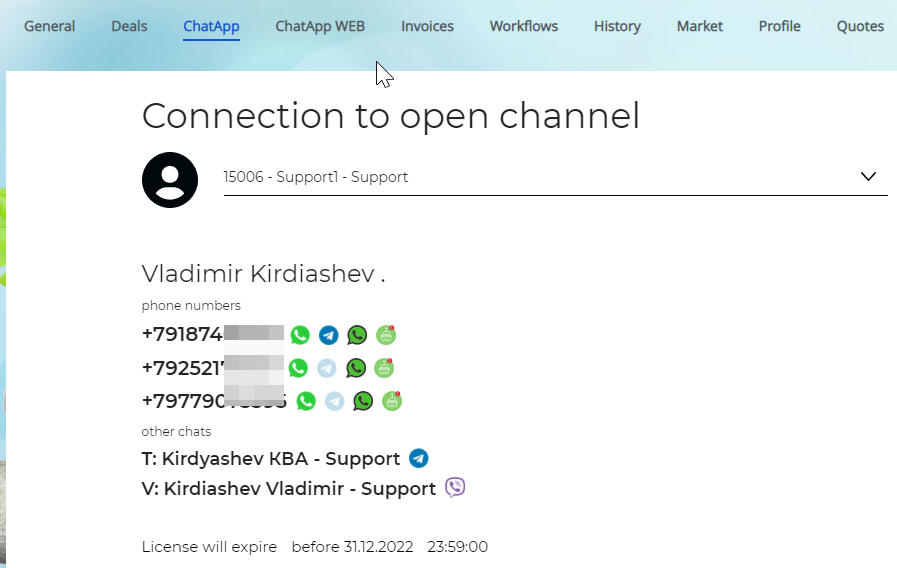
- Use contact, lead, or deal card in the ChatApp tab to open existing dialog or to send a pre-defined message to a client by phone number.